How co-op multiplayer works in Godot: host, prediction and lag
How Mytheria's online co-op works in Godot: one host owns the world, guests send inputs and predict their own moves. Try the lag demo, see real numbers.
On this page
- How does multiplayer work in games?
- The short answer
- One host owns the world
- Guests send inputs, not positions
- Predict your own moves
- Draw everyone else a little in the past
- Make hits fair to the player who swung
- Send only what changed, and only what's near
- How we built co-op in Godot
- How do you test online co-op on one computer?
- A checklist for co-op multiplayer
Mytheria, our pixel-art adventure, is built in Godot and plays online with one to four players. In good co-op, your own character responds the instant you press a key, and a hit you saw land on your screen also lands in everyone else's game. This is how we built that, with the real numbers from the game.
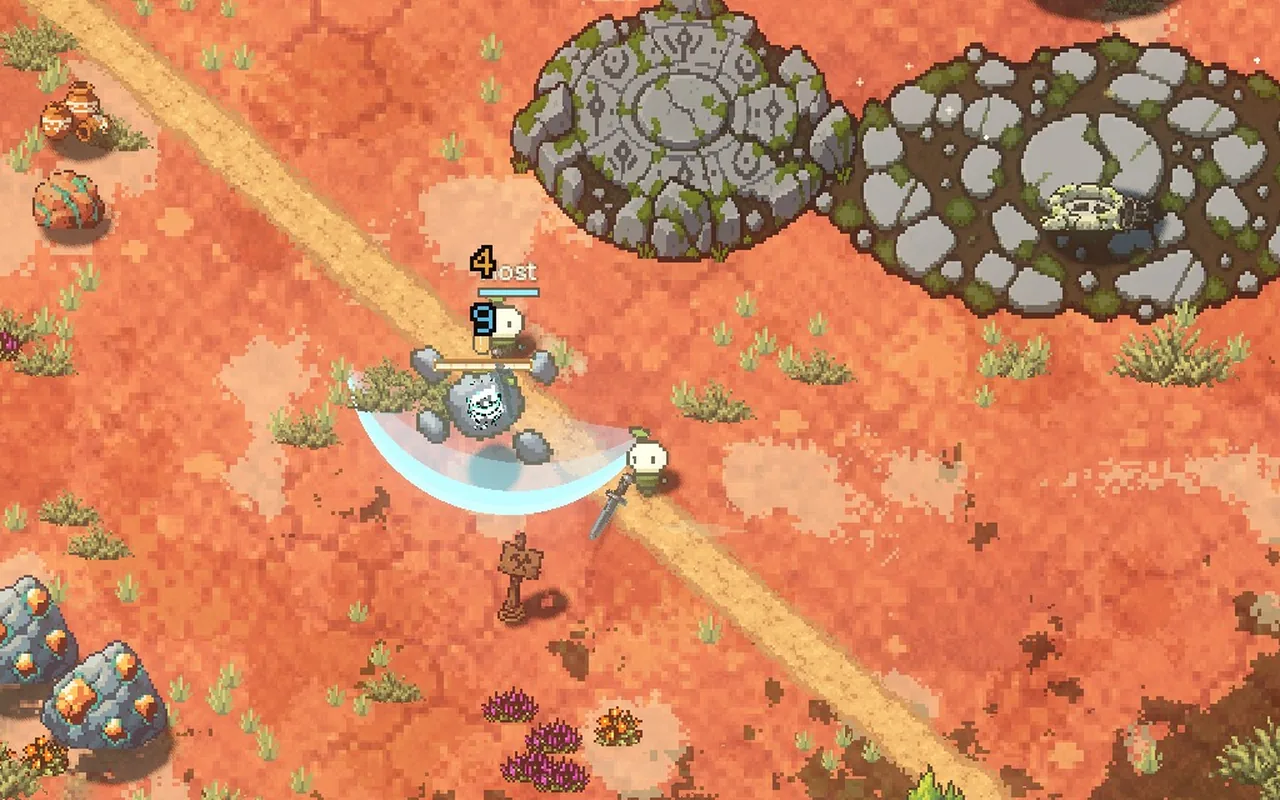
Every clip below is two copies of the game filmed at the same moment, one hosting and one joining.
How does multiplayer work in games?
One computer has to be the referee. In Mytheria that is the host: the player who opens their world to friends. The host runs the real game. Everyone else, the guests, sends what they press to the host and gets back what happened. Each guest draws the world from those answers. It's also the host's game that saves the world; how those saves survive a crash is in saves that survive a crash.
The hardest part is the delay. Messages between two homes take tens of milliseconds each way, often more, so every trick below is about hiding that delay without letting the screens disagree.
The short answer
This is how co-op works in Mytheria:
- One host owns the world. Only the host decides where creatures go, what gets hit and what drops.
- Guests send what they press ("up and attack") 30 times a second, never their position.
- Your game moves your own character the moment you press, then checks the result against the host's answer.
- Everyone else is drawn a moment in the past, so their movement stays smooth even when messages arrive unevenly.
- To judge your hits, the host looks back in time to where things were on your screen when you swung.
- The host sends only what changed and only what's near you, which took our traffic from 41 to 4.1 kilobytes a second.
One host owns the world
The host's game is the only one that runs the real rules. A guest's game holds a copy of the world and draws it. When a guest wants to do something that changes the world, like building, picking something up or moving an item, it asks the host, and the host checks the request before doing it.
With one decider, two screens can't disagree about who got the loot. A guest also can't cheat by sending a made-up position or hit, because the host never accepts either from a guest.
Guests send inputs, not positions
Every physics step (60 a second) the guest records one small input: which way you're moving, and whether you dashed or attacked. Every second step it sends the newest ones to the host.
Each packet repeats the last six steps. If one packet gets lost, the next one, 33 ms later, already carries what was missing, so nothing waits for a resend. The host plays the inputs back one per step, exactly as they were pressed. If it ever runs out, it waits until two have arrived before carrying on, so uneven arrival doesn't make you stutter.
Predict your own moves
If your character only moved when the host's answer came back, every press would wait a full round trip. At 75 ms each way, that is 150 ms before you see yourself move, which makes the controls feel sluggish.
So the guest's game runs the same movement code the host runs and moves you immediately. When the host's answer arrives, it says which of your inputs it has used. Your game jumps its copy back to the host's position, replays the inputs the host hasn't used yet, and carries on. If both ran the same code with the same inputs, the result is the same and nothing visible happens.
Try it below: hold on the field to move, then turn prediction off and drag the delay up.
Hold on the field (or use the arrow keys) to move, then turn prediction off and raise the delay
When the two do disagree, because something happened on the host that your game couldn't know about yet, we don't snap you to the new spot. The difference is shrunk by 14% every step, about 110 ms to fade, so you glide there instead. Only a difference of more than 56 pixels, a teleport, snaps at once.
Draw everyone else a little in the past
Your game can predict your own character because it knows what you're pressing, but it can't know what your friend is pressing or where a creature will turn. So other players, creatures and projectiles are drawn a moment in the past, between two positions the host has already sent, and their motion stays smooth.
How far in the past depends on the connection. Mytheria measures how unevenly the last 8 seconds of messages arrived and keeps the delay just above that, between 50 and 200 ms. On a clean connection things are only 50 ms behind. On shaky Wi-Fi the delay grows, and it never jumps: the guest's clock runs a little slower while the delay grows and a little faster while it shrinks. If messages stop for a moment, things keep moving the way they were going for up to 150 ms before they stop and wait. How we chose that rule, and how it copes with five kinds of bad connection, is in how to hide lag in online co-op.
Make hits fair to the player who swung
Drawing creatures in the past causes a problem for hits. When a guest swings at a creature, they're swinging at where it was a moment ago on their screen. If the host judged the hit against where the creature is now, swings that clearly connected on the guest's screen would miss.
So for melee swings the host looks back. Each attack from a guest carries the time the guest was seeing. The host puts the creatures back where they were at that moment, judges the hit, then puts them back. It looks back at most 150 ms, so a guest who lies about the time can't gain more than that.
When a hit lands, the host sends the event to every screen with everything needed to show it: the damage number, the hit flash and hitstop, the sound and the shove.
Send only what changed, and only what's near
Sending every guest every creature in the world doesn't scale to a big island. The host sends only the changes since the last update the guest confirmed. Creatures and projectiles are only sent inside an area a bit larger than the guest's screen; walking the meadow, a guest's copy held 8 of the world's 385 creatures.
Positions also travel apart from everything else. They go 30 times a second and may be lost, because the next one replaces them anyway, while everything else goes 15 times a second and always arrives.
What the host sent to one guest, in kilobytes a second, measured in the game before and after:
| Scene | Before | After |
|---|---|---|
| Walking the meadow road | 39.5 | 5.7 |
| Gathering at the same tree | 52.0 | 10.1 |
| A fight at a monster camp | 63.2 | 15.7 |
| A mine floor with 722 creatures | 62.2 | 9.4 |
Each guest sends about 3 kilobytes a second back, nearly all of it inputs.
How we built co-op in Godot
We use Godot's ENetMultiplayerPeer for the connection and send our own small messages with send_bytes instead of RPCs or MultiplayerSynchronizer. That keeps the host's rules in plain code that also runs in single player, and we decide exactly what goes on the wire. World updates, positions and inputs each get their own ENet channel, so a resend on one never holds up the others.
ENet drops unreliable packets for a while whenever the round trip wobbles, and a Wi-Fi hiccup is enough to trigger that. Our position and input packets are tiny and replace each other anyway, so we set throttle_configure to never throttle them. Each input packet also goes twice, once reliably and once unreliably, and whichever arrives first counts, so a lost packet costs 33 ms instead of a full resend.
A frame trace on both peers shows whether a guest's hitch is really the host's. The guest regularly compares checksums of its copy against the host's and asks for a fresh copy if they differ. And the first message carries a protocol version, so two different builds get a clear "Update both games to the same build" message before anything else happens.
Finding each other on the same Wi-Fi has its own story: LAN discovery in Godot.
How do you test online co-op on one computer?
We run two copies of the game on one machine, one hosting and one joining, and add an artificial delay to every message: 0, 75 and 150 ms each way. The guest walks, attacks and dashes with real key presses, and afterwards we check that its prediction never had to snap, that both copies of the world agree, and that the guest ends up exactly where the host has it. The clips in this post come from the same setup.
For bad Wi-Fi we also pass the connection through a small relay that adds jitter, lost packets and short stalls, then compare how smooth each version is on the same connection.
A checklist for co-op multiplayer
- Pick one machine to decide everything, and let the others ask.
- Send inputs, never positions or results.
- Predict the local player's movement and check it against the host's answers.
- Draw everyone else slightly in the past, and let that delay follow the connection.
- Judge hits by what the attacker saw, with a limit.
- Send only changes, and only what is near each player.
- Test with real delay and lost packets from the start.
Further reading
- How to make combat feel goodHow we made combat feel good in our indie game Mytheria: hitstop, hit flash, knockback and screen shake, with real frame data you can try yourself.
- Telegraphing attacks: how to warn players before a hitA telegraphed attack warns you where and when it will land. How Mytheria telegraphs every attack: a shape on the ground, a clock, more time for big hits.
- MytheriaThe game this is all for: a pixel-art co-op adventure for one to four players.
Wishlist Mytheria
Mytheria is a pixel-art co-op adventure for one to four players, coming to Steam for Windows, macOS and Steam Deck. A wishlist is the best way to follow it and to help us.