How to hide lag in an online co-op game
How Mytheria hides lag in online co-op: a buffer that follows the connection, inputs sent twice, hits judged by what you saw, and tests on fake bad Wi-Fi.
On this page
Lag in an online co-op game shows up in different ways. Your own character can feel slow to respond, other players can stutter or jump, and hits you clearly landed might not count. In Mytheria, our pixel-art co-op game, we deal with each of these separately. This post is about the tricks that hide delay once the basics are in place; how the host and guests work in the first place is in how co-op multiplayer works in Godot.
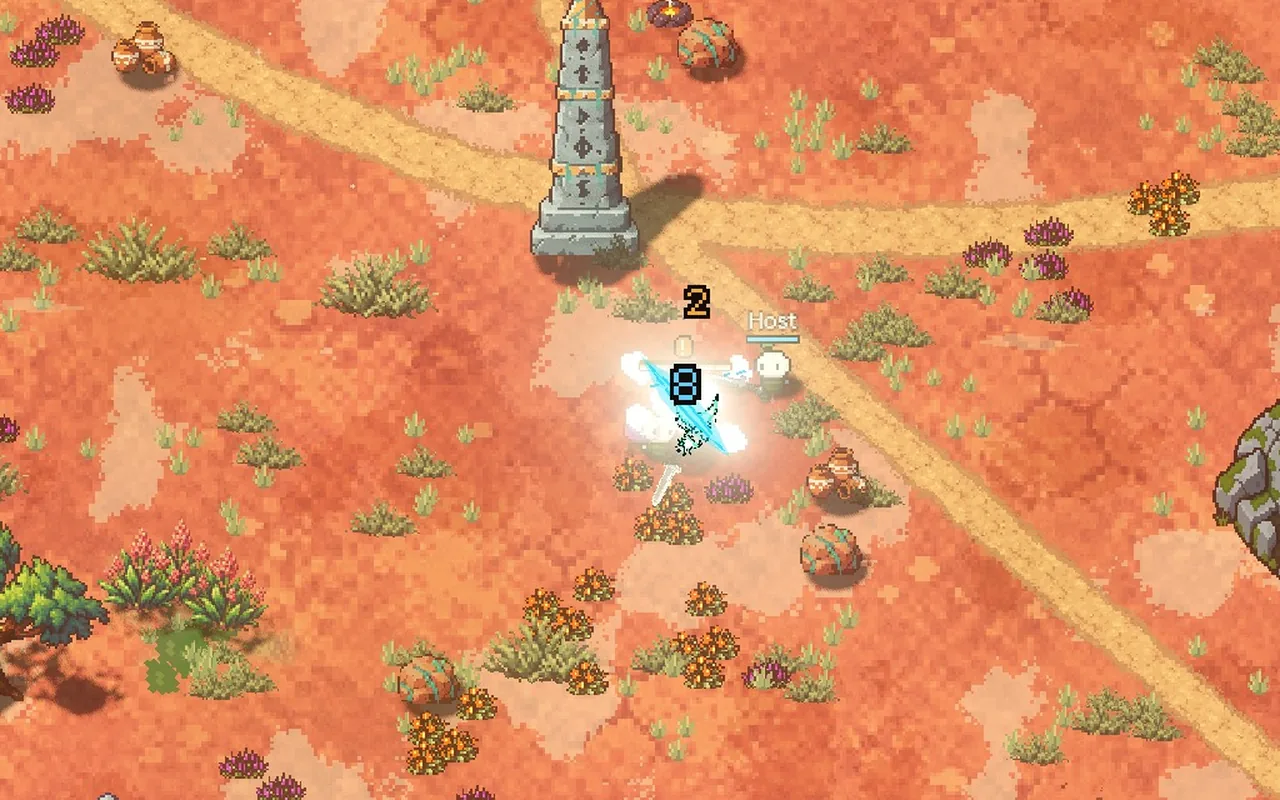
The clips below are two copies of the game filmed for this post, one hosting and one joining.
How do games hide lag?
Mostly by not waiting for the network unless they have to. Your own character moves the moment you press and is checked later, while other players are drawn slightly in the past, so their movement stays smooth. Hits are judged by what the attacker saw, and messages are sent so that one lost packet costs as little as possible.
The short answer
How Mytheria hides lag:
- Your own movement is predicted, so your character never waits for the network.
- Everyone else is drawn a little in the past, with a buffer between 50 and 200 ms that grows and shrinks with the connection.
- While the buffer changes size, the game's clock runs slightly slower or faster, so nothing jumps.
- Inputs are sent twice, reliably and unreliably, and each packet repeats the two before it.
- Hits are judged by what the attacker saw, up to 150 ms back.
- We test on a fake bad connection with delay, jitter, lost packets and short stalls.
Same fight, 0 ms and 150 ms
This is the guest's screen in the same fight with no delay and with 150 milliseconds each way, a round trip of 300 ms. Drag across to compare:
Drag the line to compare before and now
The guest's own movement looks the same in both, because it's predicted. The difference is in the details: the host and the dummy are drawn a little further in the past.
What is network interpolation delay?
Other players, creatures and bullets are drawn between two positions the host has already sent, a moment in the past. That gap is the interpolation delay, and choosing it is a trade. If it's too short, on a shaky connection the next position hasn't arrived when it's needed, the buffer runs dry and things freeze or jump. If it's too long, everything you see is old, which makes bullets harder to dodge.
Let the delay follow the connection
A fixed delay doesn't work: 100 ms is too much on a clean connection and too little on bad Wi-Fi. So Mytheria measures, for every position message, how much buffer it would have needed, and keeps the delay at the 95th percentile of the last 8 seconds, plus 12 milliseconds, between 50 and 200 ms. We tested the choice on a model of the game's own clock and five kinds of connection. Pick one:
Pick a connection to see how each choice copes
When the buffer does run dry for a moment, things keep moving the way they were going for up to 150 ms before they stop and wait. That covers a stall of about 200 ms without anything freezing.
Never jump the buffer
When the buffer needs to grow, simply drawing everything later would make every creature jump backward. So instead the guest's drawing clock runs up to 20 % slower until the buffer has grown, and up to 5 % faster while it shrinks. The change is too small to see, and nothing jumps.
Make a lost packet cost one packet
The game runs 60 steps a second, and a guest's input goes out in 30 packets a second, two steps each. Every packet also repeats the steps of the two before it, six in all. Each packet is also sent twice: once reliably, so it always arrives eventually, and once unreliably, so it arrives as fast as possible. Whichever copy arrives first counts. If one is lost, the next one, 33 ms later, already carries the missing steps, so a lost packet costs 33 ms instead of a full resend.
One Godot detail: ENet, the networking library under Godot's multiplayer, slows down and drops unreliable packets for a while after a lag spike. Input packets are tiny and every new one replaces the last, so we turn that throttle off for them.
What is lag compensation?
Lag compensation means judging a hit by what the attacker saw. Because creatures are drawn in the past, a guest swings at where a creature was a moment ago. Each guest attack carries the time the guest was seeing, and the host checks the hit against where the creatures were then, up to 150 ms back. Since the host reads the actual delay from each attack, this follows the adaptive buffer automatically.
Test on a bad connection on purpose
A lag problem has to be reproduced before it can be fixed. We run two copies of the game on one computer through a small relay that adds a delay, jitter, lost packets and, every few seconds, a stall that holds everything back. A debug switch can pin the guest to the old fixed 100 ms, so two versions can be compared on exactly the same bad connection. Testing with real friends on real Wi-Fi is still the final check.
A checklist for hiding lag
- Predict the local player's movement.
- Draw others slightly in the past, with a buffer that follows the connection.
- Change the buffer by slowing or speeding the drawing clock, so nothing jumps.
- Let a short guess ahead cover rare stalls.
- Send inputs with redundancy so a lost packet costs little.
- Judge hits by what the attacker saw, with a limit.
- Test on a fake bad connection, and compare on the same one.
Further reading
- How co-op multiplayer works in Godot: host, prediction and lagHow Mytheria's online co-op works in Godot: one host owns the world, guests send inputs and predict their own moves. Try the lag demo, see real numbers.
- LAN multiplayer in Godot: finding a friend's game on any Wi-FiHow Mytheria finds a friend's game on the same Wi-Fi in Godot: a UDP beacon, broadcasts for every network size, and join errors that say what to do.
- MytheriaPlay it with friends: a pixel-art co-op adventure for one to four players.
Wishlist Mytheria
Mytheria is a pixel-art co-op adventure for one to four players, coming to Steam for Windows, macOS and Steam Deck. A wishlist is the best way to follow it and to help us.