LAN multiplayer in Godot: finding a friend's game on any Wi-Fi
How Mytheria finds a friend's game on the same Wi-Fi in Godot: a UDP beacon, broadcasts for every network size, and join errors that say what to do.
On this page
When you play with a friend in the same room, the hardest part is often finding their game. Typing an address is a chore, and when it fails, the game rarely says why. In Mytheria, our pixel-art co-op game built in Godot, a friend's game shows up in a list, and when joining fails, the game tells you what to do about it.
Every screen below is from the game, captured for this post.
How does LAN game discovery work?
The hosting game shouts "I'm here" on the local network every second, and any game looking for friends listens. In Mytheria that shout is a small UDP broadcast with the host's name, world and player count. Listening games show what they hear in a list, and the player picks one to join.
The short answer
How Mytheria finds and joins a friend's game on the same Wi-Fi:
- The host sends a small beacon once a second over UDP broadcast.
- The beacon goes to every common network size, because Godot doesn't tell us the network's size, and phone hotspots make small networks.
- A game that stops sending disappears from the list after four seconds.
- The beacon carries the game's version, so a game on a different build is marked before you press Join.
- Joining still goes through the normal handshake and the host's own checks, whatever the list says.
- Every failure gets its own message and one fix, and the most common fix is to let the other player host.
Send a beacon, listen for beacons
When you open your world to friends, the game starts a beacon: a tiny JSON message, at most 512 bytes, sent once a second. It says which game it is, who's hosting, the world's name, how many players are in it out of four, and which port to connect to.
When a friend opens the Play together screen, their game listens on the beacon port and builds the "Games on your Wi-Fi" list from what it hears. A game that hasn't been heard for four seconds drops off the list, so a host that closes its game disappears on its own. The list holds up to 16 games.
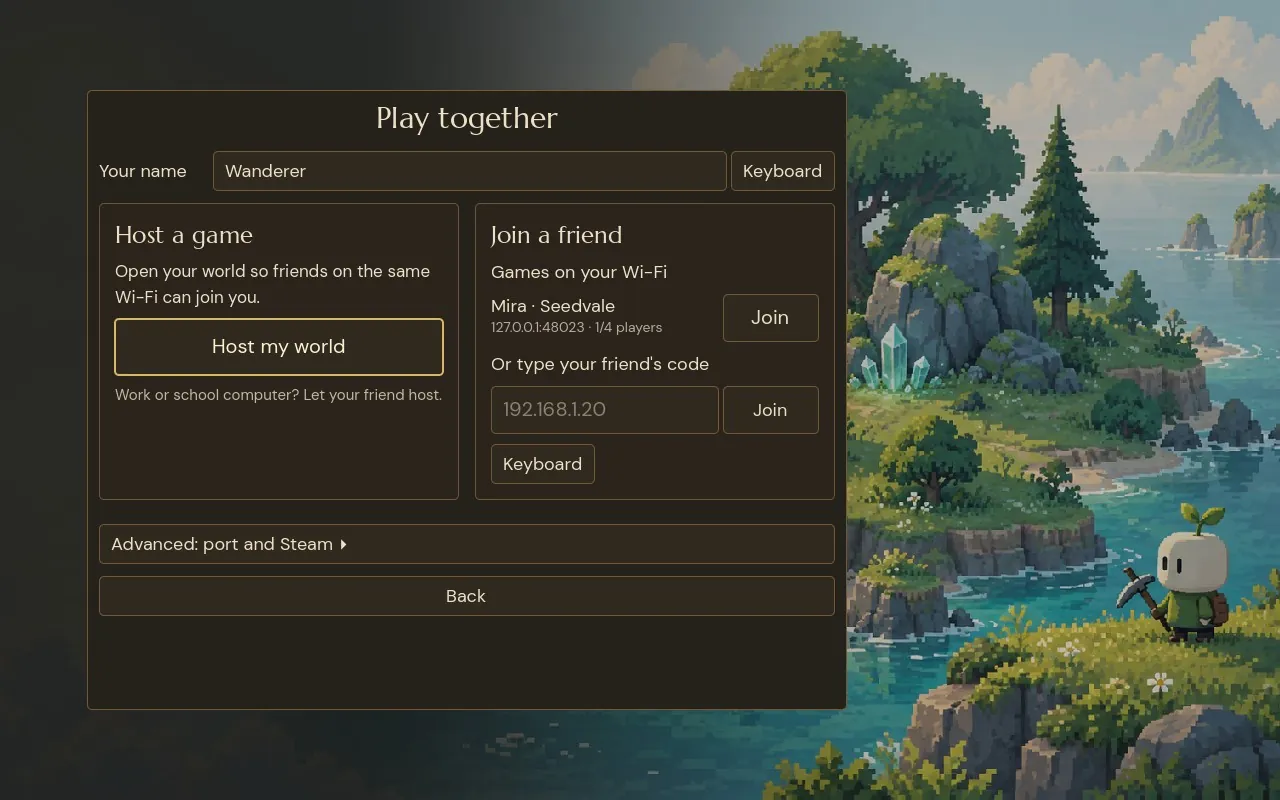
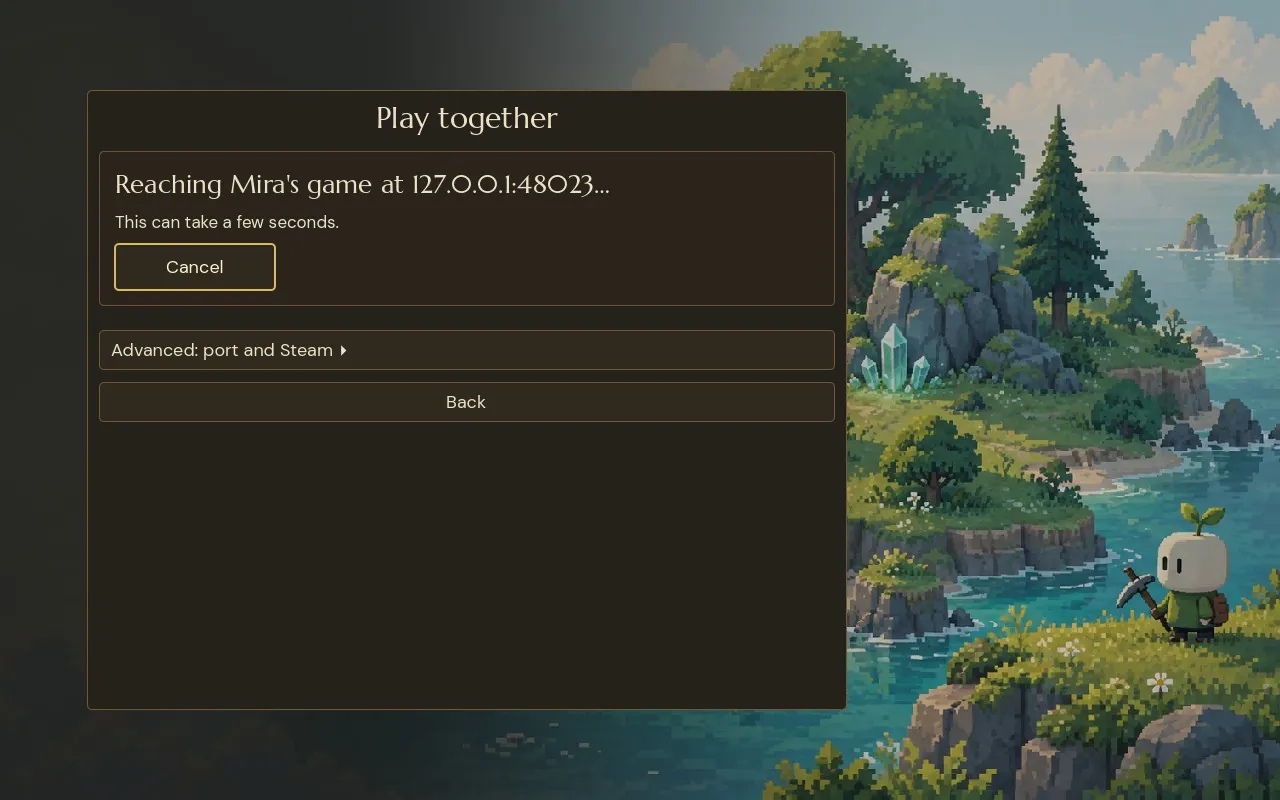
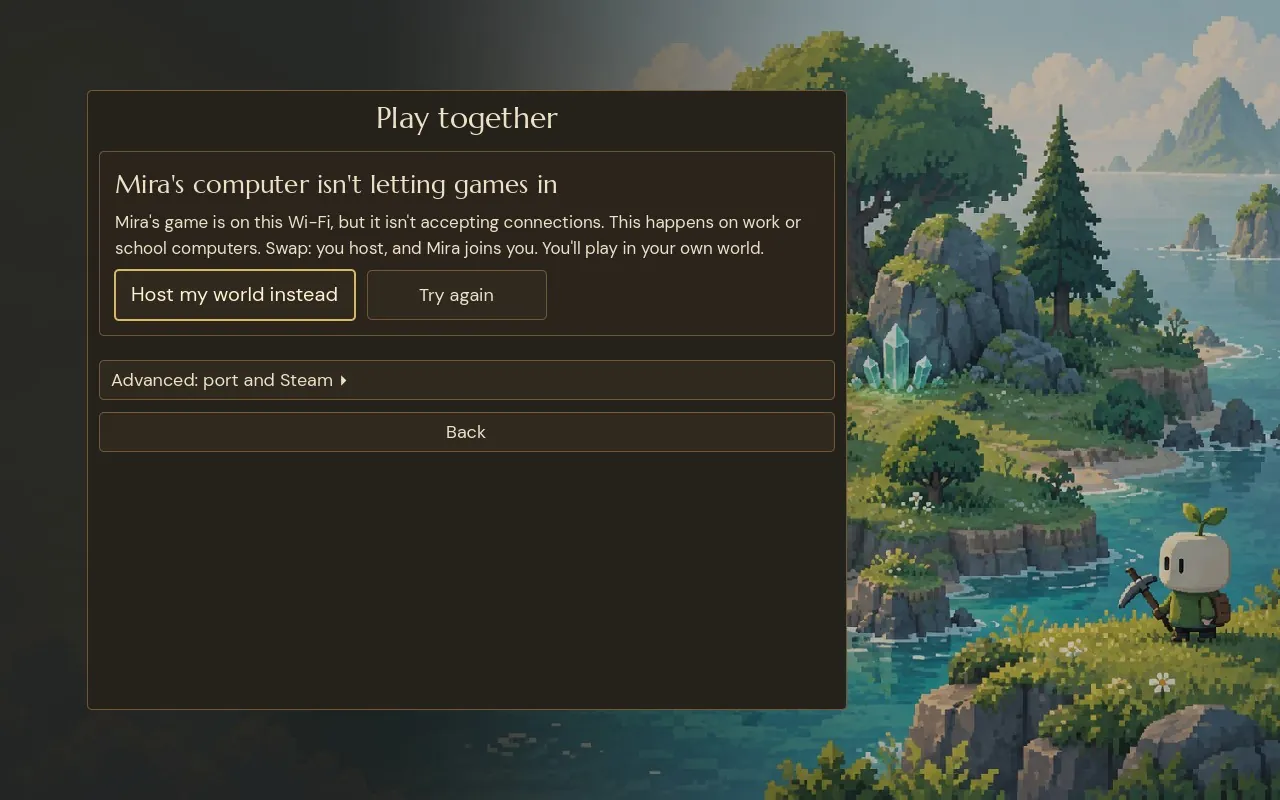
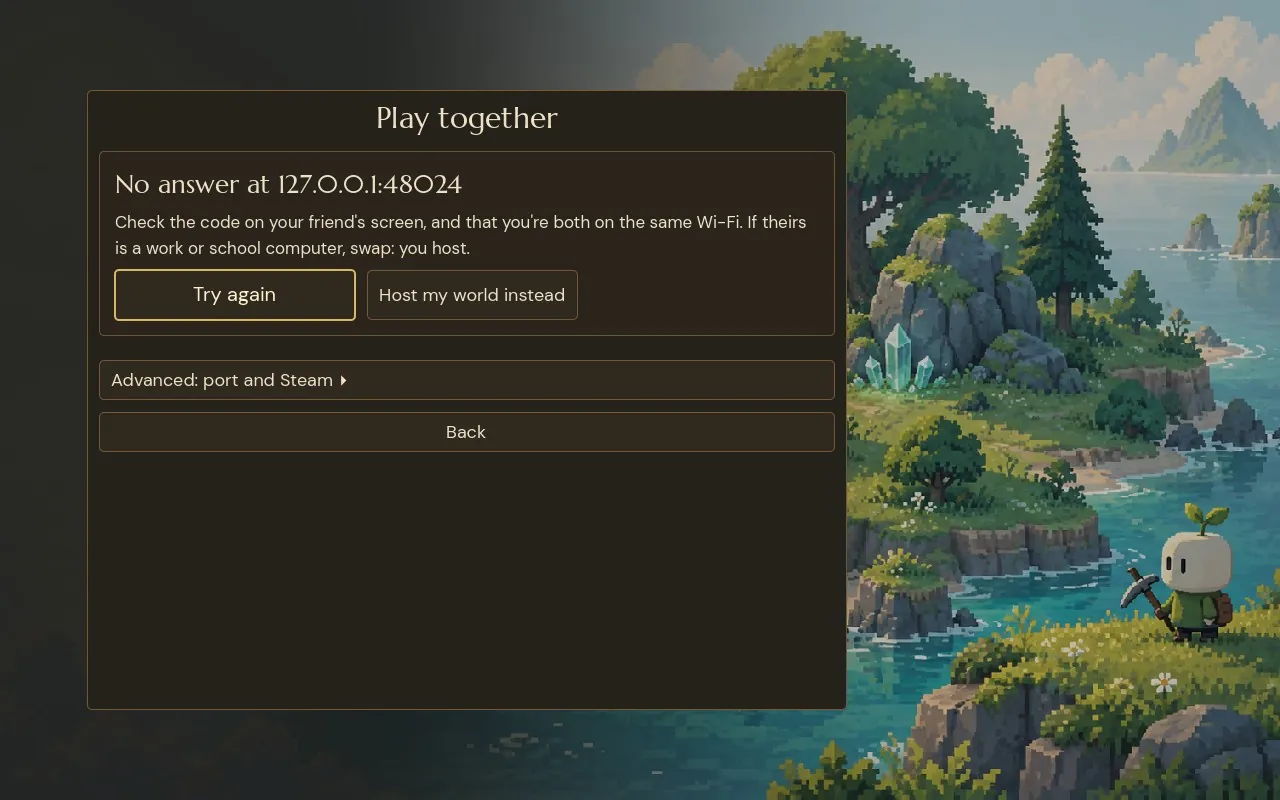
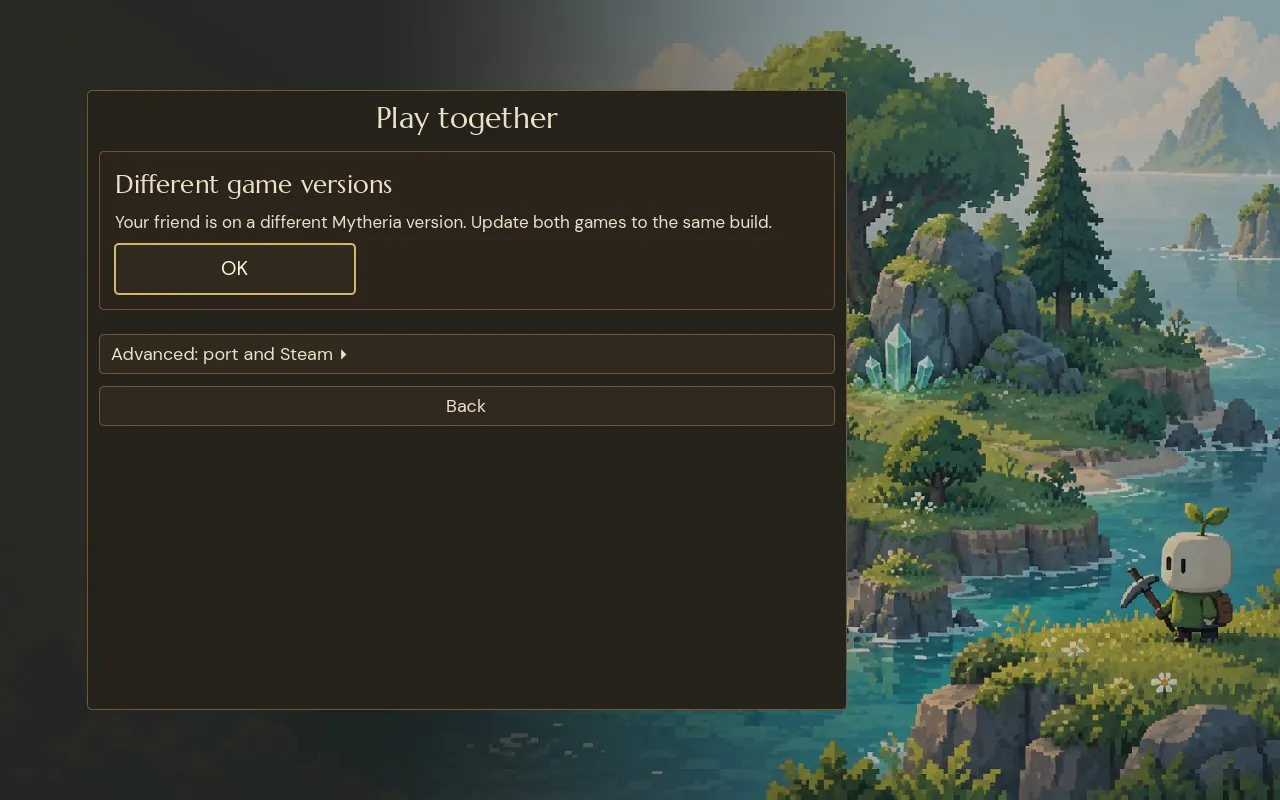
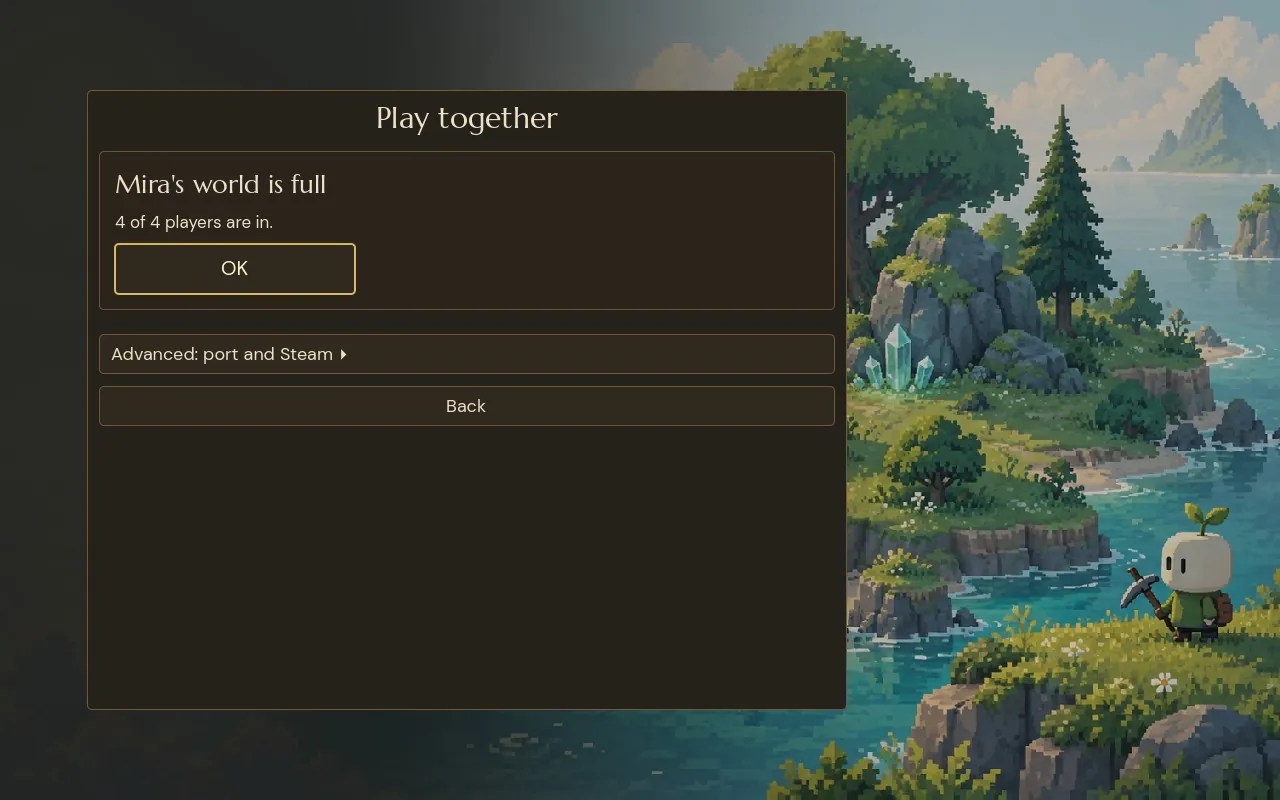
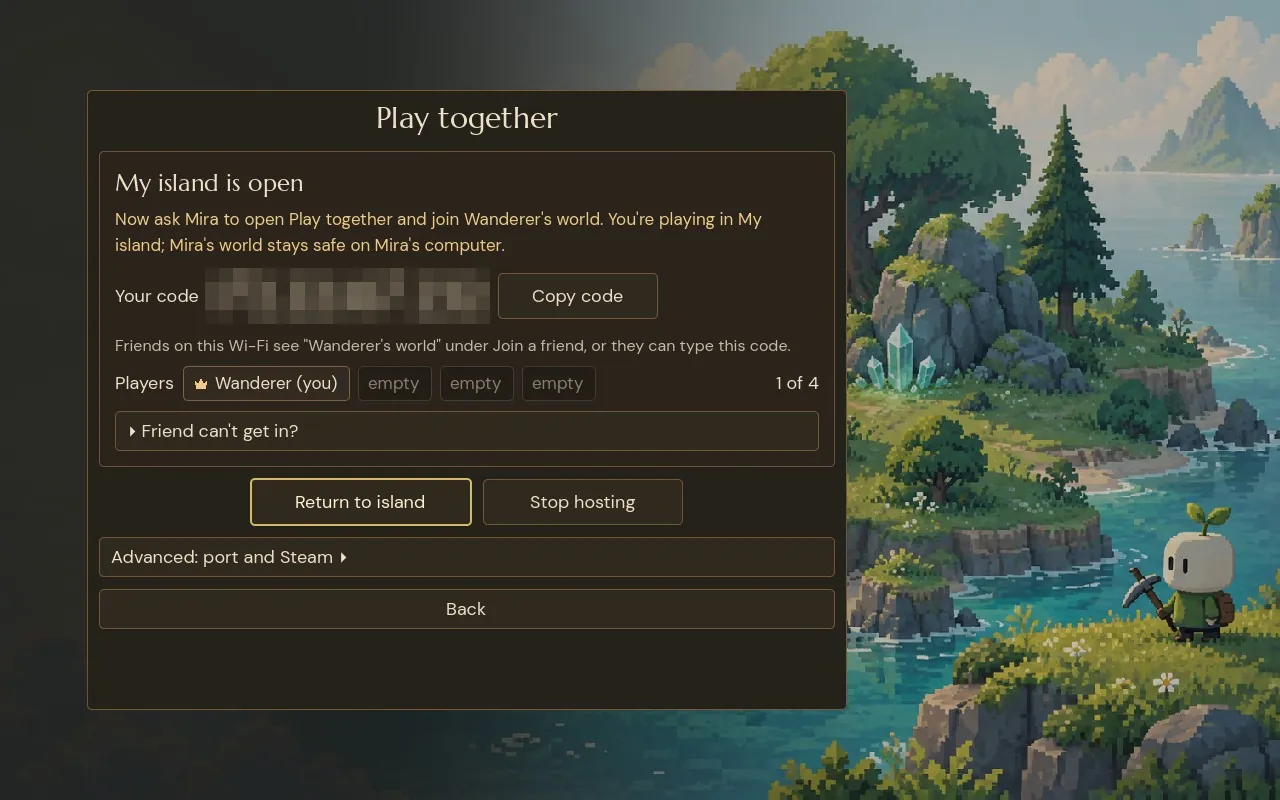
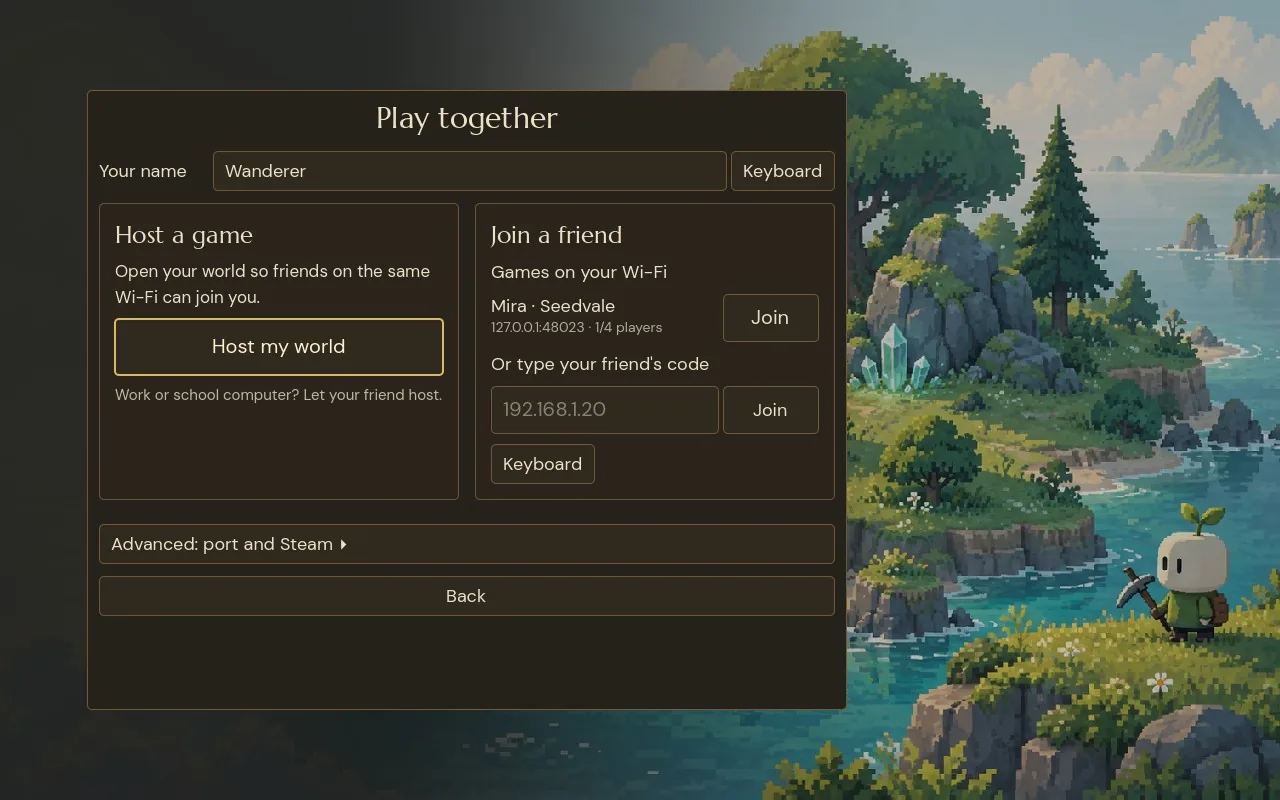
Step through joining a friend, or use the arrow keys
The friend's game appears under Games on your Wi-Fi: their name, their world, and 1 of 4 players. One click on Join; typing a code is the fallback.
Broadcast to every network size
A broadcast has to be sent to the right address for the network you're on, and that address depends on the network's size. Godot tells you your own address but not the size of your network, and a guess that works at home can fail on a phone hotspot, which is a much smaller network.
So for every local address, the game sends the beacon to the broadcast address of every common network size, from very large (/16) to very small (/29), plus the address that means "everyone on this network" and the loopback address for two games on one computer. On a typical computer with one network that's thirteen small messages a second. Pick a network:
Pick a network, then compare with the old version
Sending only the /24 broadcast and the "everyone" address works at home, but on a phone hotspot neither one reaches the other device, and the friend's list stays empty.
Treat the list as a hint
Anyone on a network can send a packet that looks like a beacon, so the game never trusts a beacon and only uses it to show a row in a list. Pressing Join opens a real connection, and from there everything goes through the same handshake and checks as typing a code by hand, including the host refusing a different version or a full world.
Every running game picks a random id, so one host heard twice, over Wi-Fi and over loopback, shows up as one row. If the beacon itself has a problem, like its port being in use, the game says nothing and you can type the code instead.
Make every failure say what to do
When friends play on work or school computers, the most common failure has nothing to do with the network. Those computers often block incoming connections, so one player can see the other's game but can't get in, and a generic "couldn't connect" leaves people stuck.
So the game tracks how far a join got and gives each kind of failure its own message with one fix. If the game was listed but didn't answer within 6 seconds, the other computer isn't letting games in, and the fix is to swap: host your own world and let your friend join you. If it was never listed and didn't answer, check the code and that you're on the same Wi-Fi, then try again. A different version or a full world is said plainly, with an OK button.
Before anything fails, the hosting side also shows a one-line hint: "Work or school computer? Let your friend host."
How we built LAN discovery in Godot
The beacon uses a PacketPeerUDP socket with broadcast enabled, and sends to a list of addresses each second on its own port; the game itself uses ENet on another. The addresses come from IP.get_local_addresses(), leaving out loopback and virtual machine bridges. The beacon carries a format version and the game's network protocol, so builds that can't play together find out before joining.
Dialing, the handshake and loading each have their own time limit, 6, 10 and 20 seconds, so a stuck join fails at the right stage with the right message.
Once you're in, everything that follows is our host-and-guest setup, explained in how co-op multiplayer works in Godot. Over the internet, where delay is bigger, see how to hide lag in online co-op.
Use it in your own game
The beacon and the list are free to use: LAN Discovery is a Godot 4 add-on that broadcasts to every common network size, drops quiet games and never lists itself. It's MIT licensed.
A checklist for LAN multiplayer
- Let the host announce itself, and show a list instead of asking for an address.
- Broadcast to every common network size.
- Drop games that stop announcing.
- Put the version in the beacon.
- Treat the beacon as a hint, and check everything again on join.
- Give each failure its own message and one clear fix, especially "let the other player host".
Further reading
- How co-op multiplayer works in Godot: host, prediction and lagHow Mytheria's online co-op works in Godot: one host owns the world, guests send inputs and predict their own moves. Try the lag demo, see real numbers.
- Game inventory UI design: five versions and what each one taught usMytheria's inventory went through five designs, from a flat paper book to a live character on a stage. Step through each one and see what we changed.
- MytheriaThe game you'd be joining: a pixel-art co-op adventure for one to four players.
Wishlist Mytheria
Mytheria is a pixel-art co-op adventure for one to four players, coming to Steam for Windows, macOS and Steam Deck. A wishlist is the best way to follow it and to help us.