Screen shake in games: how to make it feel good
How we tuned screen shake in Mytheria: small, along the hit, inside the hitstop and easy to turn off. Try the old and new shake curves yourself.
On this page
- The short answer
- What is screen shake?
- Is screen shake good in games?
- Shake along the hit, not at random
- Never jump on the first frame
- Hide the shake inside the hitstop
- Scale the shake by what happened
- One shake at a time
- Let players turn it off
- How to do screen shake in Godot
- Use it in your own game
- A checklist for screen shake
Mytheria's original screen shake made every hit feel like the game had stumbled. The whole view jumped at full strength on the frame of contact, rattled on two axes at once and snapped back. Taking a hit threw the camera 4 world units in a single frame.
This is how we fixed it in Mytheria, our pixel-art co-op game. Every curve below is the game's own code, and every clip is from the game.
The short answer
Good screen shake is small and follows the direction of the hit. This is what Mytheria does now:
- The view moves along the line of the blow instead of shaking at random.
- The shake eases in over one frame, so the picture never jumps on the first frame.
- A normal sword hit moves the view at most 1.6 world units, about 3 pixels on screen.
- Most of the movement happens during the hitstop, while the fighters are frozen.
- When several things happen at once, only the strongest one shakes the view.
- Chopping a tree barely moves the view, and getting hit moves it the most.
- Screen shake has its own switch in the settings.
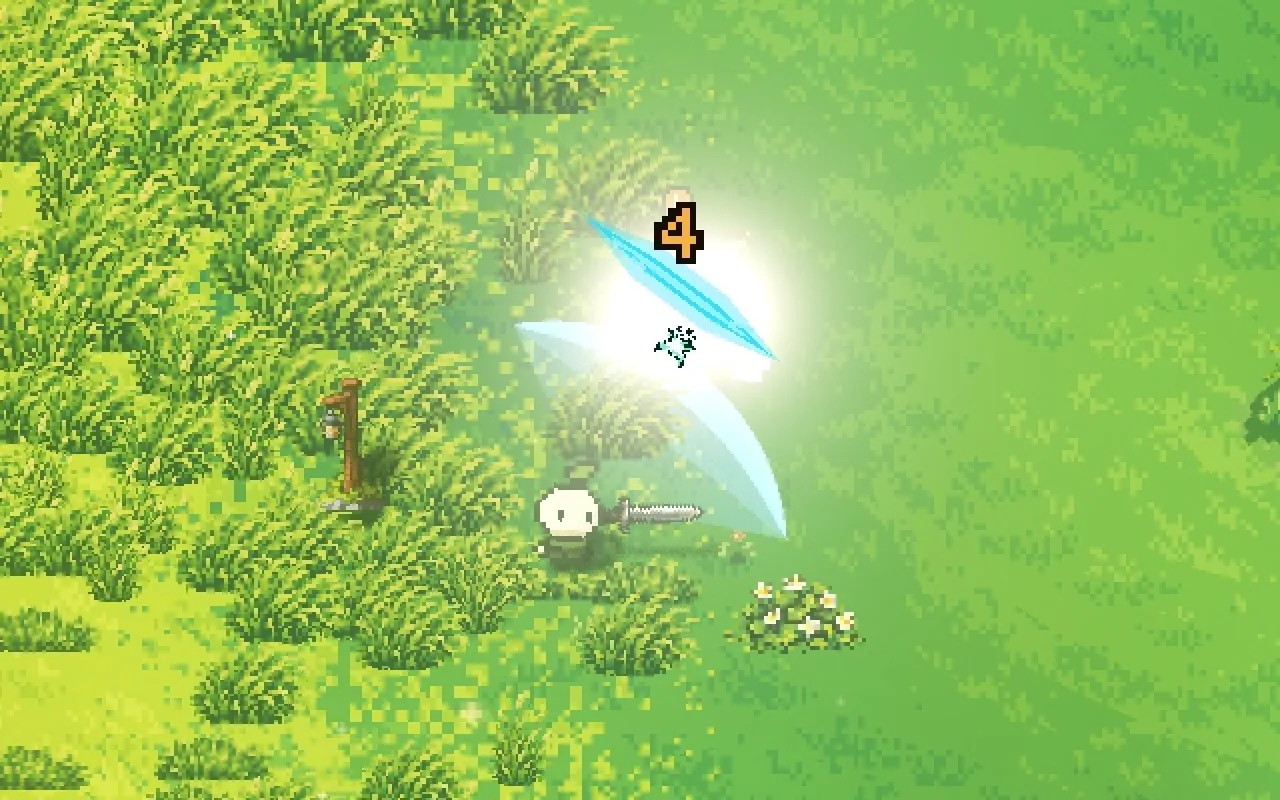
Here is the same sword combo with the shake off, inside the hitstop, and after the hitstop.
Choose a step to switch on the next effect
What the game uses. The view jolts one frame after contact and settles while the fighters are still frozen.
What is screen shake?
Screen shake, also called camera shake, is a short, fast movement of the camera when something hits hard. It tells your body that the hit had weight, the same way a punch would make you flinch. In Mytheria it never moves the game itself, only the picture: your aim, your character and every collision stay exactly where they are.
Is screen shake good in games?
We think yes, as long as it's small and only used for real impacts. A shake on every action turns into noise, and a big shake can make some players feel sick. We aim for a shake so small that you barely see it, and only notice it when it's switched off. Try the original curve and the current one below.
NowOriginal, along the hitOriginal, sideways
Pick a hit, then compare the original shake with the one the game uses now
Shake along the hit, not at random
A common way to shake a camera is with random noise. We move it along the line of the blow instead, away from the hit and back again. That push shows which way the hit went, and it matches the knockback on screen.
The original shake also moved sideways, on a second wave that ran at a different speed. That sideways rattle is most of what made it feel messy, and it's gone now.
Never jump on the first frame
The original curve started at full strength on the very first frame, so the whole picture teleported a few pixels, which reads as a glitch. Every shake now eases in over one frame, so the first frame of contact shows the hit, and the camera starts moving on the next.
When a new hit lands while the view is still moving, the new shake starts from wherever the camera is at that moment instead of snapping back to the middle.
Hide the shake inside the hitstop
When a sword connects, both fighters freeze for 4 frames, the hitstop. We put almost all of the shake inside that freeze: the view jolts one frame after contact, wobbles about one and a half times while everything is still, and settles within 60 milliseconds after the freeze ends.
Nothing else moves during the hitstop, so the shake doesn't make you lose track of the fight. The same shake started after the freeze arrives just as you're watching the next swing. You can compare both in the clips above.
Scale the shake by what happened
Each kind of hit gets its own strength. These are the values Mytheria uses, in world units (one unit is about 2 pixels on a 1280 by 800 screen):
- Chopping a tree or hitting a rock: 0.65, one small recoil with no wobble, because you do it hundreds of times.
- Weapon hits, all inside the hitstop: 0.6 for a ranged hit, 1.3 for a thrust, 1.6 for a sword and 2.3 for a heavy weapon.
- Breaking a rock is 1.1, and getting hit is 1.8, the strongest everyday shake, so you always notice it.
- A kill makes the shake 1.35 times stronger, and the third hit of a combo 1.8 times.
Every shake also has a hard limit, so a pile of hits can never add up to something big. In a full combo against a training dummy, including the stronger third hit, the largest offset we measured in the game was 1.68 world units, a little over 3 pixels.
One shake at a time
A wide swing can hit three creatures on the same frame. If each of them shook the camera, the shakes would stack into something wild. Instead, the game looks at everything that happened in that frame, and only the strongest event moves the view. In co-op, your camera only moves for your own hits and the hits you take.
Let players turn it off
Some players get motion sick from any camera movement, and some just don't like it. Mytheria has a Screen shake switch under Accessibility in the settings. Reduced motion turns it off too, along with other strong effects. With either one off, the camera stays perfectly still and every other bit of hit feedback still works.
The shake sits on top of a camera that already follows smoothly; that follow is covered in our top-down camera.
How to do screen shake in Godot
Mytheria is made in Godot. The camera follows the player as usual, and the shake is a separate offset added on top each frame. That offset comes from a curve with a direction, a strength, a duration and a shape, never from random numbers.
One small script owns the offset. It reads the hit events of each frame, picks the strongest, and returns the offset for the current time, or zero when shake is switched off. Our mouse aim works out where the cursor points without the offset, so the shake never moves where you're aiming.
Use it in your own game
The shake from this post is free to use: Screen Shake, a Godot 4 add-on that shakes along the hit, eases in, keeps only the strongest shake of a frame, shakes inside a hitstop and has switches for Screen shake and Reduced motion. It works with Camera2D and Camera3D, and it's MIT licensed, so you can drop it into any project.
A checklist for screen shake
- Make it small enough that you feel it more than see it.
- Shake along the hit, and never jump on the first frame.
- Put it inside the hitstop.
- Let only the strongest event of a moment shake the view.
- Scale it by what happened, and keep your biggest shake for getting hit.
- Never move the aim or the game, only the picture.
- Give players a switch to turn it off.
Further reading
Wishlist Mytheria
Mytheria is a pixel-art co-op adventure for one to four players, coming to Steam for Windows, macOS and Steam Deck. A wishlist is the best way to follow it and to help us.