Pixel art lighting in Godot: real lights in the world
How we light Mytheria's pixel art in Godot with real lights, local mist and time of day instead of screen filters. Drag the sun through a whole day.
On this page
Pixel art is drawn with its light already painted in. Add game lighting on top and it's easy to end up with a muddy filter over art that looked better without it. This is how we light Mytheria, our pixel-art co-op game, so the light feels like part of the island instead of something laid over it.
Every picture below is from the game, filmed for this post.
The short answer
Put real lights into the game world and leave the finished image alone. In Mytheria that means:
- The scene has a sun, a moon, a small light around the player at night, and light from glowing things.
- Nothing is laid over the final image: the game has no vignette, no colour grade over everything, no painted light rays and no blur at the edges.
- Mist and glow gather in a few enchanted glades, about a quarter of the land, so the rest stays crisp.
- The time of day sets the mood, from golden mist at dawn to a dark, cozy night.
- At every hour you can still see the player, the creatures and everything you can pick up.
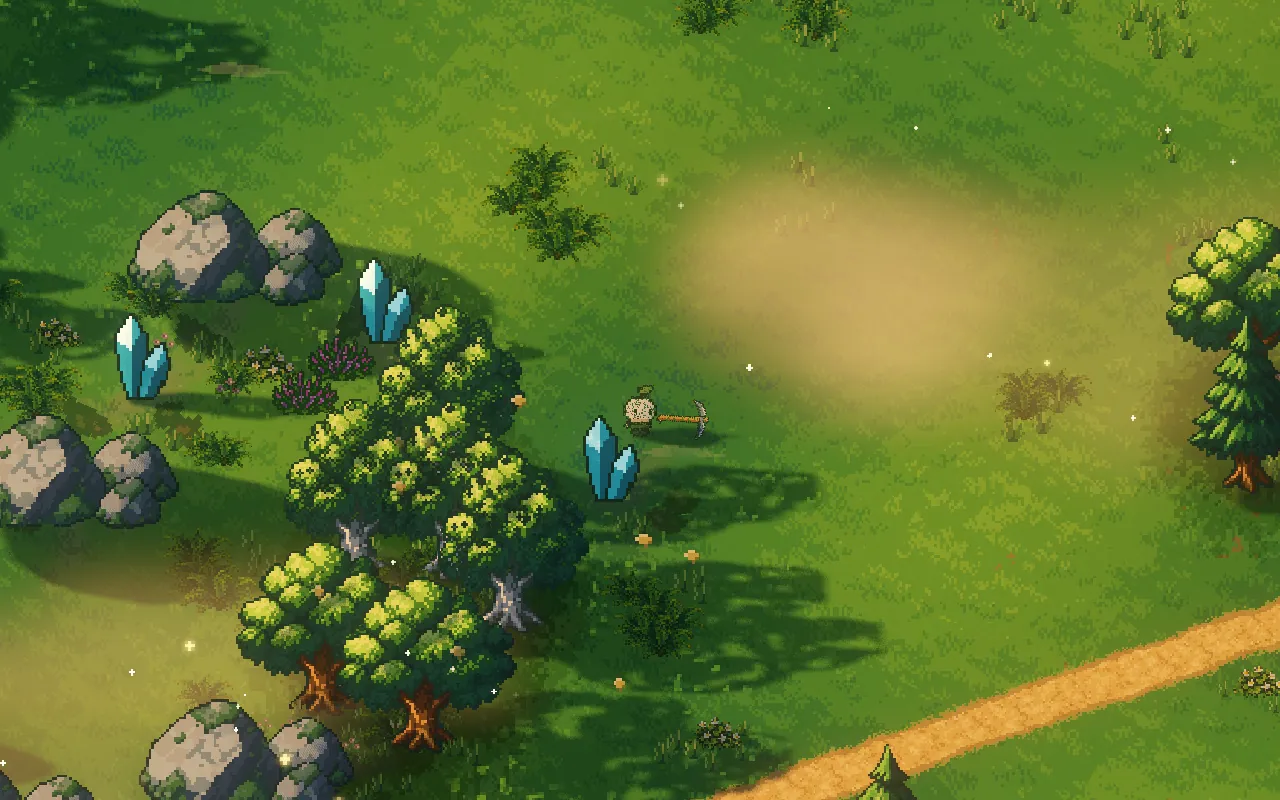
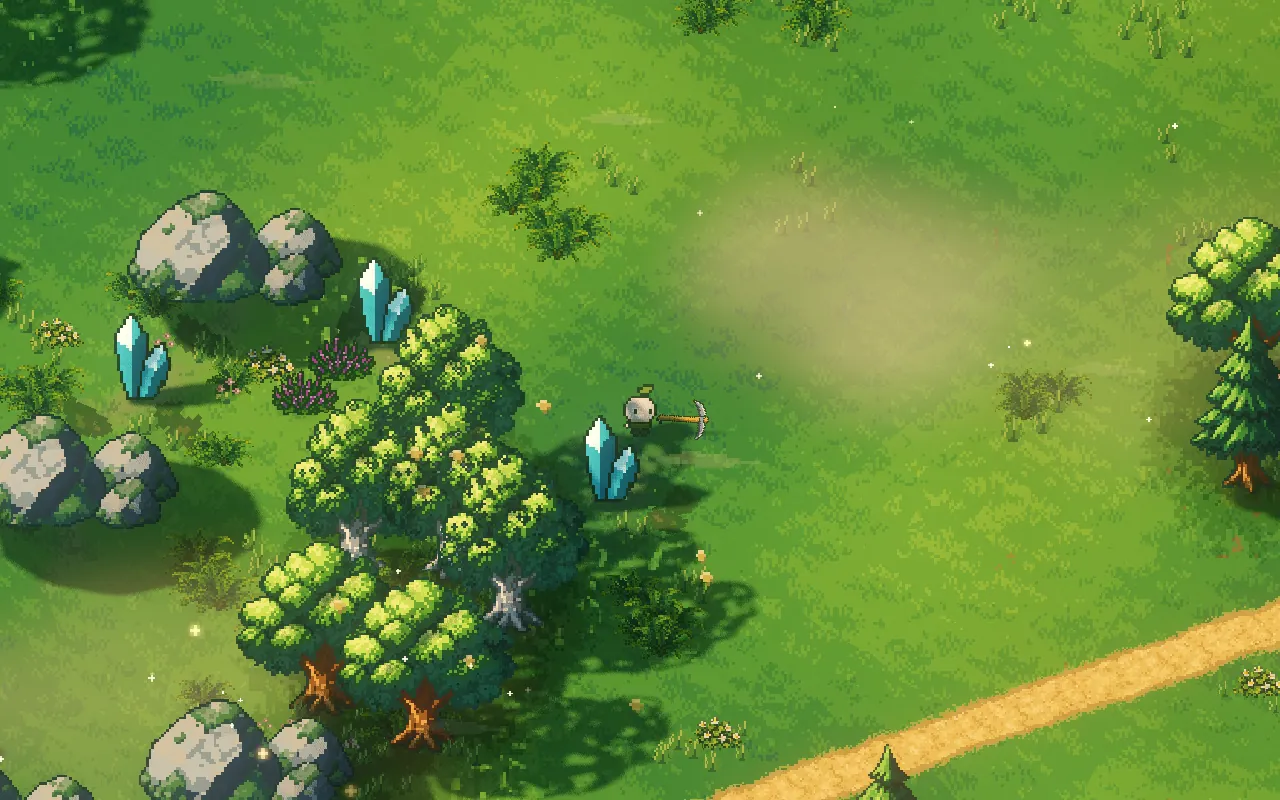
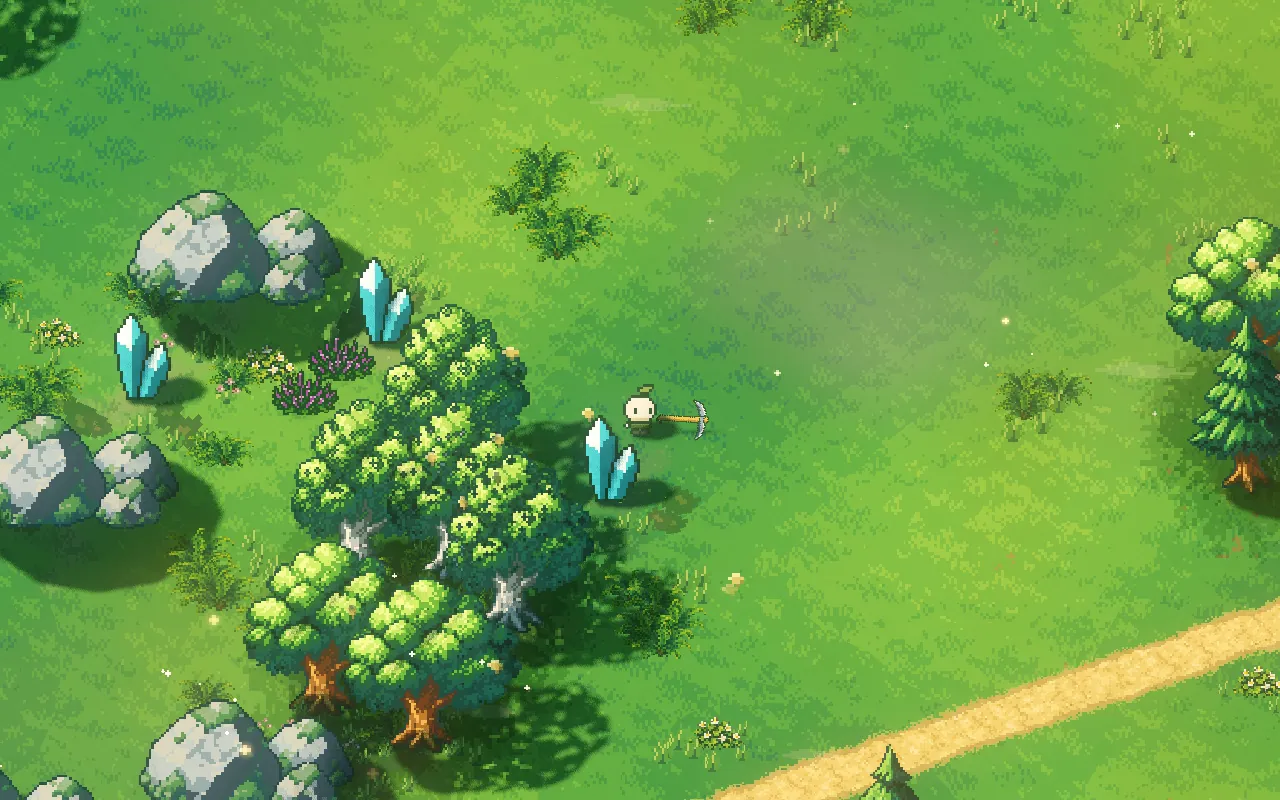
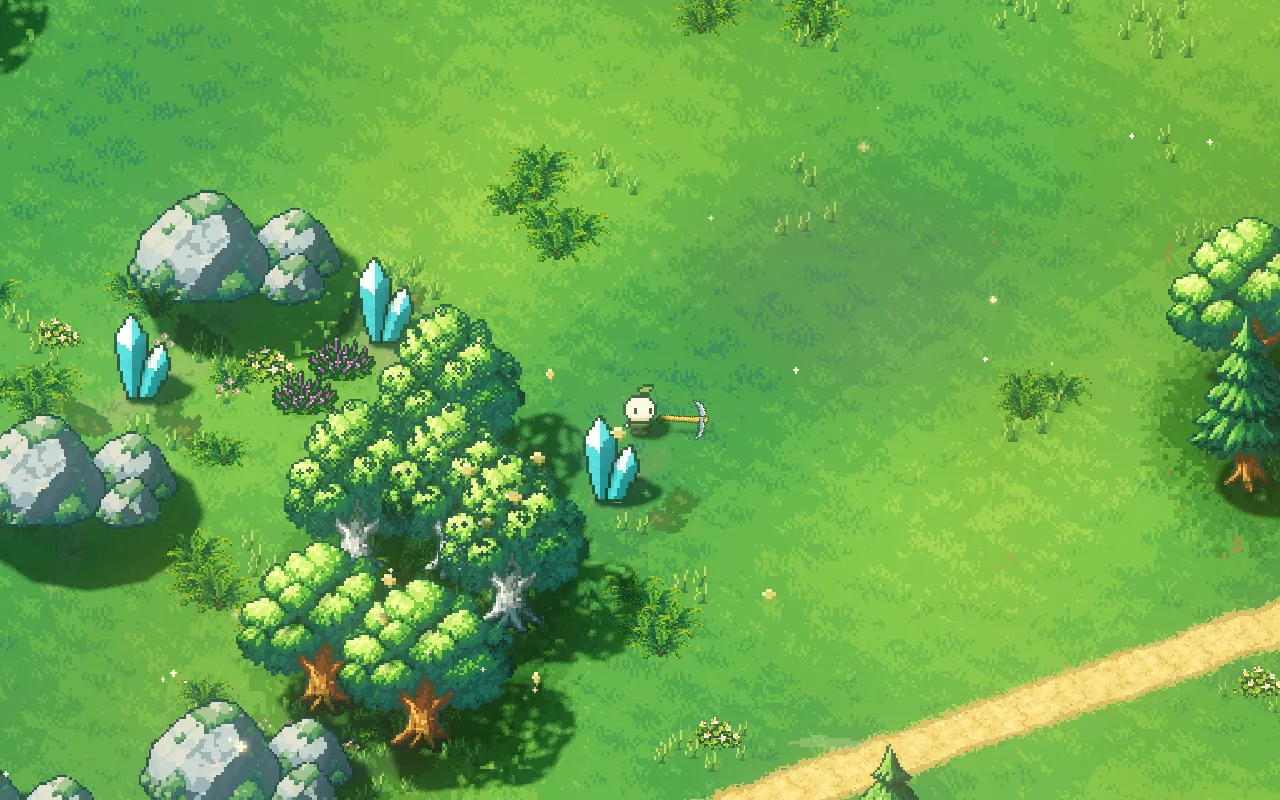
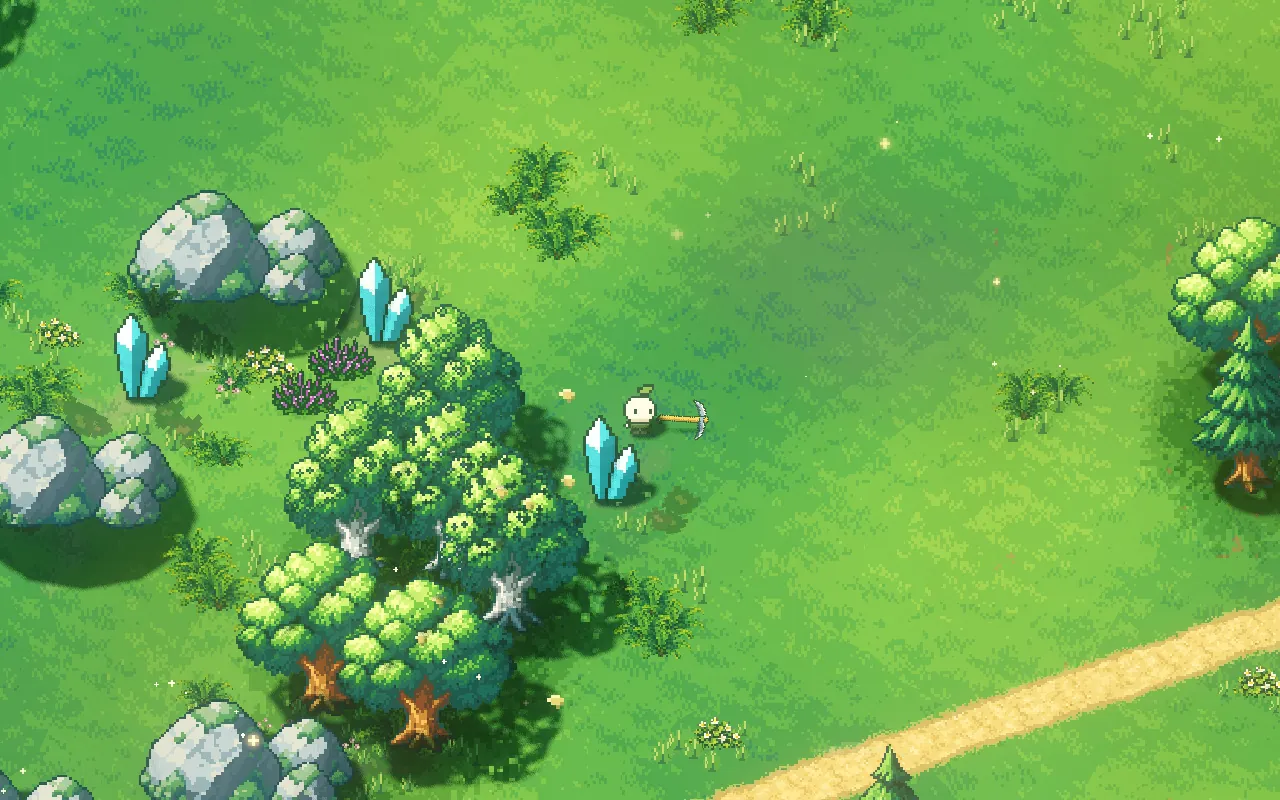
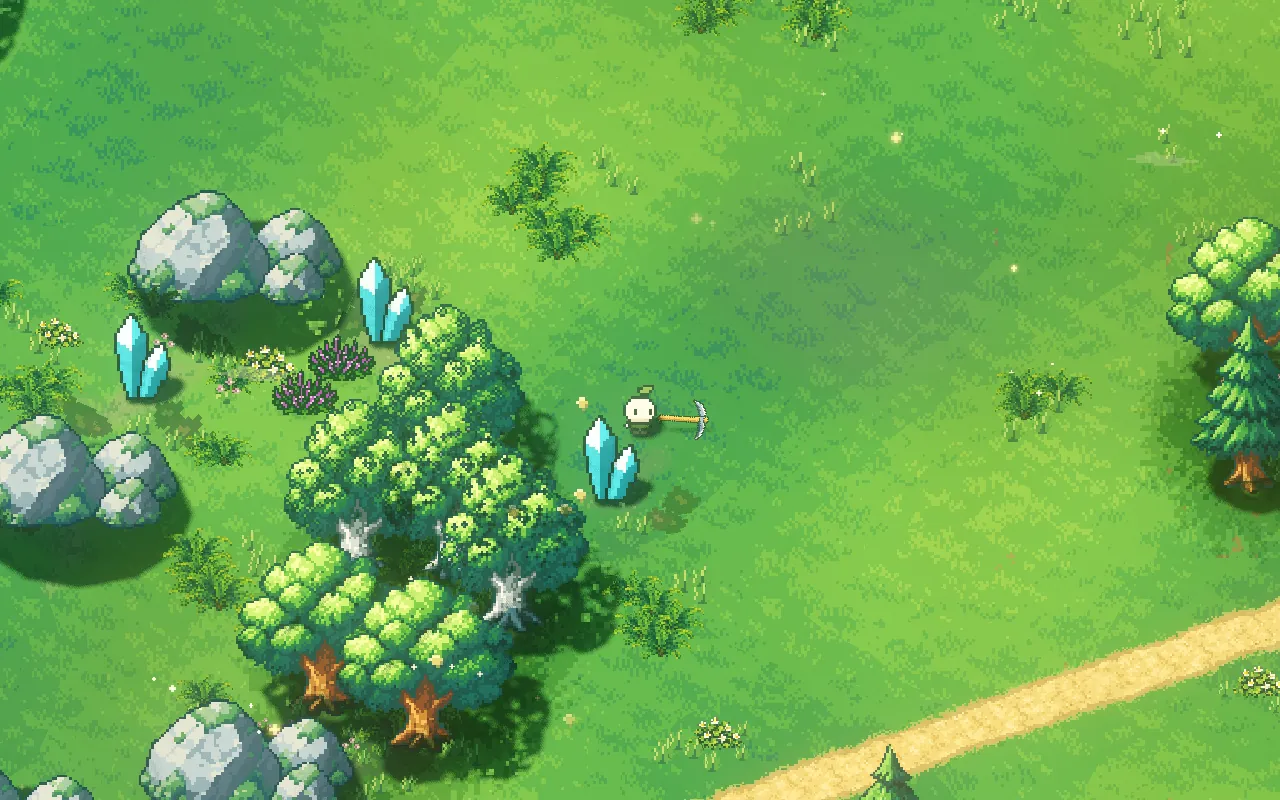
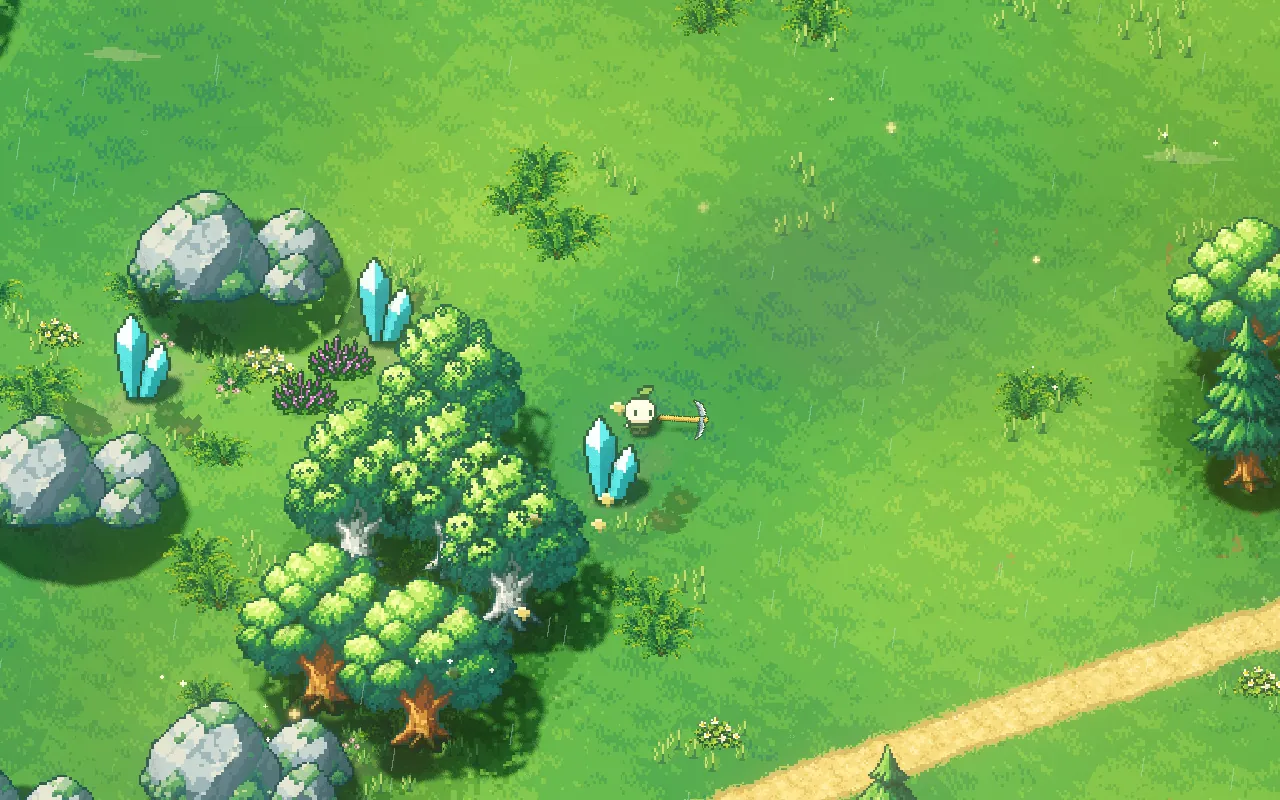
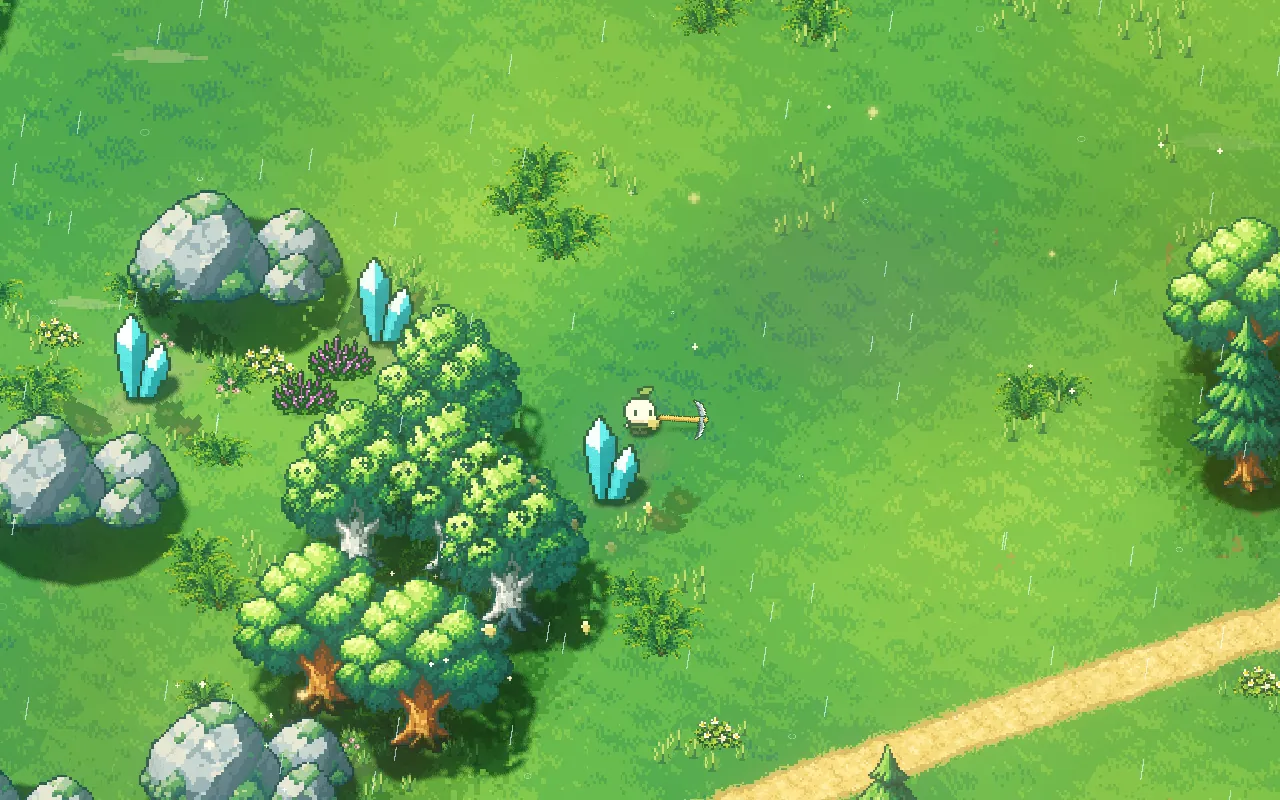
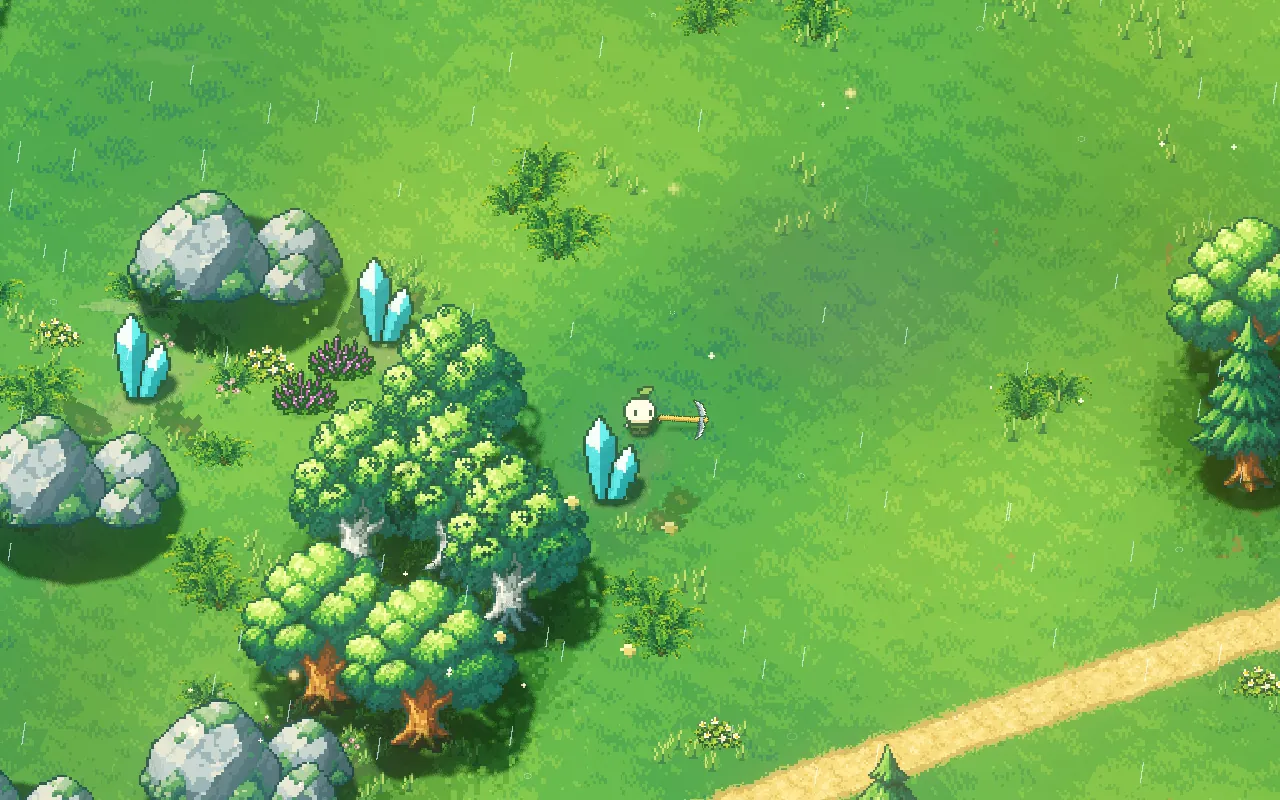
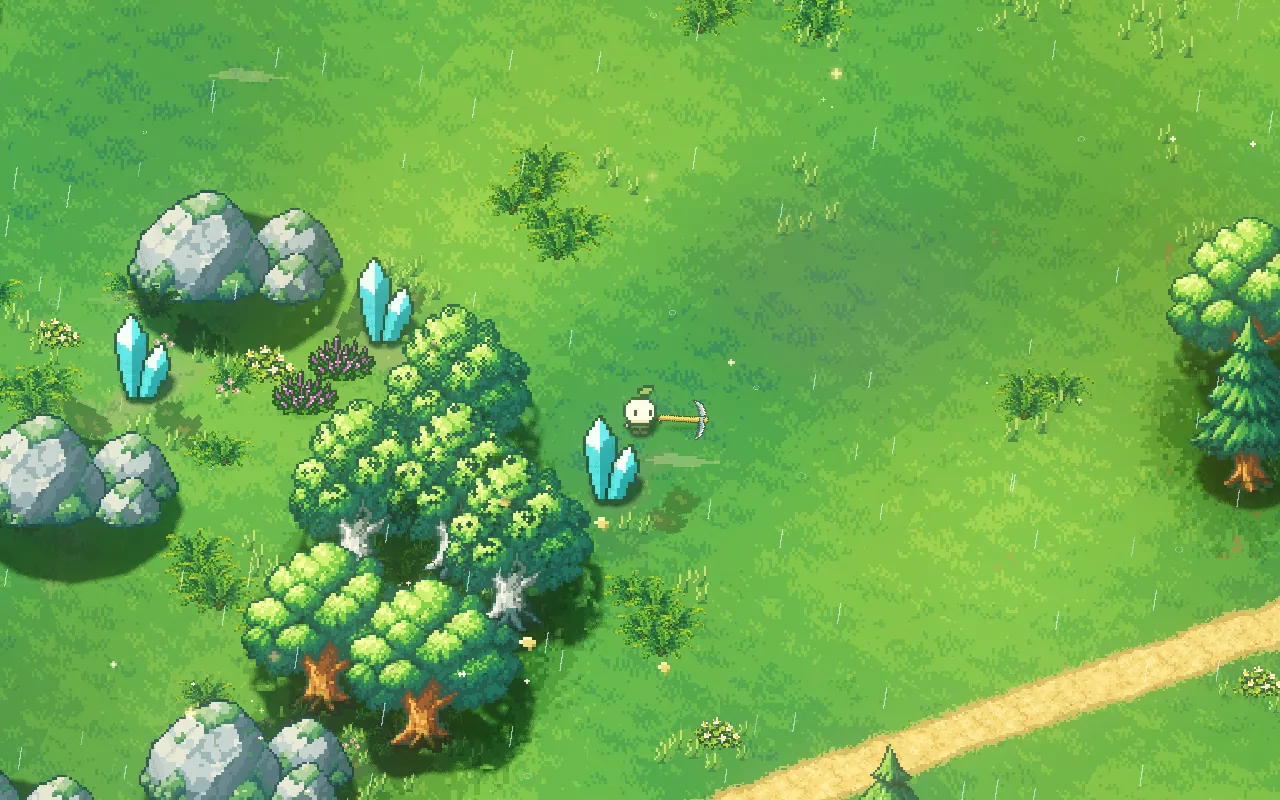
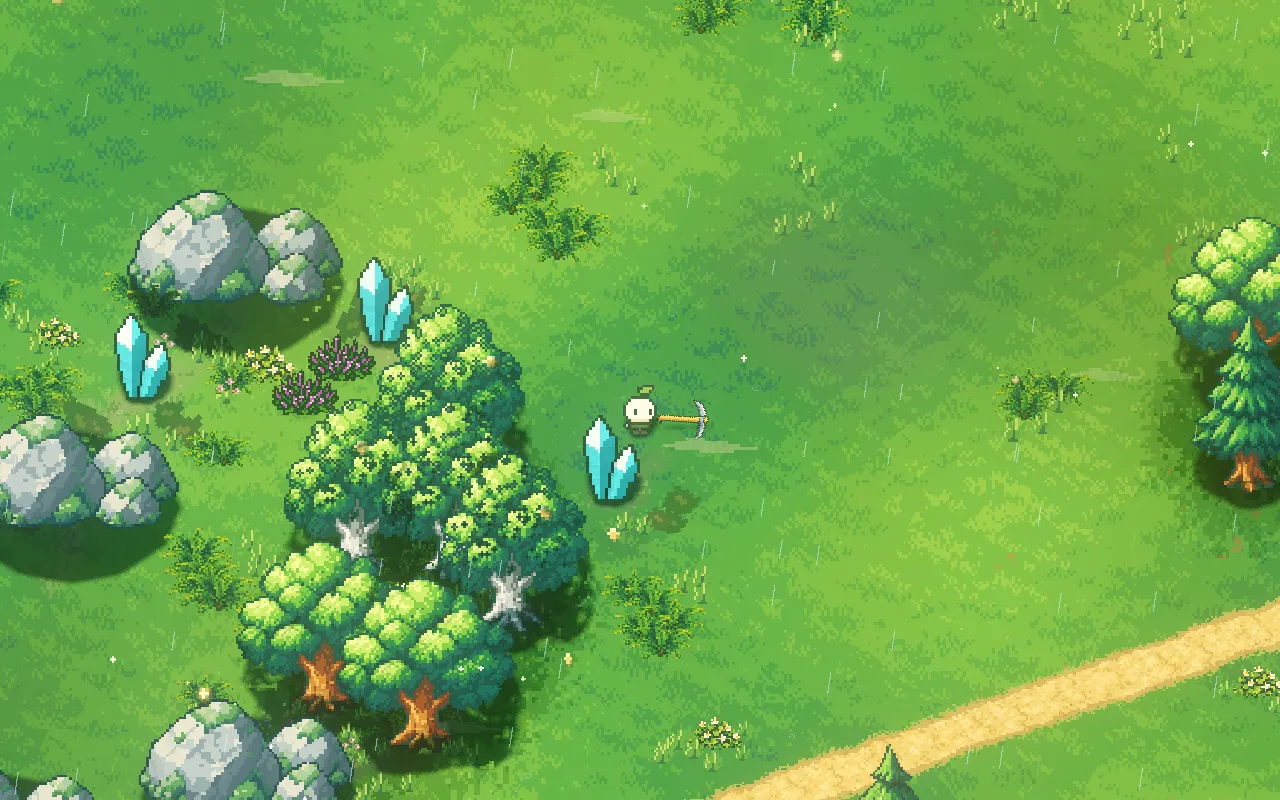
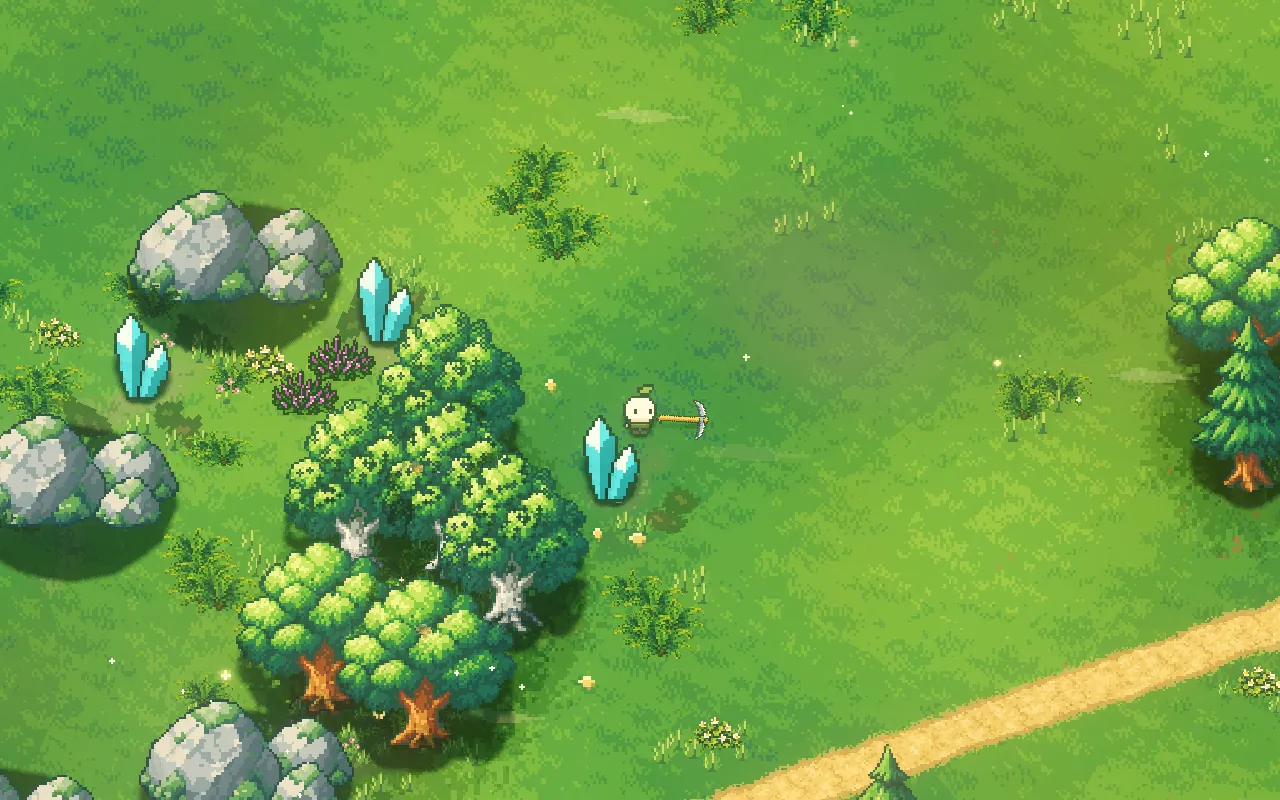
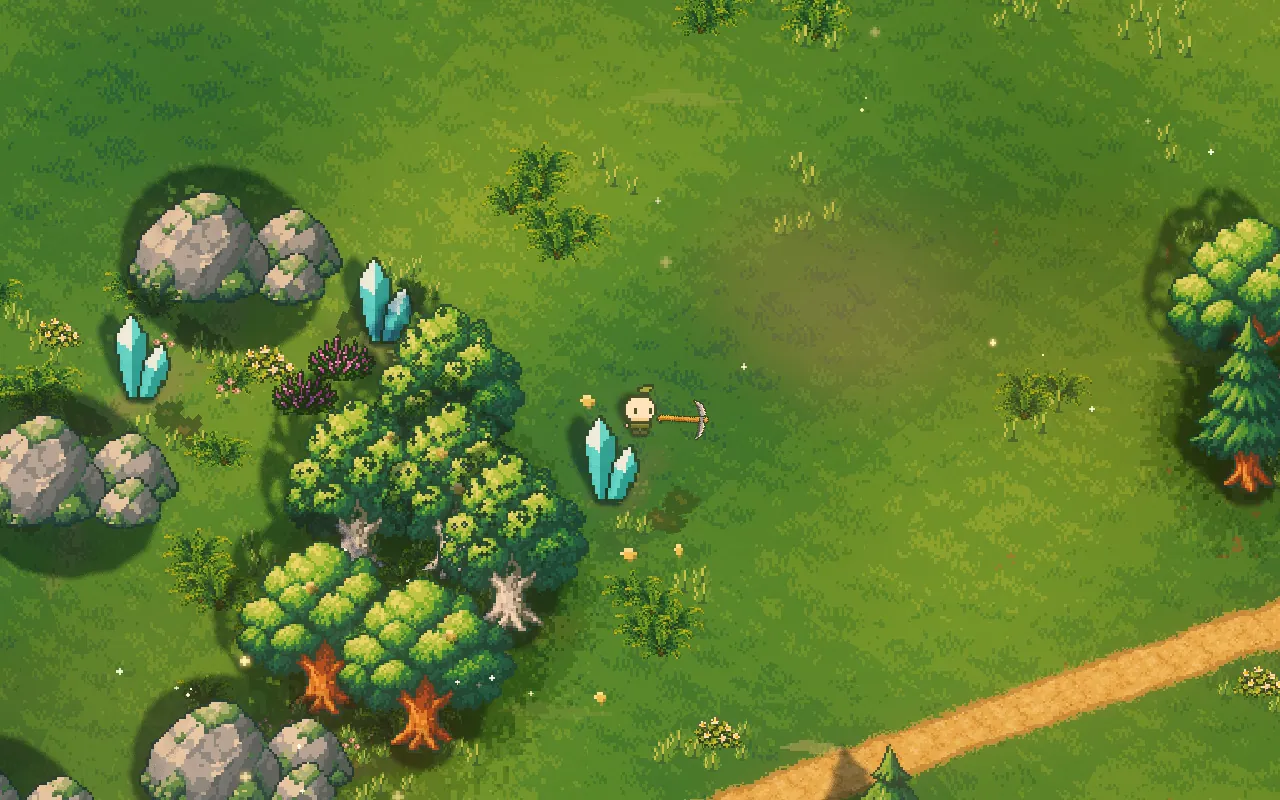
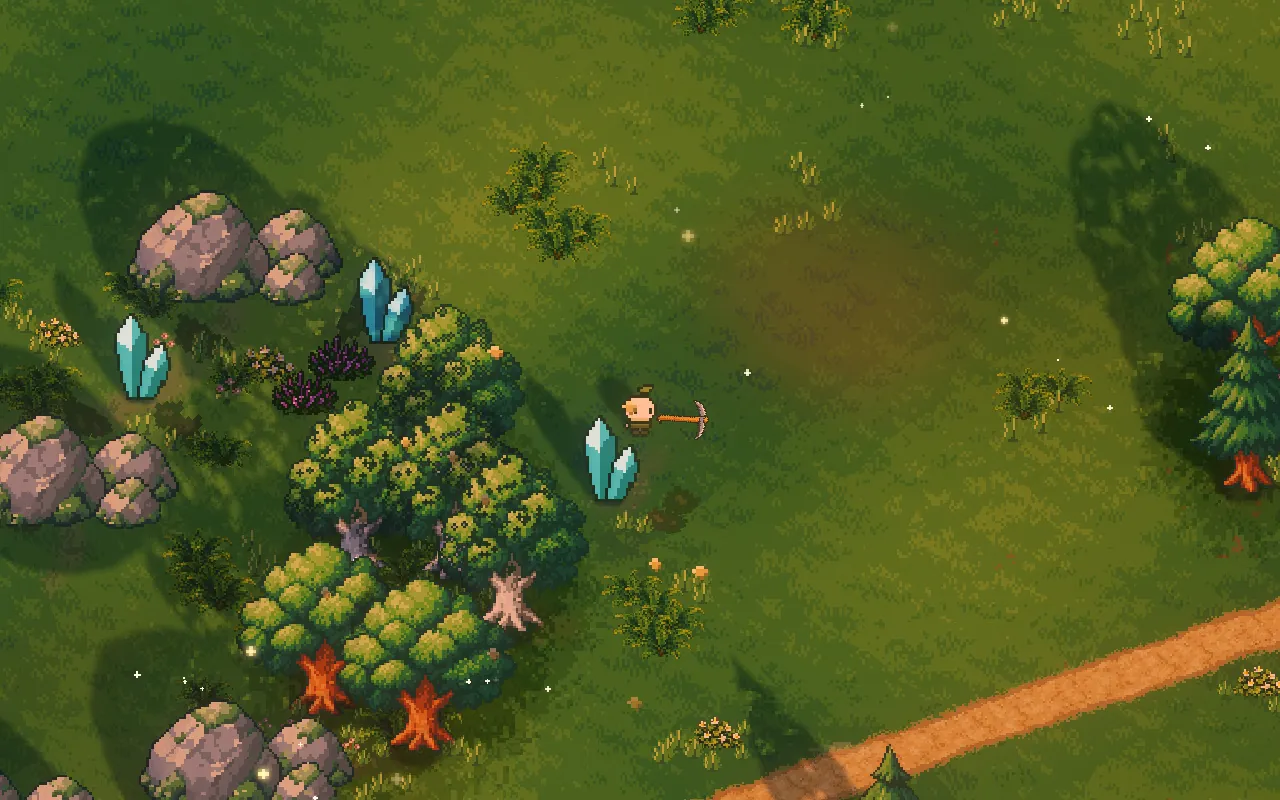
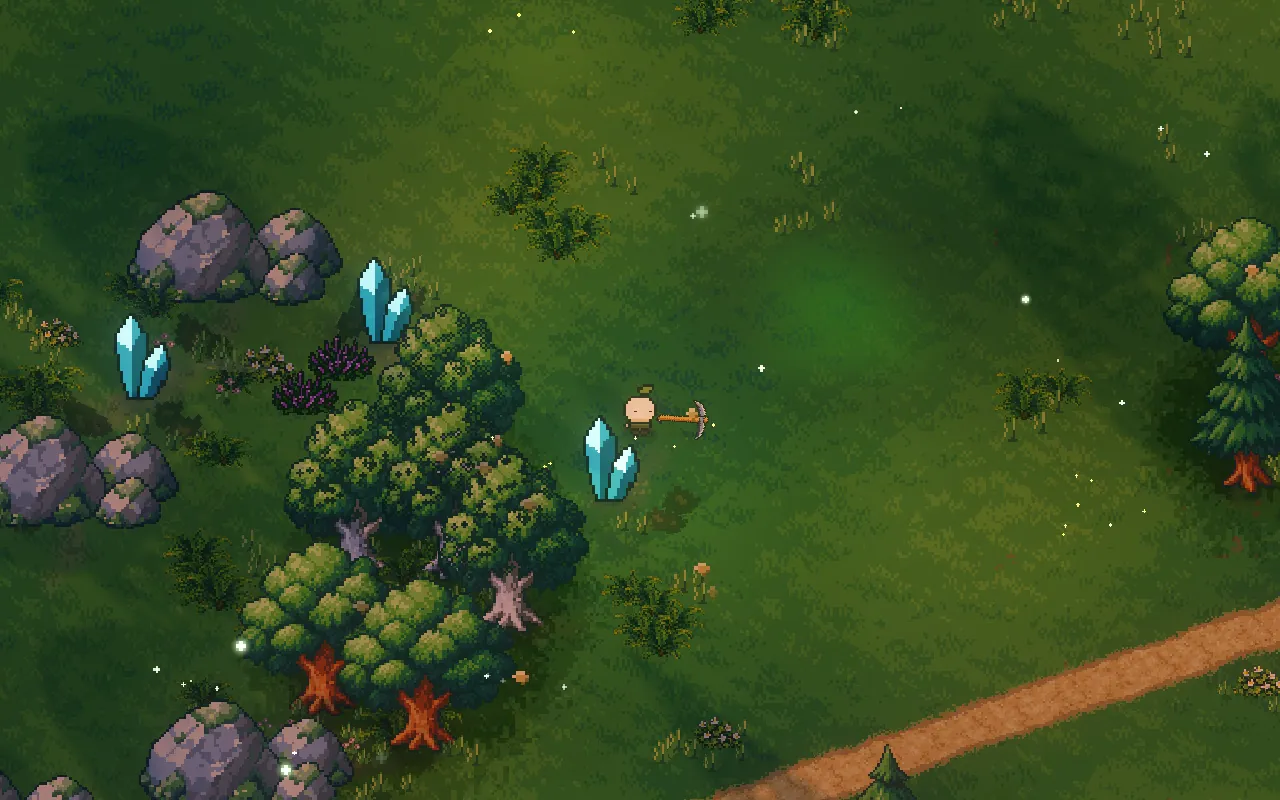
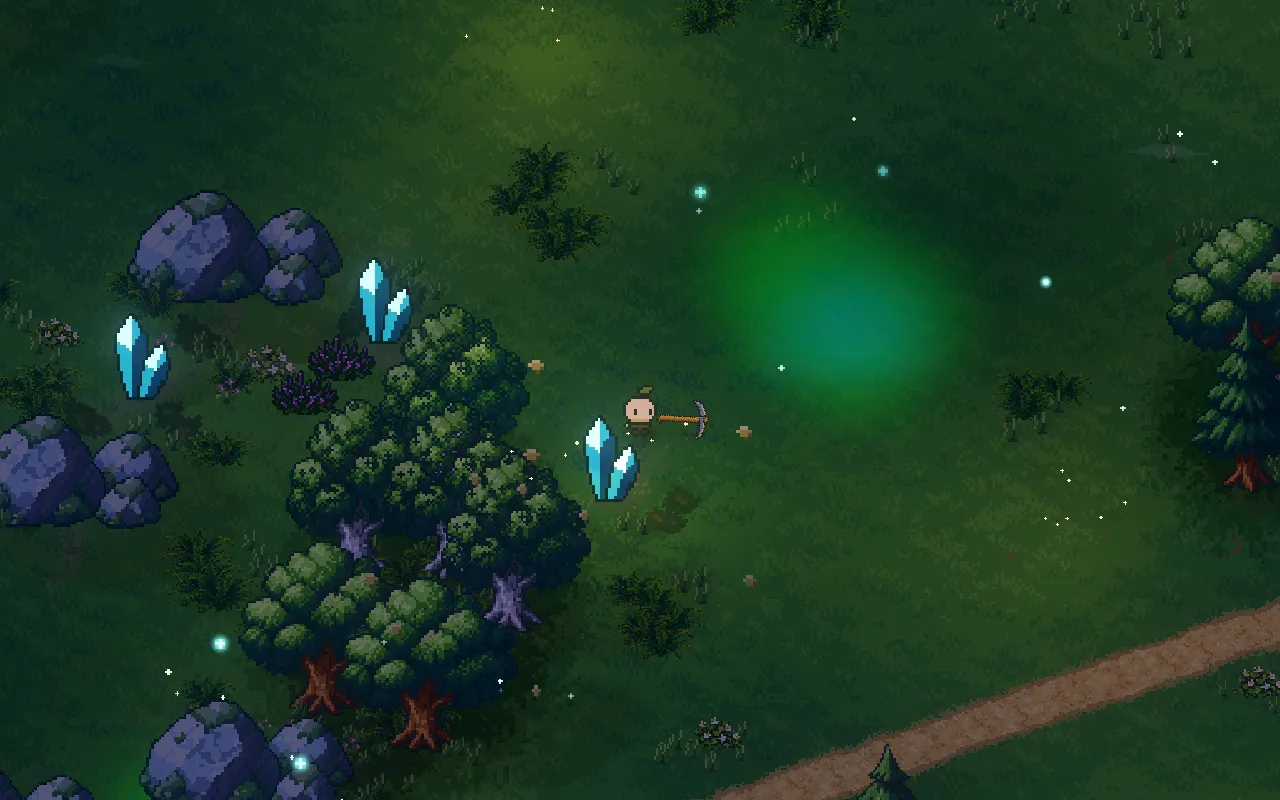
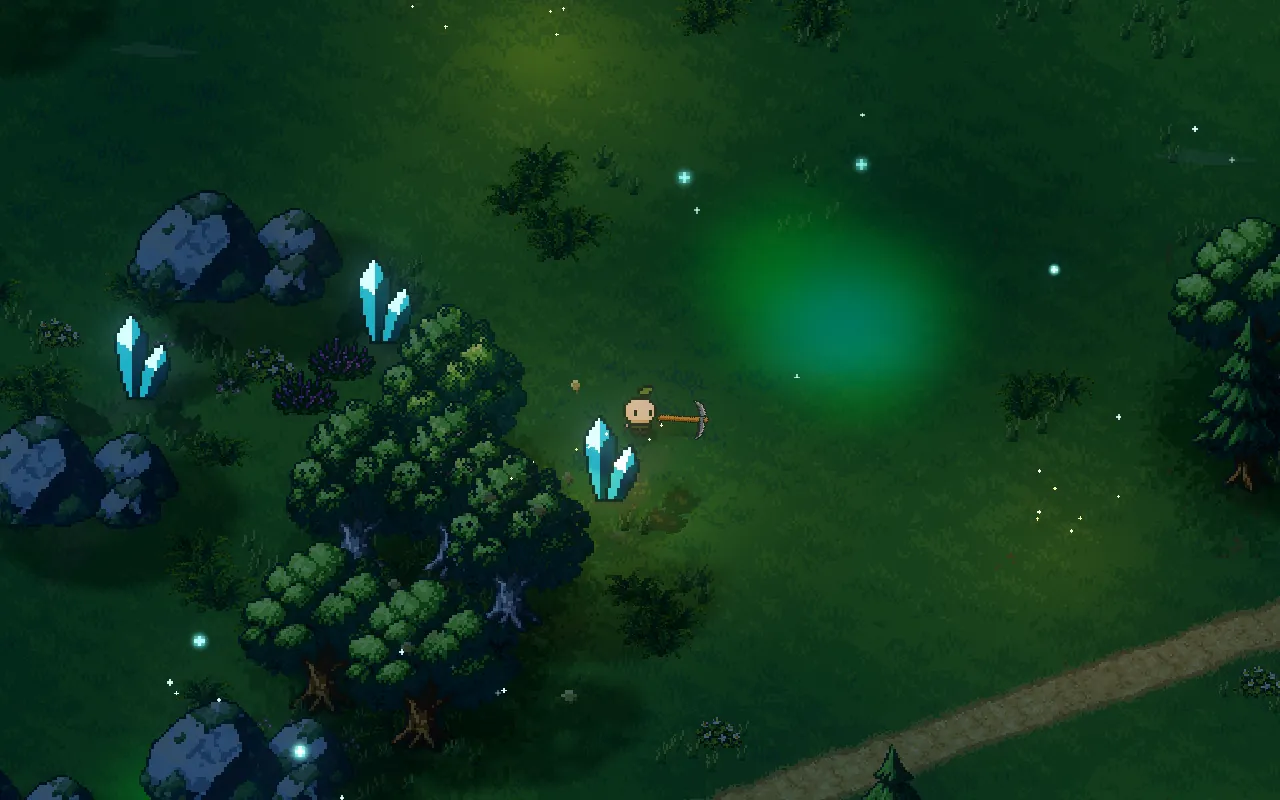
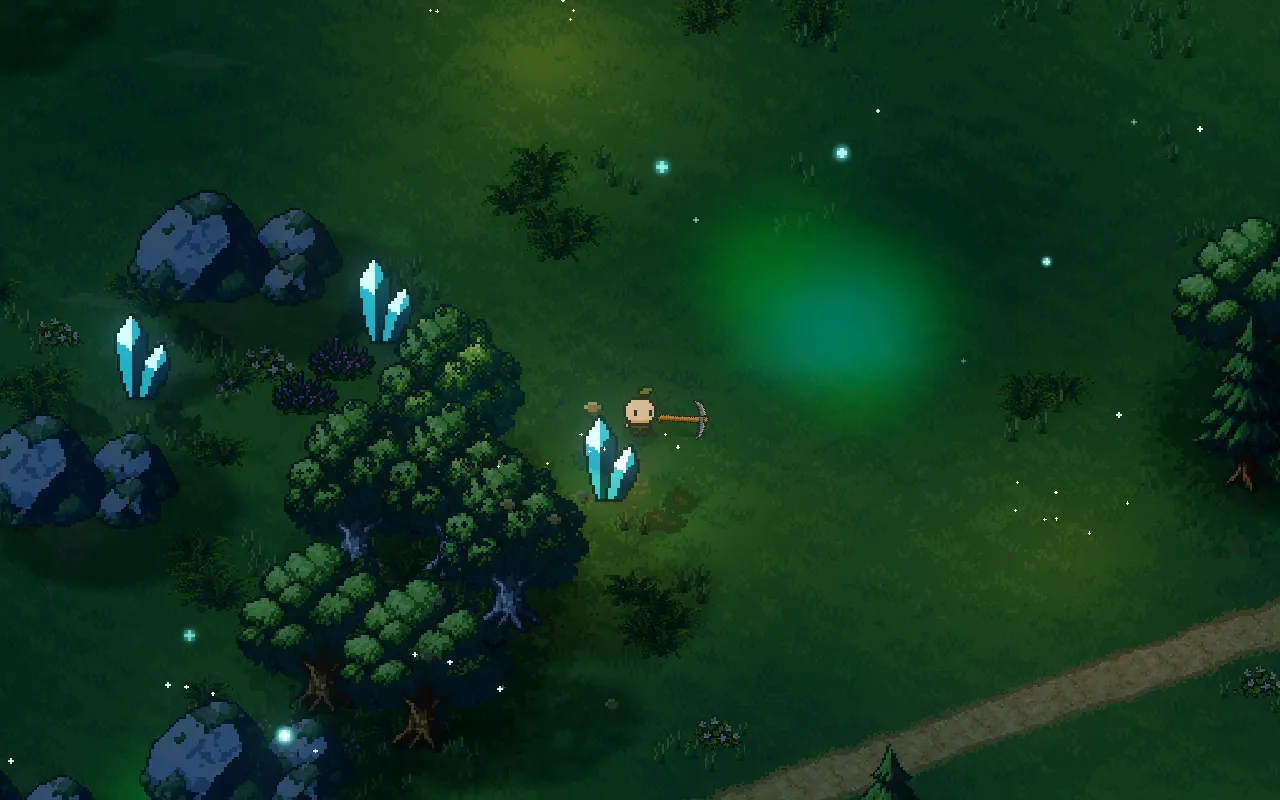
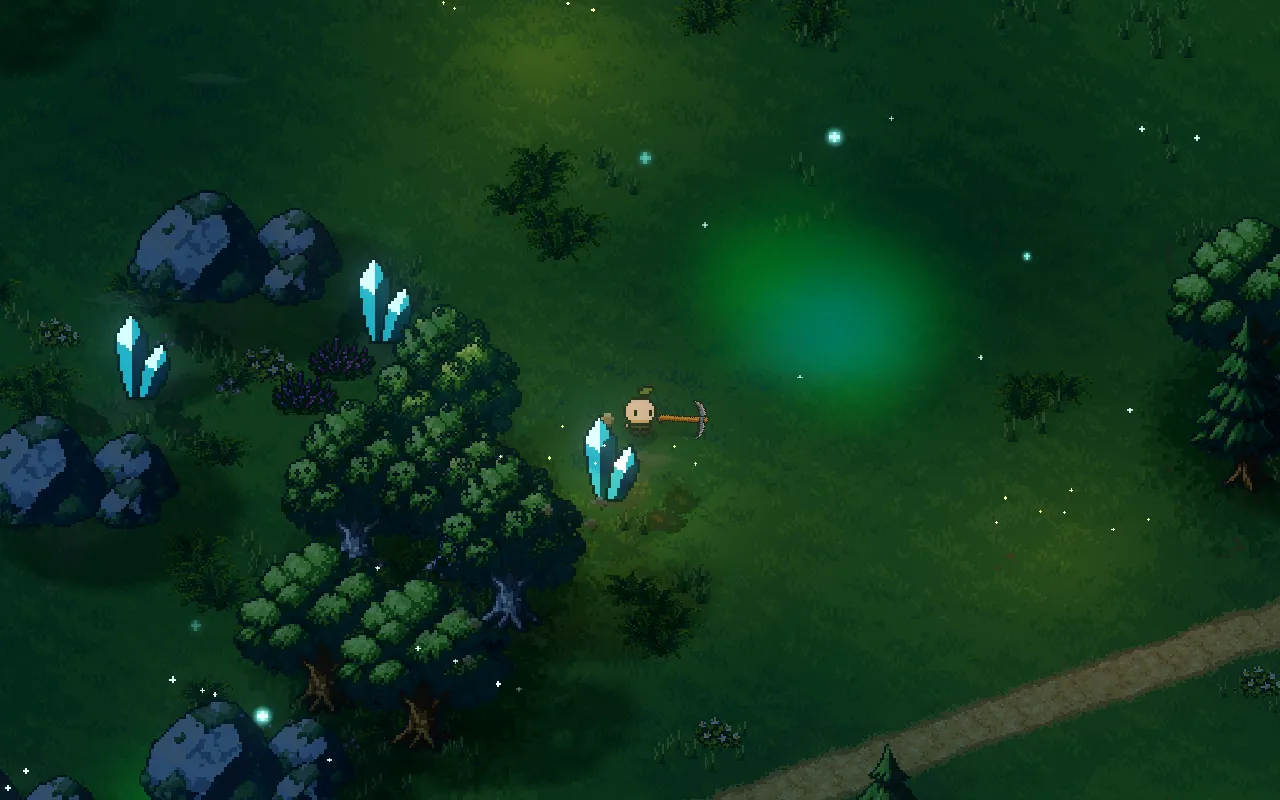
Drag the slider to move through the day
Why do pixel art games look flat?
Usually the detail is fine and the light is missing. A pixel-art scene where every hour looks the same gives you nothing to read the time or the mood from. Many games fix that with a filter over the whole screen that darkens the edges or tints everything orange at sunset. It's quick, but the light doesn't come from anything in the scene, and you can tell.
Put the light in the world
Mytheria is built in Godot's 3D renderer with a fixed, flat camera, and our sprites live in that world. Real lights can touch them: the sun moves through the sky, the moon takes over at night, and the rocks, trees and characters cast proper shadows on the ground.
Every effect therefore has a place in the world. Light pools around the player at night. A struck crystal lights up the grass around it, and mist sits in one glade where you can walk through it.
Keep the magic in pockets
The most common mistake with atmosphere is putting it everywhere. When every corner glows, the whole picture loses its contrast.
We gather the magic in enchanted glades and hollows that cover about a quarter of the island. Inside one you get soft mist, more particles and glowing plants, and between them the land stays clean and crisp, so walking into a glade feels like arriving somewhere.
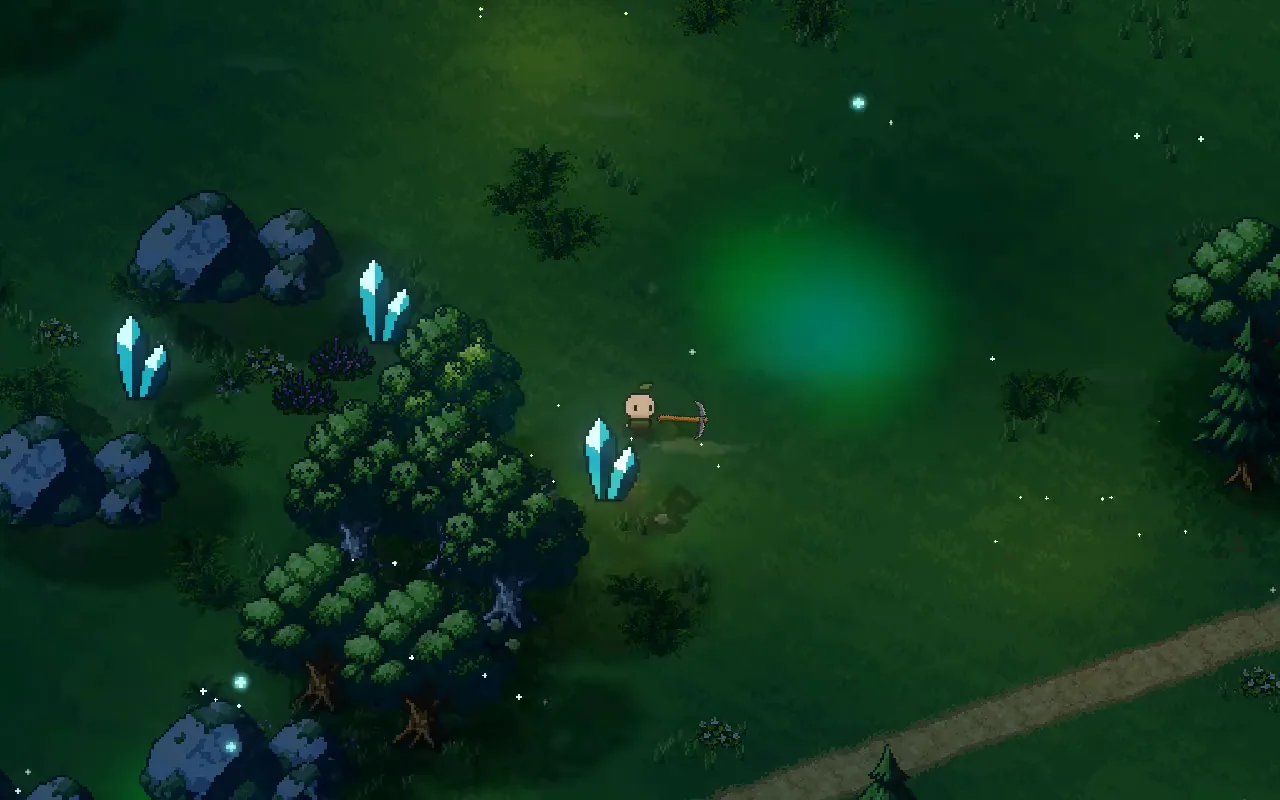
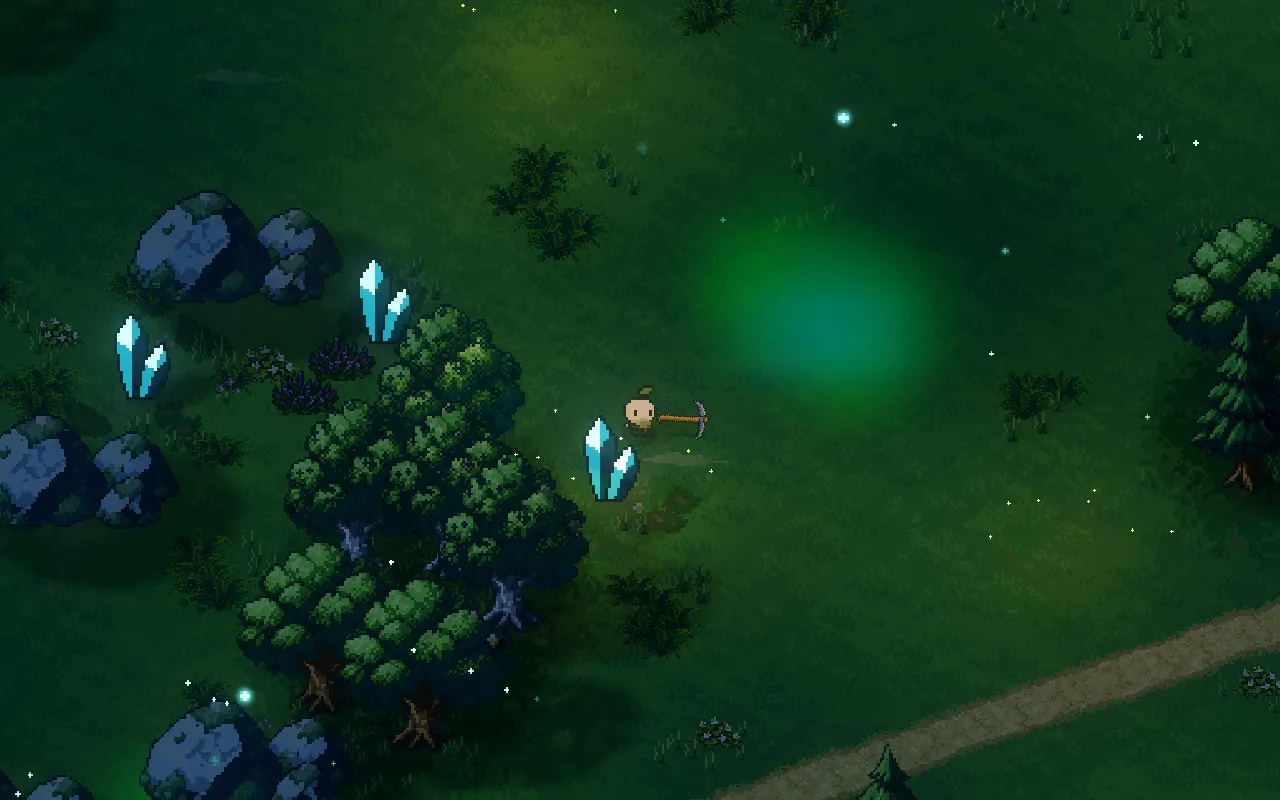
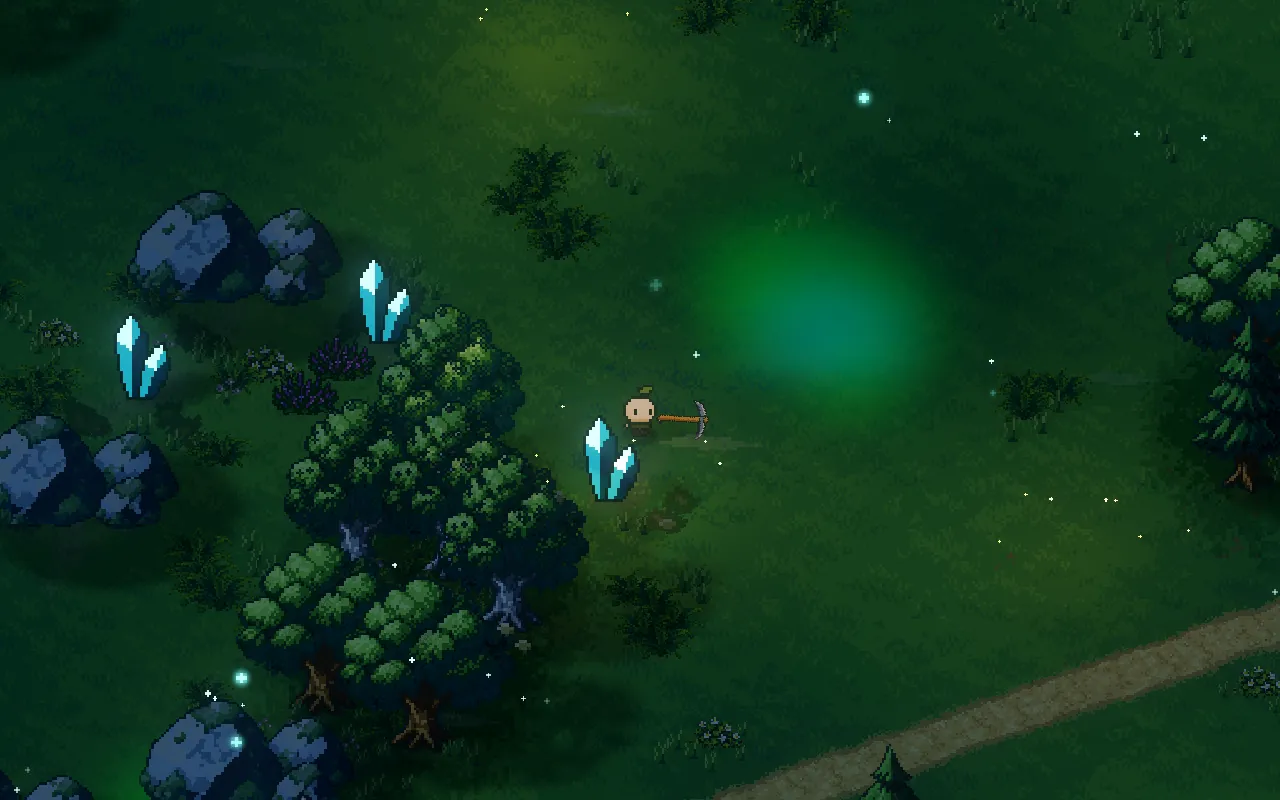
Here is one glade at night with the in-world light, and the same night without it.
Drag the line to compare before and now
Time of day should carry the mood
You don't need a different look for every place if the hours of the day are doing the work. Mytheria blends a few lighting moods by the time of day: dawn, day, golden evening, sunset and night. Each one sets the light colours, how much mist sits in the pockets and how strongly glowing things glow.
We keep the warm colours for the evening. During the day the sun and the air stay close to neutral, because sunlit fog with a warm tint lays a yellow veil over everything and washes out the art. By evening the sun turns warm, the shadows grow long and the shade picks up a rosy tint.
A night that is dark but still readable
Night is where lighting matters most, and where it most often goes wrong. A night that's too bright looks like a blue day, and one that's too dark can't be played.
Our nights are dark, with light coming from things in the world. The player carries a small warm circle of light, so you always see yourself and what's next to you. Crystals glow cyan, blossoms glow pink and fireflies drift in the glades. Hit a crystal and it floods the grass around it with light that fades over about a second and a half. It's a real light in the scene, the same way the self-lit hit flash is.
Restraint: let the pixel art lead
Every one of these effects can be turned up until it's too much, and it's tempting to, so we hold back on purpose. Particles drift slowly and move gently aside when you walk past, like the rest of the living forest, and none of them swarm or blink hard. The lighting shifts the colours a little but keeps them close to the art as drawn. For anything that moves on its own, our rule is that if you notice it moving before you notice what it lights, it's too strong.
The same thinking keeps our screen shake small. When an effect does get too strong, like a dawn mist that hid the paths, we find and fix it the way how we decide what to polish first describes.
How we light pixel art in Godot
Our sprites have hidden bodies so real lights can cast their shadows; how that works is in sprites in a lit world. Short flashes of light, like the crystal's, borrow from a small pool of lights made when the area loads, so no light is created during play. At most four firefly lights are visible at once, and the other fireflies glow without casting light.
Depth fog doesn't work with a flat camera far from the ground. Everything is roughly the same distance away, so depth fog turns the whole picture white, and our mist lives in local fog volumes instead.
With effects turned off in the settings, the game shows the plain look from the comparison above, for slower computers and for players who prefer it. Reduced motion stops the drifting particles and mist but keeps the sun and moon.
A checklist for pixel art lighting
- Light the world with real lights instead of filters on the screen.
- Gather mist and glow in pockets and keep the rest crisp.
- Let the time of day carry the mood, and save warm colours for the evening.
- Make the night dark, and light it from things in the world.
- Keep the player, creatures and pickups readable at every hour.
- Turn every effect down until the art reads clearly through it.
Further reading
- How to make combat feel goodHow we made combat feel good in our indie game Mytheria: hitstop, hit flash, knockback and screen shake, with real frame data you can try yourself.
- Screen shake in games: how to make it feel goodHow we tuned screen shake in Mytheria: small, along the hit, inside the hitstop and easy to turn off. Try the old and new shake curves yourself.
- MytheriaThe island these glades are on: a pixel-art co-op adventure for one to four players.
Wishlist Mytheria
Mytheria is a pixel-art co-op adventure for one to four players, coming to Steam for Windows, macOS and Steam Deck. A wishlist is the best way to follow it and to help us.