Sprites in a lit world: making pixel art stand on the ground
How Mytheria's flat pixel-art sprites cast real shadows in Godot: invisible shapes built from the art, a height that matches the camera, and soft contact.
On this page
A flat sprite in a lit world has a problem, because light needs something with a shape to fall on and a sprite is a flat picture. Without help, trees and characters hover over the ground like stickers. In Mytheria, our pixel-art co-op game built in Godot, every sprite gets an invisible body that casts its shadow and catches the light, so the pixel art stands on the ground at every hour.
Everything below was filmed in the game for this post, including the frames with the shadows switched off.
How do you make 2D sprites cast shadows in Godot?
Turn off the flat sprite's own shadow, and give each sprite a hidden, shadow-only shape that matches its art, standing upright at the height the art implies, and let a real sun light the scene. Godot's lights then cast proper shadows that turn with the time of day. Add a small soft contact shadow where the object meets the ground, and light the sprite as if it were that shape.
The short answer
How Mytheria grounds its sprites:
- Sprites cast no shadow themselves, and a hidden, shadow-only volume casts it instead.
- A tree's volume is cut from its own drawing, with gaps between the leaves.
- Characters get body shapes for the head, torso and feet, posed every frame with the animation.
- A sprite drawn H pixels tall stands H × 1.41 tall in the world, to match the camera angle.
- A real sun moves across the sky, so shadows swing and stretch through the day.
- A small soft contact shadow sits where each object meets the ground.
- The sprite is lit as if it were its shape, so the head can shade the body.
With and without
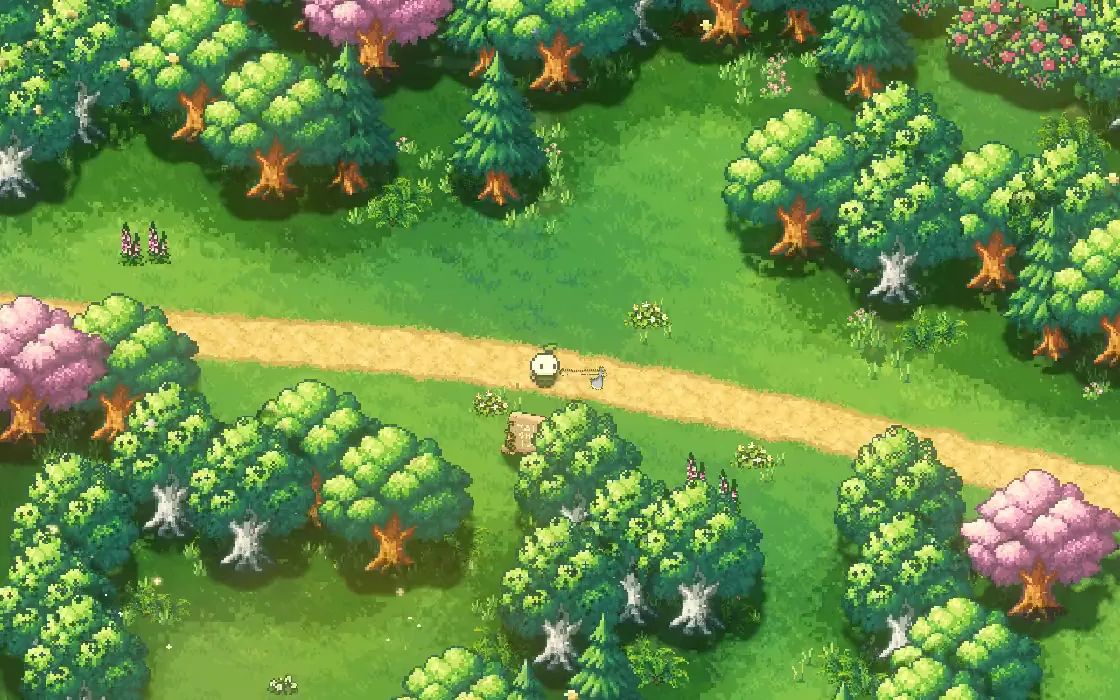
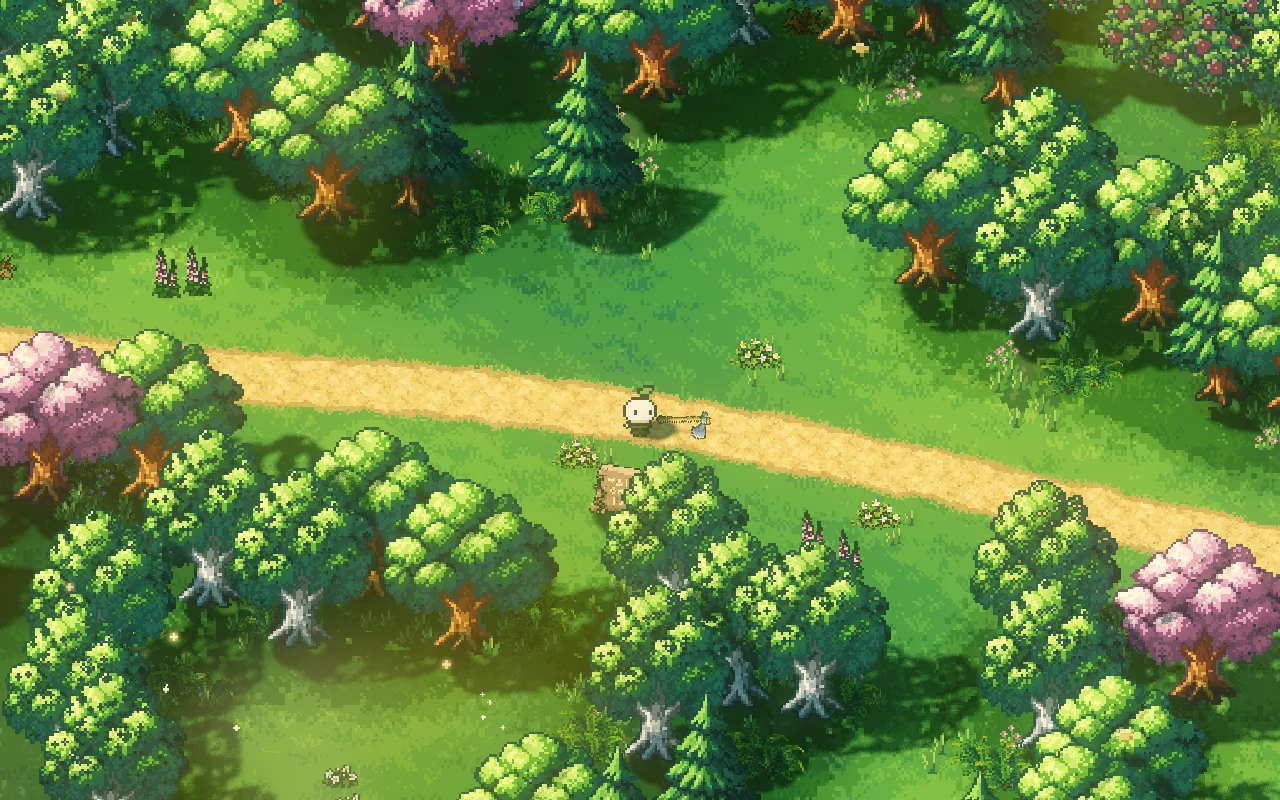
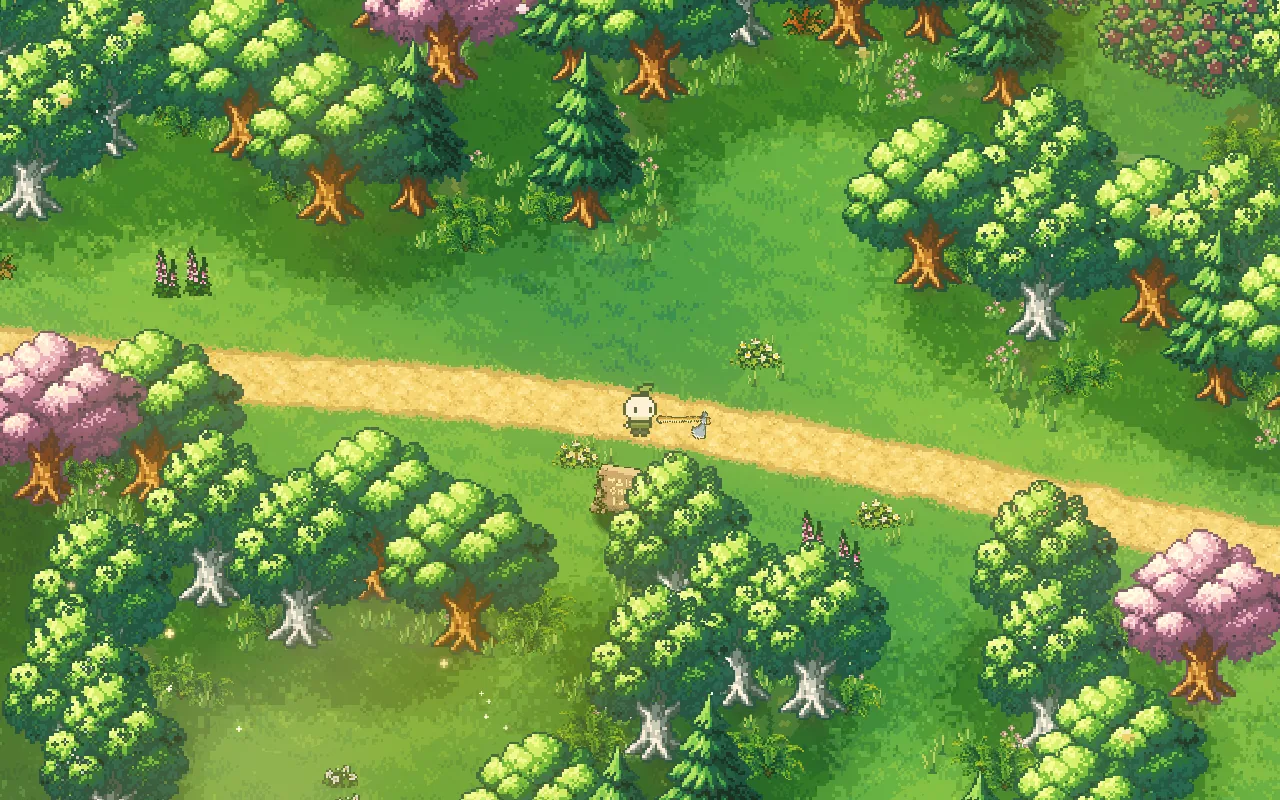
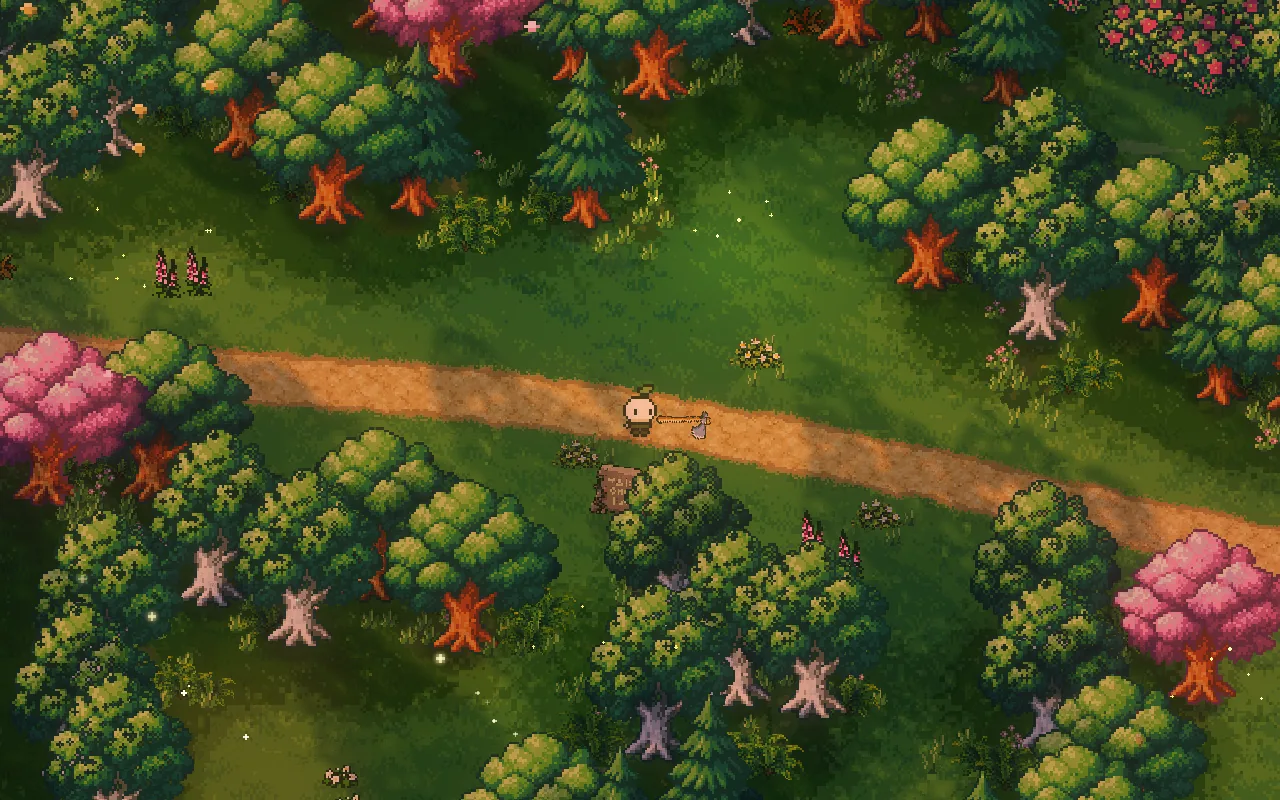
This is the same Woodland road at 9:00 and 17:30, with every shadow volume and contact shadow on, and then switched off:
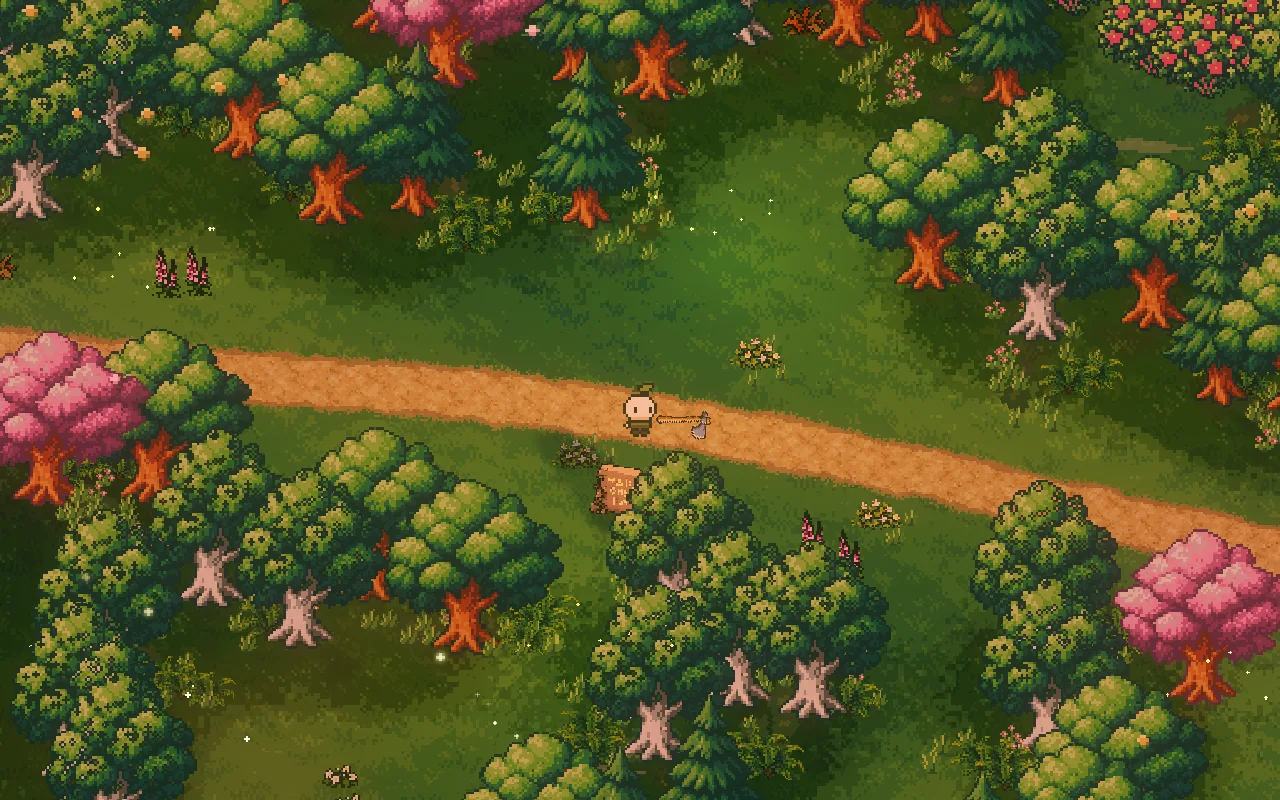
Step through the frames, or use the arrow keys
At 9:00, with the shadow volumes on. The trees stand in their own shade.
Give every sprite a hidden body
A sprite in Mytheria is a flat picture facing the camera, and it's set to cast no shadow at all. Next to it stands a second object you never see: a shadow-only volume. Godot draws it into the shadow map and nowhere else.
For trees, rocks and crystals, that volume is cut from the sprite's own drawing and stood upright, so the shadow has the exact silhouette of the art. A tree's crown gets small gaps between leaf clusters, so its shadow is dappled rather than a solid blob. The gaps are fixed to the tree and sway with its crown, so they never slide or flicker as the camera moves.
How tall is a sprite?
Mytheria's camera looks down at the ground at a 45-degree angle. Something standing upright is seen shortened by that angle, so a sprite drawn 96 pixels tall stands about 136 units tall in the world: its height times the square root of 2, about 1.41. Every shadow volume uses that height; with the height as drawn, every shadow would come out about 30 % too short.
The sun follows a fixed path: it climbs to 68 degrees above the ground at its highest and never drops below 28 in the daytime, and in the evening the afternoon arc sinks sooner for long, warm shadows. Drag through the day:
Drag through the day and watch the shadows swing and stretch
Characters need bodies that move
A character changes shape as it walks, attacks and dashes. Mytheria builds the character's shadow from simple rounded shapes, one each for the head, the torso and both feet, measured from the drawn parts, and moves them with the same animation rig every frame. The held tool gets a thin shadow of its own, so an axe on your shoulder casts a line across the path. The rig itself is described in one rig, five characters.

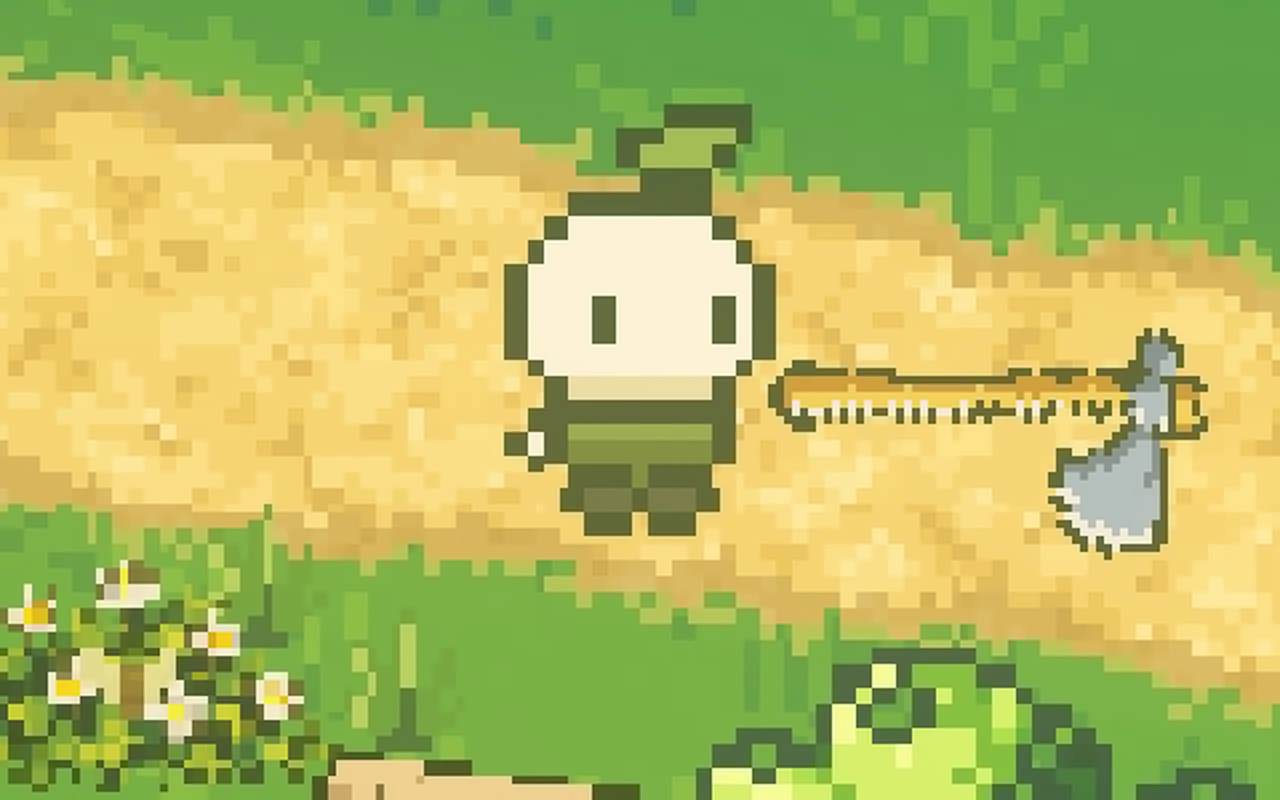
Compare the character, or use the arrow keys
The shadow falls away from the sun, the axe casts its own thin line, and the head shades the body below it.
Light the sprite as its shape
The hidden shapes also change how the sprite is lit: it's lit as if it were those shapes, so the sun reaches the top of the head and the body below sits a little in its shade, as in the close-up above. And where a sprite's pixels dip below the ground line, at the feet, they follow the ground instead, so the character's feet sit on the path rather than cutting into it.
Add a little contact
Real shadows from a high sun can be small and offset to the side. So every tree, rock and station also gets a small, very soft dark ellipse right where it meets the ground. It's faint, about an eighth as dark as black, and sits under the object regardless of the sun, so even at noon nothing looks like it's hovering. How the rest of the light in the scene works is in pixel art lighting in Godot.
A checklist for sprites in a lit world
- Let real lights cast the shadows.
- Turn off shadows on the flat sprite itself.
- Give each sprite a hidden, shadow-only shape cut from its art.
- Stand that shape at the height your camera angle implies.
- Build characters from simple shapes that move with the animation.
- Light the sprite as its shape, so it shades itself.
- Add a faint contact shadow where things meet the ground.
- Check every hour of the day.
Further reading
- Pixel art lighting in Godot: real lights in the worldHow we light Mytheria's pixel art in Godot with real lights, local mist and time of day instead of screen filters. Drag the sun through a whole day.
- One rig, five characters: modular pixel art animationHow Mytheria animates five pixel art characters with one rig: parts as data, shared clips, feet that plant on the ground and hands that hold any tool.
- MytheriaWalk through the light yourself: a pixel-art co-op adventure for one to four players.
Wishlist Mytheria
Mytheria is a pixel-art co-op adventure for one to four players, coming to Steam for Windows, macOS and Steam Deck. A wishlist is the best way to follow it and to help us.