Idle animation, frame by frame: what makes a character feel alive
How Mytheria's pixel art idle animation works, frame by frame: a two-pose head bob held in whole pixels, a slow fidget, a blink, and nothing else moving.
On this page
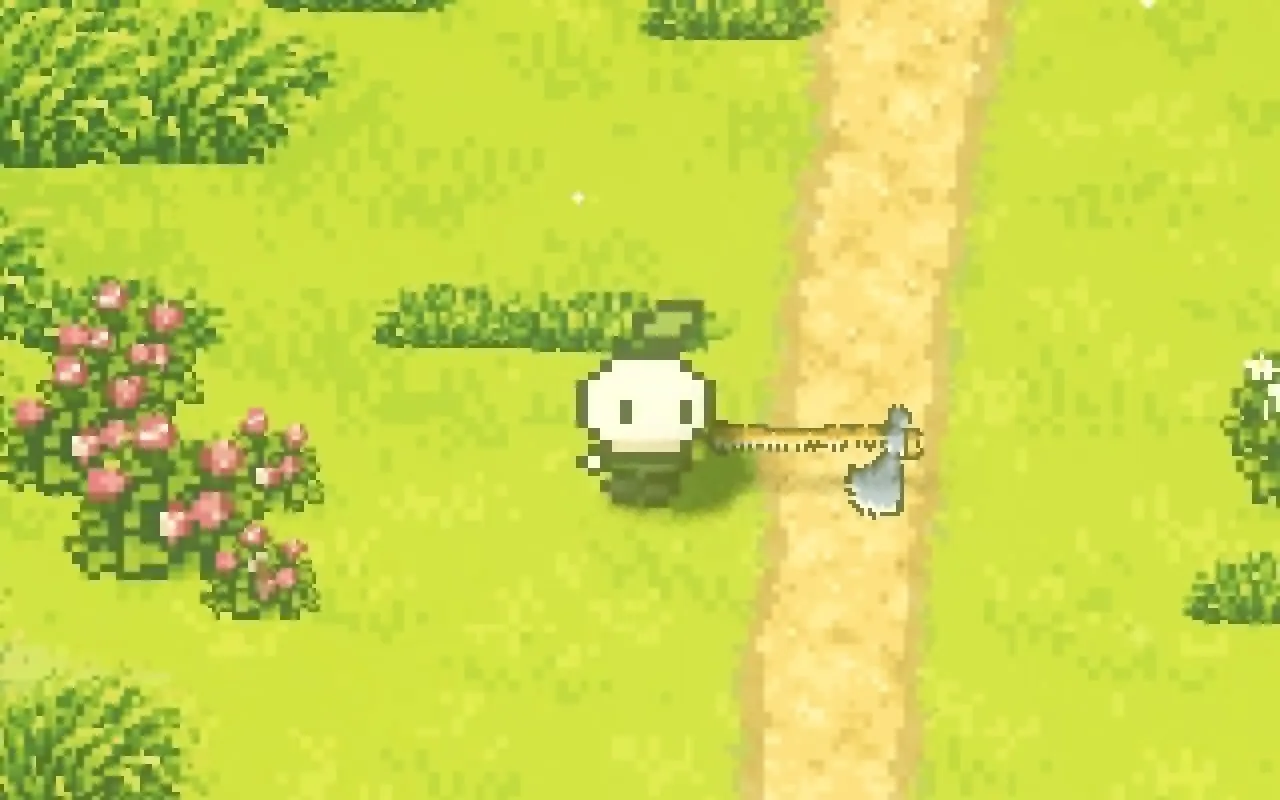
Players spend a lot of time looking at their character standing still, between fights or while deciding where to go. A character that freezes looks like the game crashed, and one that sways and wobbles looks nervous. In Mytheria, our pixel-art co-op game, the idle is a few small movements, timed carefully, and everything else stays still.
Every frame below is from the game, filmed for this post at 60 frames a second.
What makes a good idle animation?
A good idle shows the character is alive without drawing attention. It's a small movement in one place with a steady rhythm, plus an occasional blink or glance. In pixel art it should move in whole pixels and leave the parts that touch the ground still.
The short answer
Mytheria's idle animation:
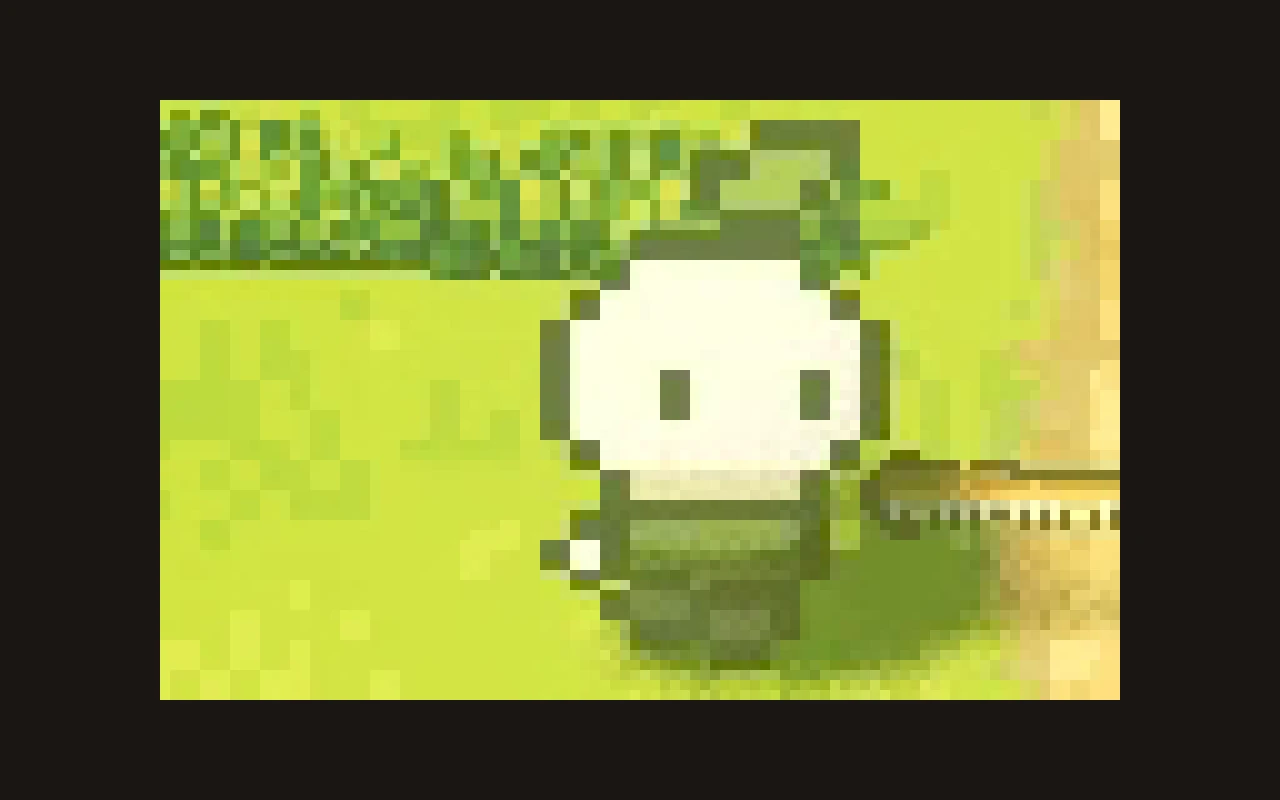
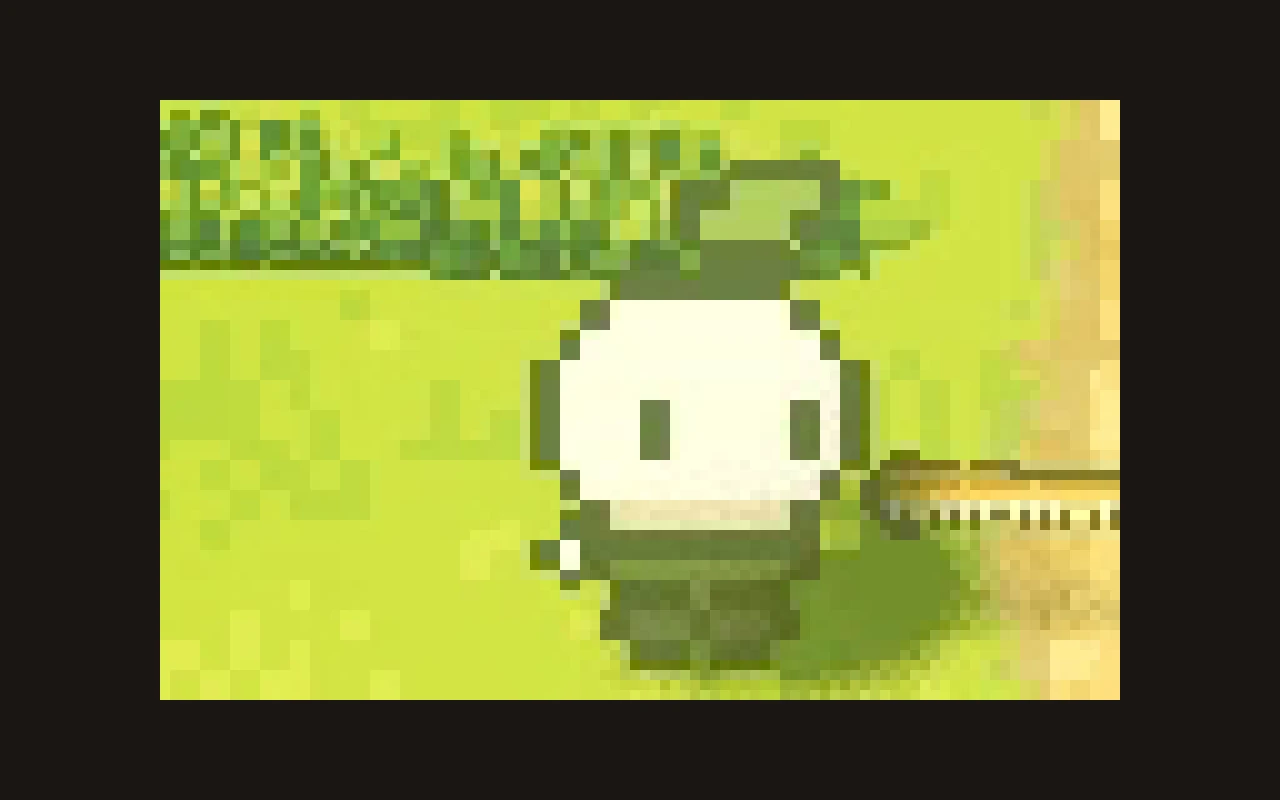
- The head drops one pixel and comes back, each pose held for a third of a second.
- It jumps between the two poses instead of sliding.
- Only the head moves, and the body, hands and feet stay exactly where they are.
- Every 7.3 seconds the character glances to the side, then shifts its weight a little.
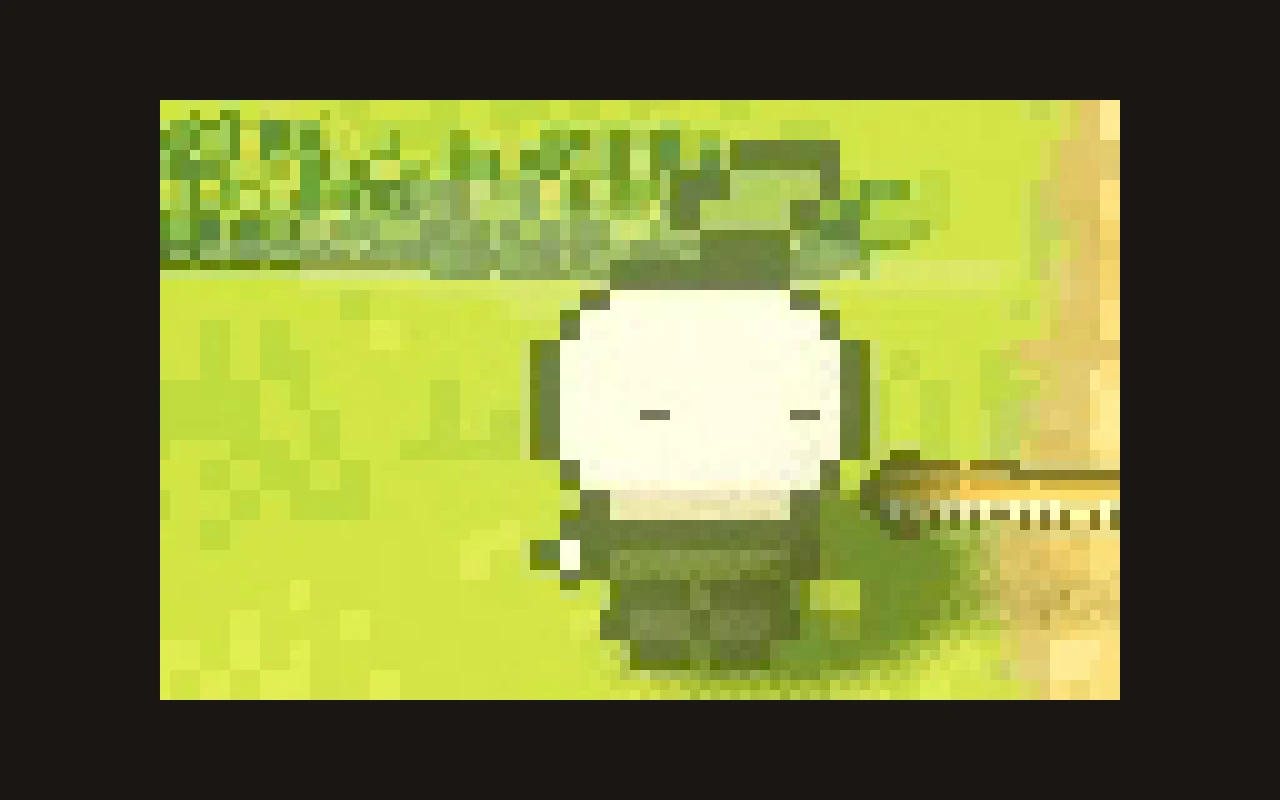
- Every 4.6 seconds it blinks for about a tenth of a second.
- The idle stops the moment you walk, attack or dash.
The bob: two poses, a third of a second each
Step through the frames:
Step through the idle, or use the arrow keys
The upper pose, held for a third of a second.
The whole loop is two thirds of a second: up, down, up. That's a little faster than a breath, so the character looks alert and ready rather than sleepy.
Hold poses instead of easing
A smooth float, where the whole upper body drifts up and down over a few seconds and every attached part wobbles along, looks mushy at game size, because the head spends most of its time between two pixels and the art shimmers. Two clear poses, each held, look crisp and deliberate, with less animation.
Keep the ground still
Only the head moves. The clothing's hem, the hands and the feet stay put, so the character stays planted on the ground. Moving feet would look like sliding, and moving hands would wave the tool around. With everything below the head still, the bob reads as breathing rather than bouncing.
Add a rare fidget
A rhythm alone gets mechanical after a while, so a 7.3-second fidget runs on top of it. Three seconds in, the eyes glance one pixel to the side and the head tilts slightly for 0.6 seconds. A moment later the weight shifts for 0.4 seconds, with one foot lifting a fraction while the body sways, and then nothing happens for a few seconds.
The fidget's 7.3 seconds and the blink's 4.6 don't line up with each other or with the bob, so the combination doesn't repeat in an obvious way and the character doesn't look like a loop.
Blink, and stop the moment you move
The blink is the smallest touch: every 4.6 seconds, the eyes squash to a thin line for about a tenth of a second. Without it, the character's face looks frozen.
Everything stops the moment the player does something. Walking fades the bob out, and attacks, overlays and the dash suppress it completely, so the idle never fights with a real action.
How the idle works in Godot
The idle is a keyframe clip in the shared rig, so all five characters breathe the same way; we explain the rig in one rig, five characters. Most clips ease between keys, and the idle sets one flag that makes it jump between keys instead, so the poses hold. For the blink, the rig checks the time against a 4.6-second cycle and squashes the eyes during the window, so no extra state is stored.
A checklist for idle animation
- Move one part of the character.
- Hold whole-pixel poses instead of easing between them.
- Keep the feet, hands and body still.
- Add a rare fidget on a different rhythm.
- Add a short blink.
- Stop the idle the moment the player acts.
Further reading
- One rig, five characters: modular pixel art animationHow Mytheria animates five pixel art characters with one rig: parts as data, shared clips, feet that plant on the ground and hands that hold any tool.
- Pixel art character size: why we made our characters smallerWhy Mytheria's pixel art characters got smaller: compact heads, no limbs, floating hands and tiny feet. A real before and after, with the sprite sizes.
- MytheriaThe game these characters stand in: a pixel-art co-op adventure for one to four players.
Wishlist Mytheria
Mytheria is a pixel-art co-op adventure for one to four players, coming to Steam for Windows, macOS and Steam Deck. A wishlist is the best way to follow it and to help us.