Pixel art character size: why we made our characters smaller
Why Mytheria's pixel art characters got smaller: compact heads, no limbs, floating hands and tiny feet. A real before and after, with the sprite sizes.
On this page
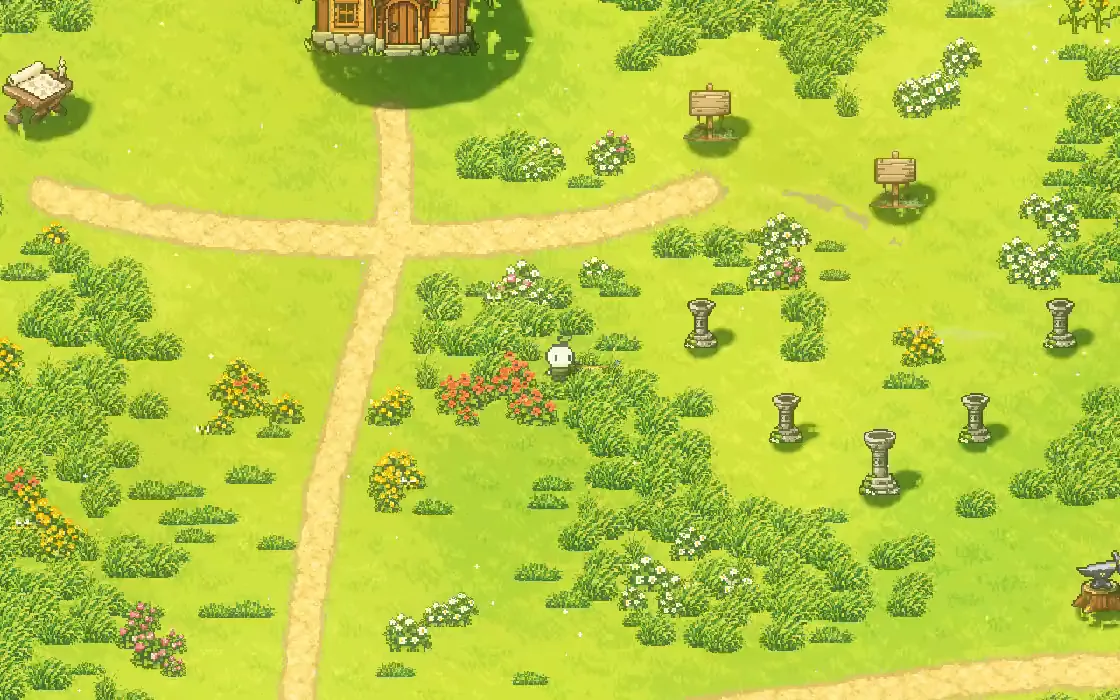
There's no single right size for a pixel art character, but there is a common mistake: drawing a small person with arms, legs and a long body, then shrinking it until it fits the world. At game size, those details turn into noise. In Mytheria, our pixel-art co-op game, our characters got smaller and simpler, and they read much better for it.
The before and after below were captured for this post from the two versions of the game, so the comparison is exact.
What size should a pixel art character be?
A character should be small enough that the world around it looks big, and simple enough that every part is still readable at that size. For a top-down game with a camera that shows a lot of the world, that usually means a big, readable head, a short body and tiny feet, rather than realistic proportions shrunk down.
The short answer
How we sized our characters:
- The face is the biggest part, because players look there first and it tells the characters apart.
- A small torso under the head is enough to read as a body.
- Small floating hands hold the tools, and they read better than three-pixel-wide arms.
- Tiny feet show the steps without long legs that wobble.
- The world stays big around them: a tree's art is 74 pixels tall, and the whole character is a fraction of that.
The before and after
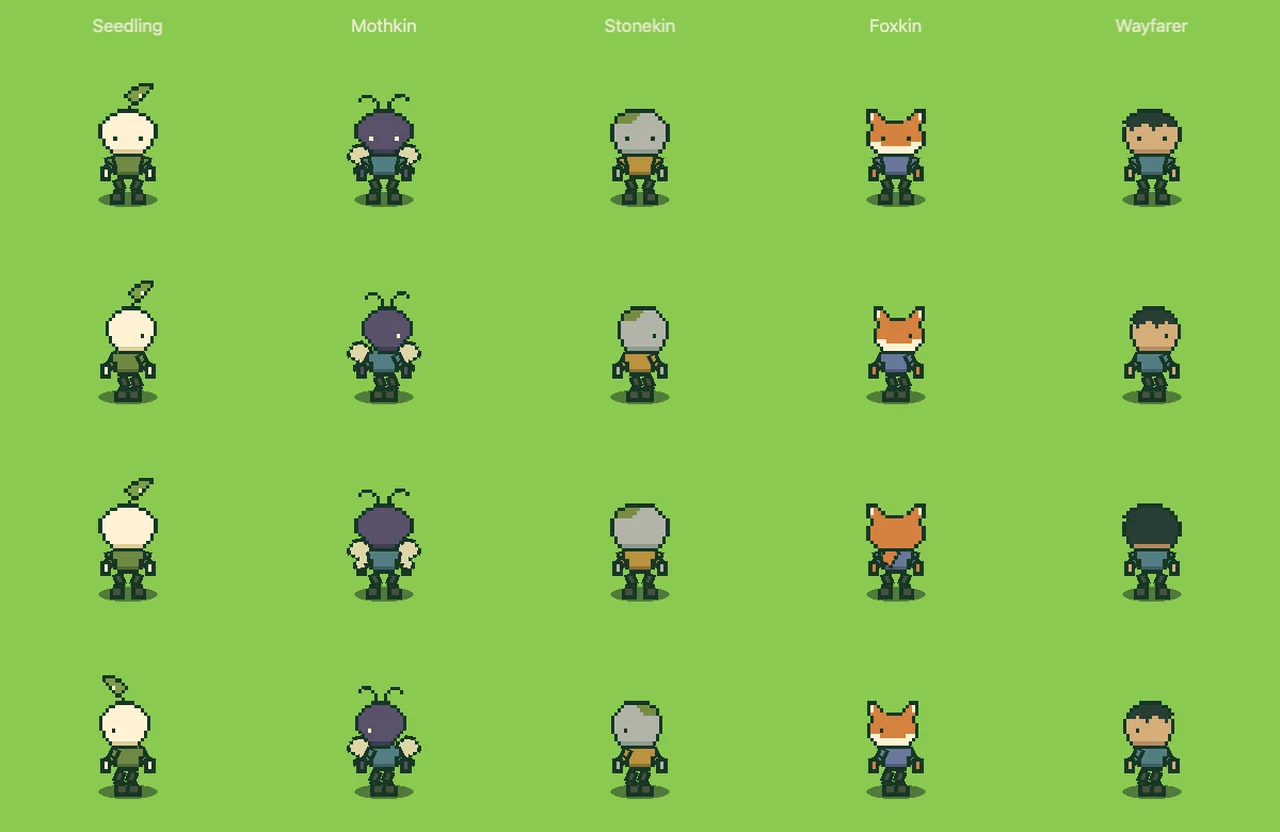
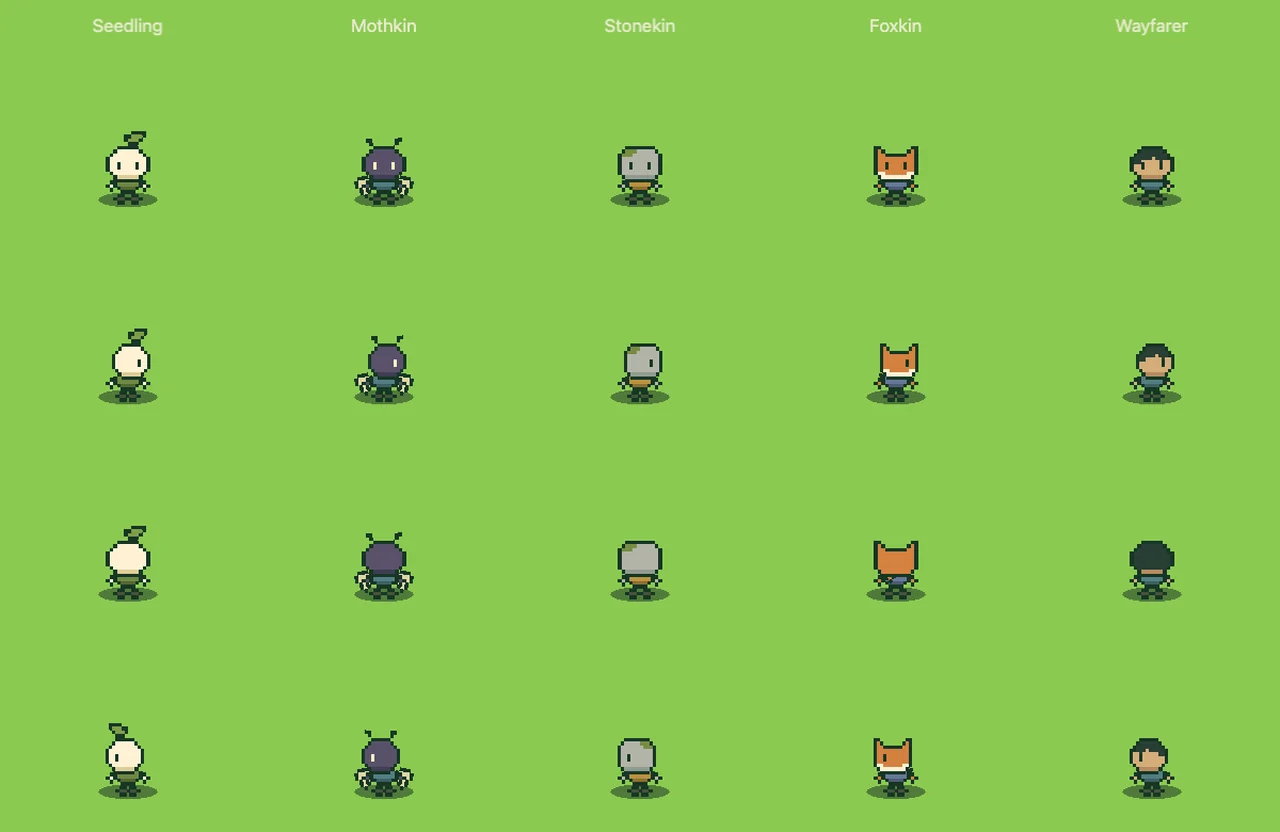
Here are all five characters, before and after, at the same scale in the same workshop. Each row faces a different direction.
Compare the two versions, or use the arrow keys
Before: a large head on a tall body, with arms and legs drawn as separate parts that bend.
And walking:
Count the pixels
Every part is drawn as a small grid of pixels, and the sizes show the difference:
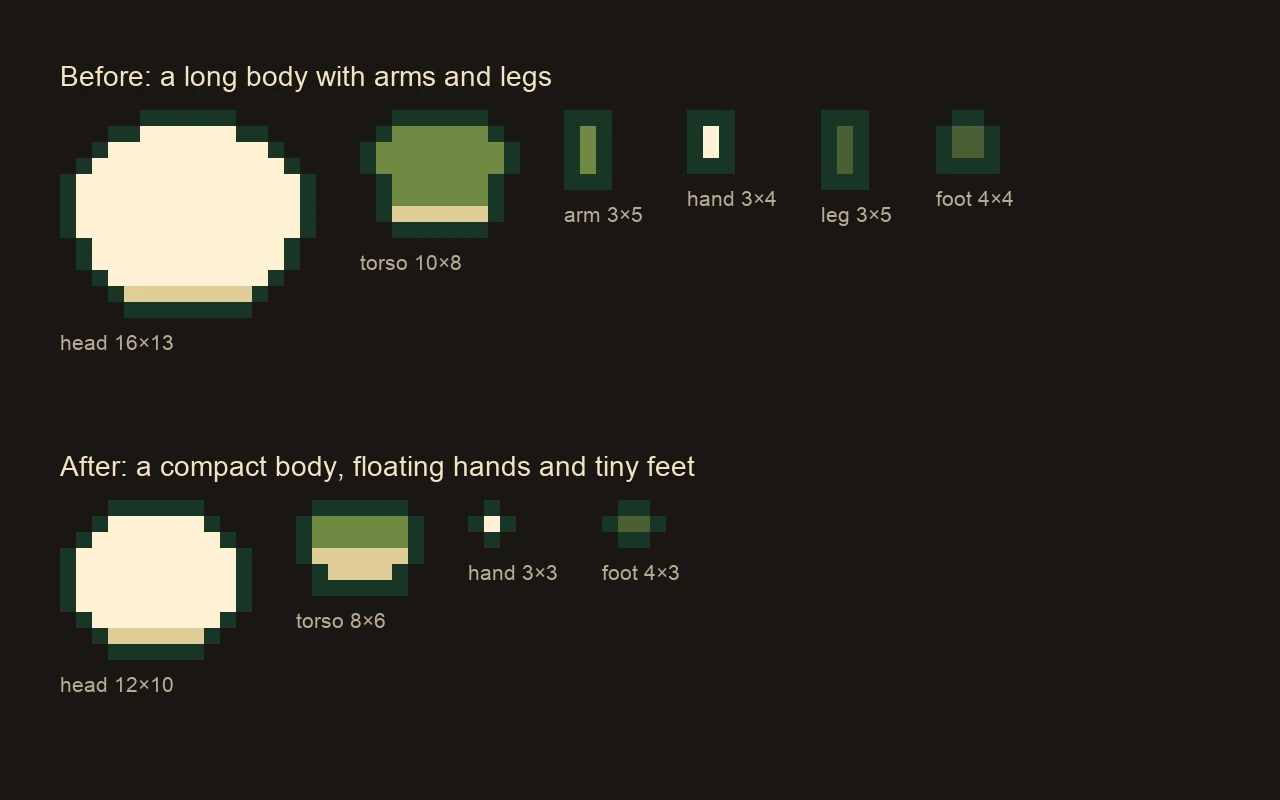
Before, a character was a 16 by 13 head, a 10 by 8 torso, two arms and two legs of 3 by 5, hands and feet. After, it's a 12 by 10 head, an 8 by 6 torso, two 3 by 3 hands and two 4 by 3 feet, with no arms or legs at all.
Why long limbs fail at small sizes
A limb that's three pixels wide has one pixel of colour inside its outline. When it bends to walk or swing, that pixel jumps around, the outline breaks, and the arm or leg flickers between shapes, so at the size the camera shows them, long limbs read as noise.
Floating hands avoid that problem. Your eye connects a small hand next to the body with the character, and the hand can move anywhere the tool needs to go without dragging an arm along.
Make the face carry the character
With five characters to choose from and up to four players on screen, players need to tell them apart. The head is the biggest and brightest part of each character, for example a seed sprout or a pair of fox ears, and it's what you recognise at a glance, so it gets the most pixels.
Tiny feet, real steps
The feet are only 4 by 3 pixels, but each one is planted on the ground and lifted in turn as the character moves. A clothing hem sits right above them, so there's no gap between body and feet, and the tiny character looks like it's walking on the ground. Standing still, the same feet stay planted while only the head breathes.
The small body also helps everything else that moves. A dash's squash and lean read clearly on a compact shape, and afterimages stay small and tidy.
How our characters are built in Godot
All five characters use one shared rig with the same small set of parts (head, torso, hands and feet, plus a crest, wings or tail where a character has one), so one walk or swing animation works for the whole cast. Each part is a grid of letters with a palette, so changing a head or a hem is a small edit, and the game rebuilds the textures from it. The tool attaches to the hand, so the hand and the tool always move together.
A checklist for pixel art character size
- Size characters so the world around them feels big.
- Give the face the most pixels.
- Keep the body short and drop thin limbs.
- Use floating hands to hold tools.
- Give tiny feet a real step and a body right above them.
- Check the result at the size players actually see it.
Further reading
- How to make a dash feel good: charges, cooldowns and animationHow the dash in Mytheria works: speed, distance, cooldown, charges, invincibility frames and the animation. Try the charges yourself, with real numbers.
- Pixel art color palette: how we fixed a washed-out forestHow we pick colours for Mytheria's pixel art: hue-shifted ramps, cool shade, warm earth and coloured outlines. Explore our real tree and rock palettes.
- MytheriaThe game these five characters live in: a pixel-art co-op adventure for one to four players.
Wishlist Mytheria
Mytheria is a pixel-art co-op adventure for one to four players, coming to Steam for Windows, macOS and Steam Deck. A wishlist is the best way to follow it and to help us.