One rig, five characters: modular pixel art animation
How Mytheria animates five pixel art characters with one rig: parts as data, shared clips, feet that plant on the ground and hands that hold any tool.
On this page
Drawing a full sprite sheet for every character, direction and action multiplies fast: five characters in four directions, with a walk, a dash, swings for nine weapons, chopping, mining and a handful of emotes, adds up to thousands of frames. In Mytheria, our pixel-art co-op game, we drew the parts once and let one rig animate all five characters.
Every clip below is from the game, filmed for this post.
What is modular pixel art animation?
Instead of drawing every frame of a character as one picture, you draw it as a few separate parts, like a head, a body, hands and feet, and move those parts with code or keyframes. Every character that shares the same parts can share every animation, much like a skeleton rig in 3D animation.
The short answer
How one rig animates Mytheria's five characters:
- A character is a set of parts: a head, a torso, two hands, two feet and eyes, plus a crest, wings or a tail where it has one.
- Each part is a small grid of letters with a palette and a pivot point.
- All five use the same torso, hands and feet, and only the head and its extras change.
- One set of 19 animations, from idle to swings to waves, works for everyone.
- The feet are planted and lifted in turn, driven by how far you actually moved.
- The hands hold the tools, so every weapon works with every character.
Five characters, one walk
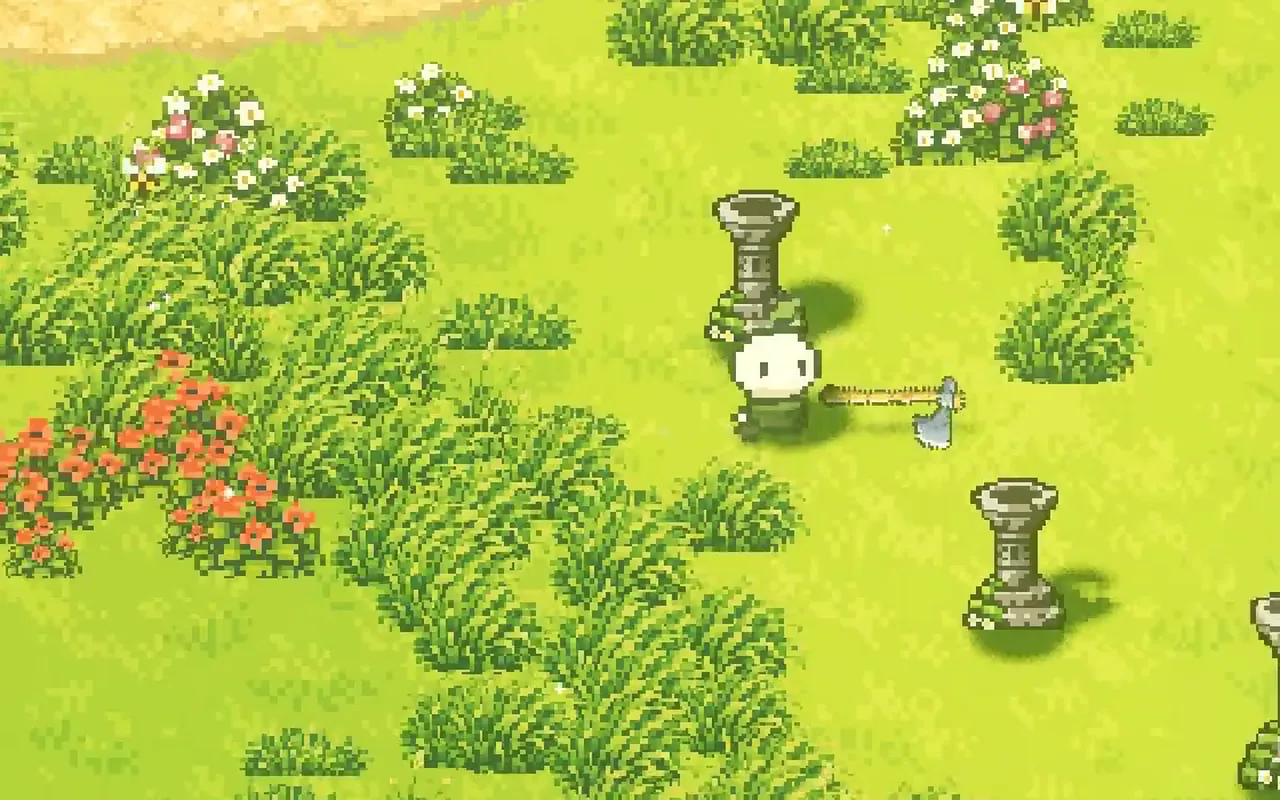
Pick a character. The walk, the step timing and the way the axe is held are the same code for all five:
Choose a character to see the same walk
The Seedling, the default: a round head with a leaf sprout as its crest.
Draw parts, not frames
Each character is a handful of small grids. The head is the biggest: twelve by ten pixels for the Seedling. The torso, the hands and the feet are shared by every character, and the clothing changes their colours. Extras like the Mothkin's wings or the Foxkin's tail are more parts attached to the body.
Because the parts are data, a new character needs a new head and a palette instead of a new sprite sheet. We covered why these parts are so small in pixel art character size.
Attach every part to a parent
Parts are arranged like a tiny skeleton. Each part has a position, a rotation and a scale relative to its parent: the head sits on the torso, the eyes on the head, the crest on the head, the hands next to the torso. Move the torso and everything attached follows, so each pose is only a handful of numbers.
Share the animations
An animation, which we call a clip, is a short list of keyframes: at this moment, move the head up a pixel; at that moment, swing the hand forward. Clips only use parts every character has, so they work for all five. Mytheria has 19 of them: an idle and a fidget, so a standing character breathes and shifts its weight; a swing for each family of weapons, such as a sword swing, a thrust or a bow draw; chopping and mining; and emotes like wave, nod, cheer and slump, for co-op and for the characters you meet.
The idle steps in whole poses instead of easing between them, which suits pixel art, where a breath is a one-pixel bob.
Plant the feet on the ground
A walk that plays at a fixed speed slides when the character slows down or speeds up. So the feet are driven by how far the character has moved, with a full stride every 40 units of travel. For the first 15% of each step a foot stays planted on the ground, and for the rest it lifts, by a pixel and a half at most, and swings forward with an ease in and out.
Because of that the feet never skate. When you stop walking they stop, when you walk slowly they step slowly, and when you dash the dash pose takes over.
Let the hand hold the tool
Tools and weapons attach to the hand. The game works out where the hand is in each pose and draws the tool there, pointing where you aim, and two-handed tools put the second hand four and a half pixels further along the shaft. Since every character has the same hands, any character can hold any of the nine weapons, the axe and the pickaxe with no extra art.
How we built the rig in Godot
In our Godot code the rig is a small script, without a scene of bones. It takes the walk, the aim and the current clip and returns a position, rotation and scale for each part, and the character draws its parts from that. Each character's parts are drawn into textures once, from the part grids and palette, so walking never re-uploads a texture.
The game and the inventory's character portrait use the same character and rig, so a pose looks the same in both. The rig is drawn at one and a half times the art's pixel size for every character, so the five always match each other.
The same rig also poses each character's invisible shadow shapes, so the shadow walks, swings and dashes with the sprite; see sprites in a lit world.
A checklist for modular pixel art animation
- Split characters into a few parts, and share as many as you can.
- Keep parts as data: grids, palettes and pivot points.
- Attach parts to parents, so a pose is a few numbers.
- Write clips that only use shared parts, so every character gets every animation.
- Drive the feet by distance travelled, and plant them on the ground.
- Attach tools to the hand, so every character can hold everything.
Further reading
- Pixel art character size: why we made our characters smallerWhy Mytheria's pixel art characters got smaller: compact heads, no limbs, floating hands and tiny feet. A real before and after, with the sprite sizes.
- How to make a dash feel good: charges, cooldowns and animationHow the dash in Mytheria works: speed, distance, cooldown, charges, invincibility frames and the animation. Try the charges yourself, with real numbers.
- MytheriaPick one of these five and play: a pixel-art co-op adventure for one to four players.
Wishlist Mytheria
Mytheria is a pixel-art co-op adventure for one to four players, coming to Steam for Windows, macOS and Steam Deck. A wishlist is the best way to follow it and to help us.