How to make fog look good in a pixel art game
How we draw fog in Mytheria: in the world, never on the screen, with a clear pocket around the player and shelters that cut holes in it. Real footage.
On this page
- What makes fog look good in a pixel art game?
- The short answer
- Put the fog in the world
- Why doesn't depth fog work for a top-down pixel game?
- Give each fog its own job and look
- Warn first, then roll it in
- Keep a clear pocket around the player
- Let shelters cut holes in the fog
- How we draw fog in Godot
- A checklist for good fog
Fog can give a pixel-art world a lot of mood, and it can also turn the whole picture grey and soft, or look like a filter laid over the game. In Mytheria, our pixel-art co-op game, there is fog from the mist in a dawn glade to a deadly fog that rolls in at night. This is how we keep it looking good.
Every clip below is from the game, filmed for this post.
What makes fog look good in a pixel art game?
Fog looks good when it sits in a place in the world, moves slowly and thins and thickens across the ground, while leaving the player and everything they need clearly visible. A flat haze over the whole screen washes the colours out and hides what matters.
The short answer
How we draw fog in Mytheria:
- Fog sits on the ground in the world, and nothing is painted over the final image.
- We don't use the engine's depth fog, because with our flat camera it turns the whole picture white.
- Each kind of fog has its own look: soft mist in enchanted glades, a pale wall over sealed regions, and a cold grey-blue fog at night.
- A clear pocket around the player means you can always see yourself and what's near you.
- Shelters cut their own clear holes in the fog, so you can see where it's safe.
- A haze gathers at the edge of the view before the night fog arrives.
Put the fog in the world
The fastest way to add fog is a grey layer over the whole screen, which makes the game look like it has a filter on. In Mytheria every fog sits on the ground in a place you can walk into and out of, and when the camera moves, the fog stays where it is.
Why doesn't depth fog work for a top-down pixel game?
Most engines, Godot included, have a built-in depth fog that fades things the further they are from the camera. That works well for a 3D game looking toward a horizon. Our camera looks straight down from far away with no perspective, so every pixel on screen is about the same distance from it, around 1,300 units. Depth fog can't tell near from far, so it whitens everything equally, and we leave it off.
Give each fog its own job and look
Mytheria has three kinds of fog, and each looks different. The mist in enchanted glades is soft and local, golden at dawn and glowing teal at night, and it's there for mood only; we wrote about it in our post on pixel art lighting.
A pale bank of fog covers land you haven't opened yet. When you open a region, its wall rolls back from the edge and thins away over seven seconds at dawn.
Once a night, a dangerous fog rolls in. It's tinted a pale, cold, moonlit grey-blue, so it can't be mistaken for the friendly mist of a glade. If danger and decoration looked the same, players couldn't tell which fog to run from.
Warn first, then roll it in
The night fog always warns you first. Step through it, filmed at a lantern shrine on red clay:
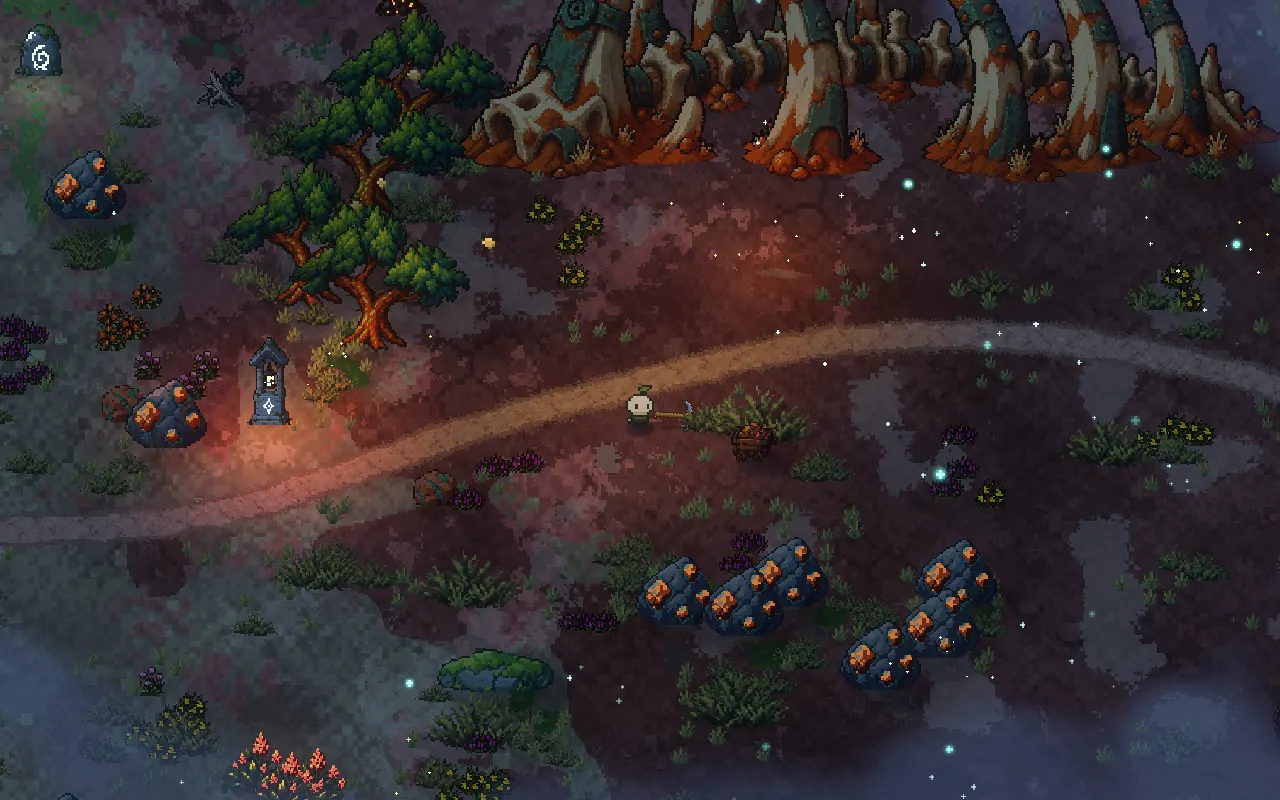
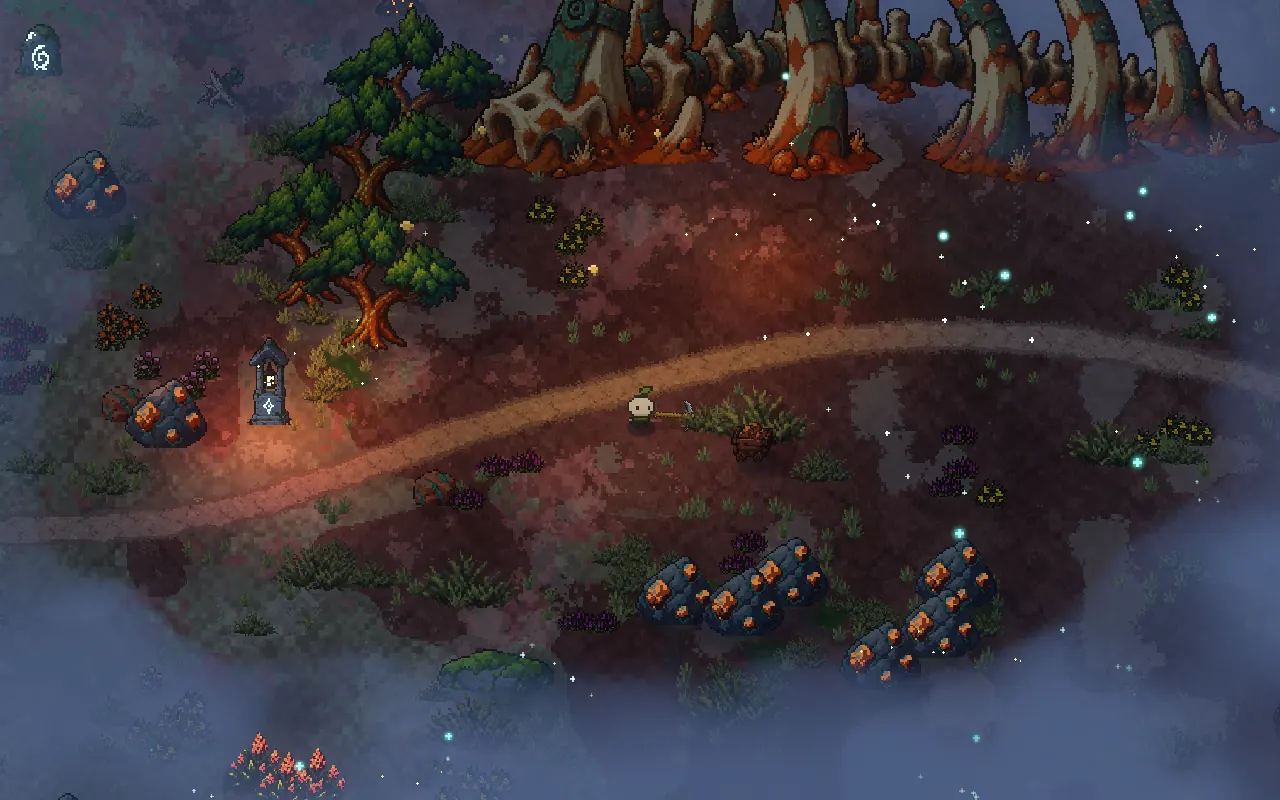
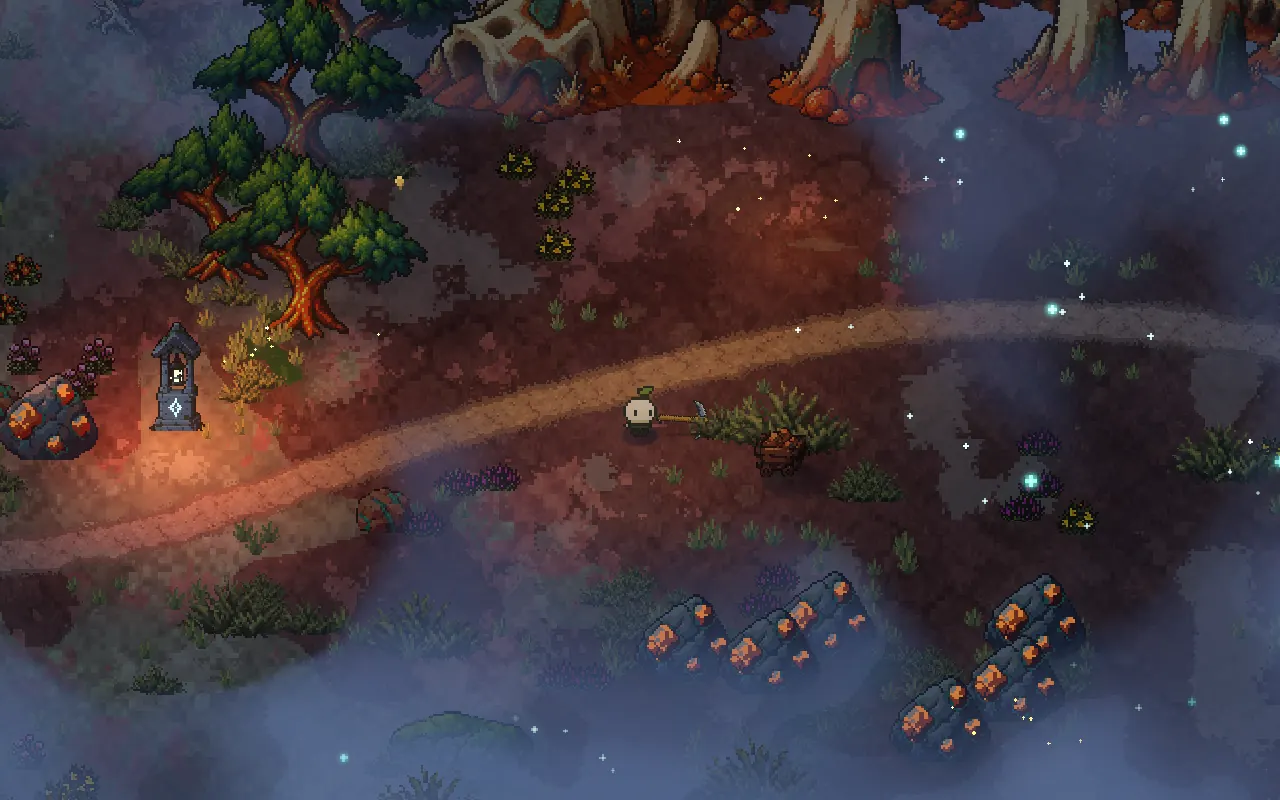
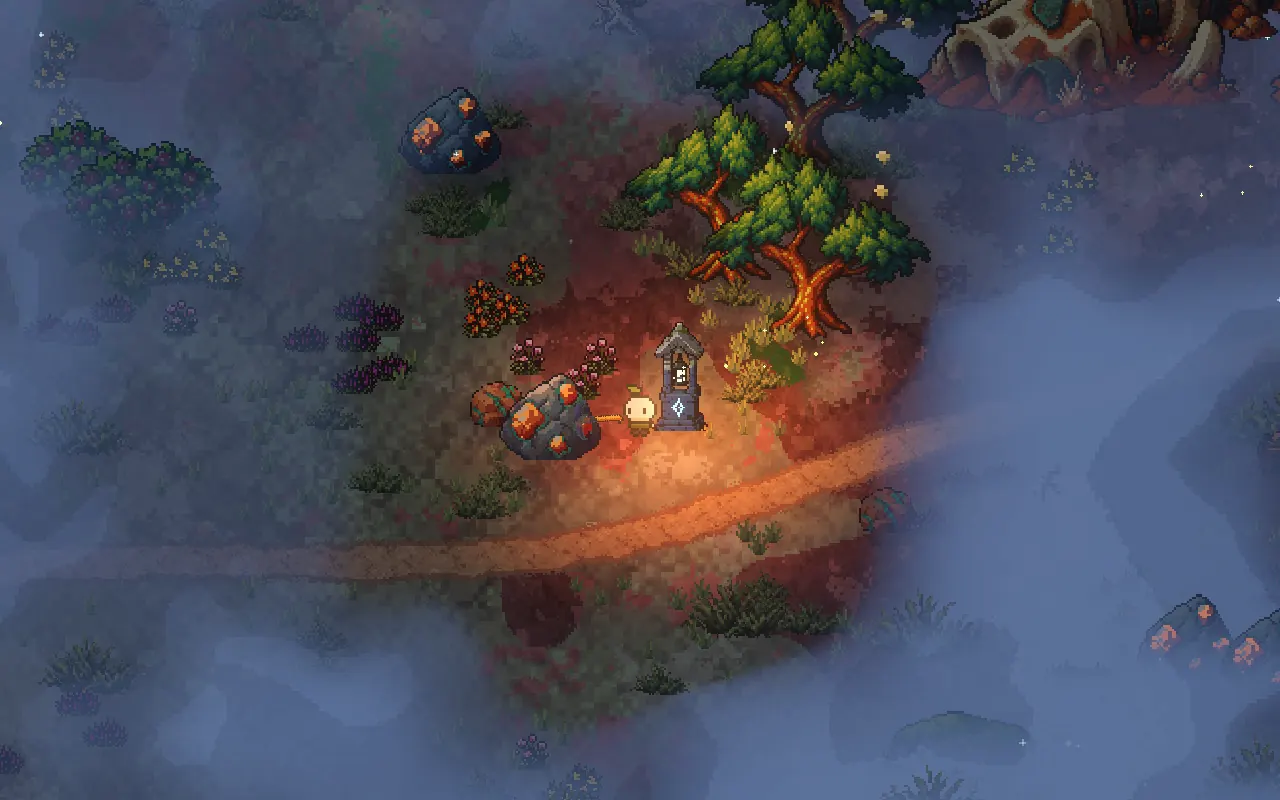
Step through the fog, or use the arrow keys
The warning: a haze gathers at the edges of the view and the moon pales, together with a horn. You have 22 to 30 seconds to find shelter.
Why the fog comes at all, and what it does to you, is the subject of night and fog: designing danger that comes and goes.
Keep a clear pocket around the player
Fog that covers the player makes the game unplayable. Inside the night fog, a clear circle of 150 units stays around you, about half the height of the screen, so you can see yourself, the creatures closing in and anything you might pick up.
The edge of the pocket is soft and uneven, and the fog drifts slowly, so it reads as weather rather than a hole cut in a texture.
Let shelters cut holes in the fog
Shelters, like the lantern shrines along the roads, get their own clear pockets. From inside the fog you can see the shrine's clear patch and its warm light, which tells you where safety is without any arrow or marker. While the fog is out, the shrine lights brighten and other lights around them dim, so the way to safety is the brightest thing on screen.
How we draw fog in Godot
In Godot, the sealed-region wall is a stack of seven horizontal sheets at different heights, from just above the ground to above the tallest trees. Seen from above, the stack gives the fog depth without any real volume. The sheets follow the camera, but the shader works out the fog's density from world positions, so the pattern stays put as you walk.
The clear pocket around the player and up to eight shelter pockets are passed to the shader as a small list of circles, so no textures are redrawn when you move. The warning, the fog and the clearing are worked out from the game's own clock, so every player in co-op sees the same fog at the same moment.
A checklist for good fog
- Put fog in the world, never as a layer over the screen.
- Don't use depth fog with a top-down, orthographic camera.
- Give each kind of fog its own look and job.
- Keep a clear pocket around the player.
- Show shelter as a clear patch in the fog.
- Warn before it arrives and let it roll in from the edges.
- Keep fog pale and neutral by day, so it never lays a yellow veil over the art.
Further reading
- Pixel art lighting in Godot: real lights in the worldHow we light Mytheria's pixel art in Godot with real lights, local mist and time of day instead of screen filters. Drag the sun through a whole day.
- Day and night cycle in games: designing every hour of the dayHow Mytheria's day and night cycle works: a 12-minute day, a dangerous moonlit night, a fog that comes once a night, and a dawn every player shares.
- MytheriaThe island this fog rolls over: a pixel-art co-op adventure for one to four players.
Wishlist Mytheria
Mytheria is a pixel-art co-op adventure for one to four players, coming to Steam for Windows, macOS and Steam Deck. A wishlist is the best way to follow it and to help us.