Minimap design: show only what helps the player
How we designed Mytheria's minimap: a calm round window, icons that keep their size, arrows on the rim, and six zoom steps. Real footage from the game.
On this page
A minimap sits on screen for the whole game. If it's busy, it pulls your eye away from the fight in front of you every few seconds, and if it shows too little, you keep opening the big map instead. In Mytheria, our pixel-art co-op game, the minimap is meant to answer a question in one glance.
Every clip below is from the game, filmed for this post.
What should a minimap show?
Only what helps you decide where to go next: where you are and which way you face, the land around you, the places that matter, and where your friends and goals are. Everything else belongs on the big map, which you open when you have time to read it.
The short answer
How the minimap works in Mytheria:
- It's a round window on the land around you with north always up, and you're the white arrow in the middle, pointing the way you face.
- Icons keep their size at every zoom, so a Waystone or a camp is always readable.
- Trees and rocks appear only when you zoom in close.
- Friends, waypoints and your goal get an arrow on the rim when they're off the map.
- There are six zoom steps, with buttons on the rim, the mouse wheel or a key.
- Unexplored land stays blank, like unmarked paper.
Waystones, the island's fast-travel stones, use the same icon on every map; how they work is in fast travel design.
Keep the window calm
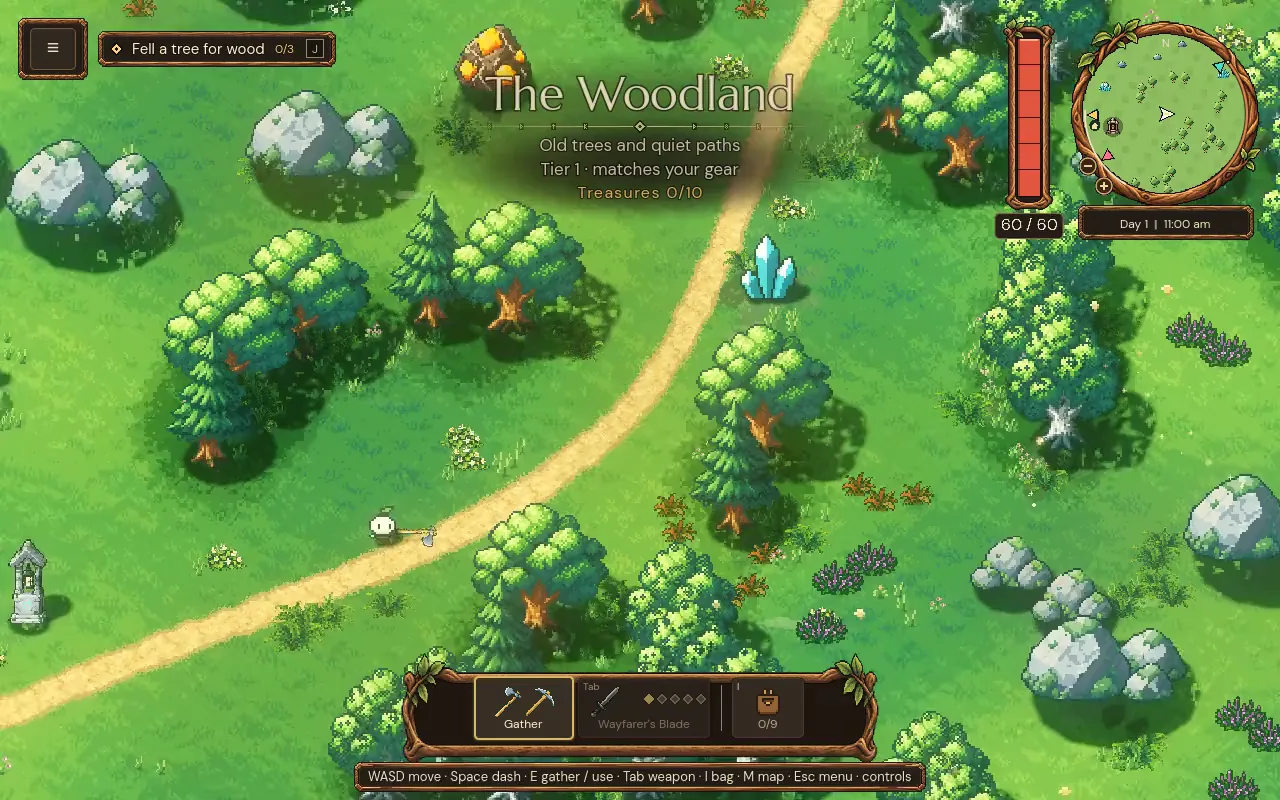
Our minimap is a round window framed in carved wood, in the top right corner, out of the way of the action in the middle. Its rim doubles as the clock. The land is drawn in a few flat colours for grass, water and sand, which keeps the map calmer than the busy world around it.
The strongest mark on it is you, a white arrow that turns as you turn, and everything else is smaller and quieter.
Icons that keep their size
The important places on the island, like Waystones, settlements, mines, temples, lantern shrines, camps and landmarks, each get a small icon. Those icons stay the same size at every zoom. When you zoom out, the land shrinks under them, but a Waystone never turns into a speck.
Trees and rocks, placed in groves, are drawn as tiny versions of themselves only when you're zoomed in close. Zoomed out, they would turn into noise, so the map shows only land and icons.
Step through the six zoom steps:
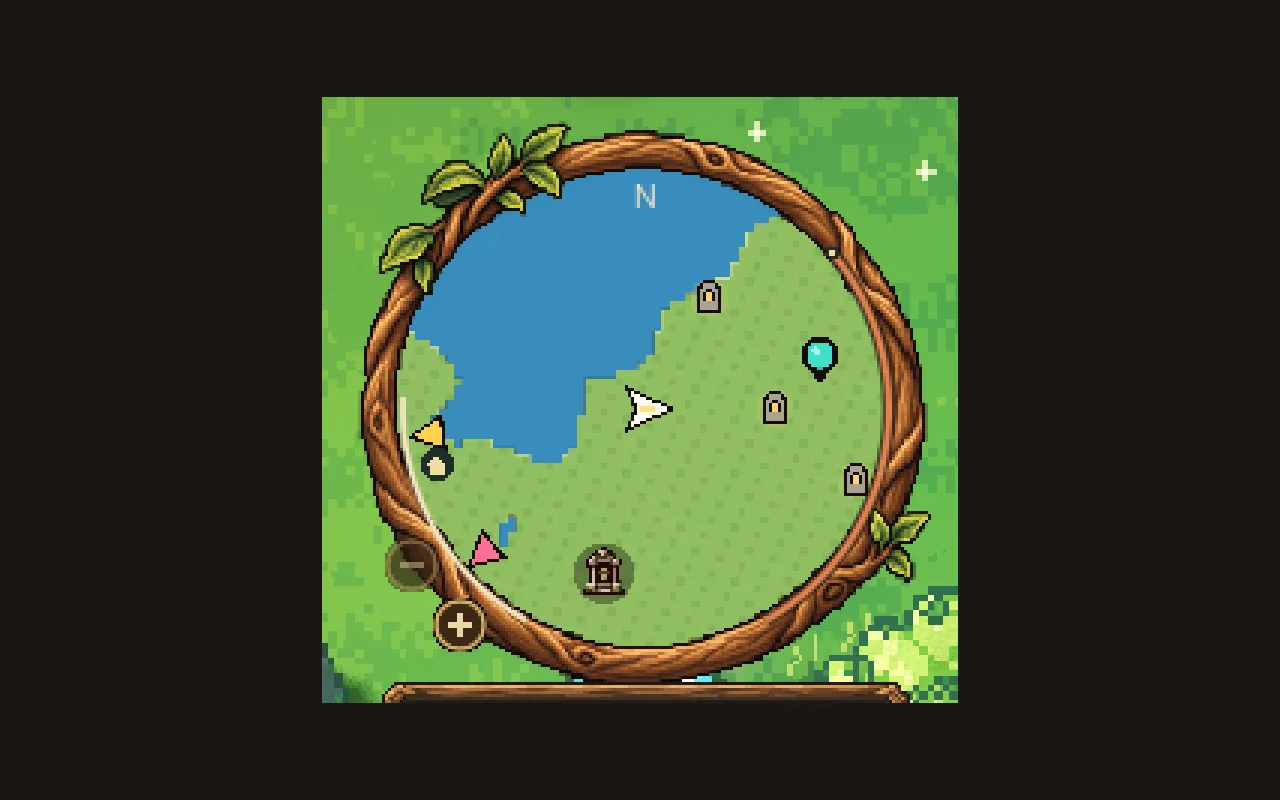
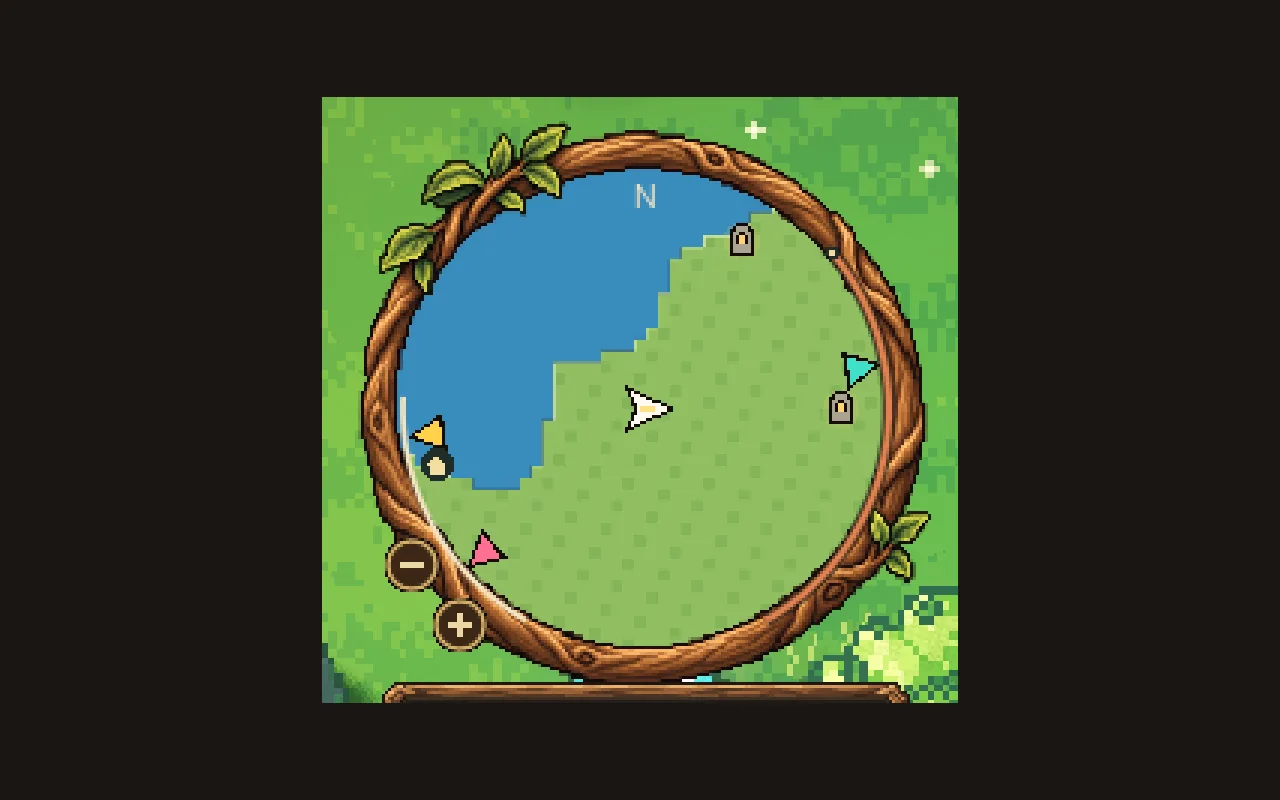
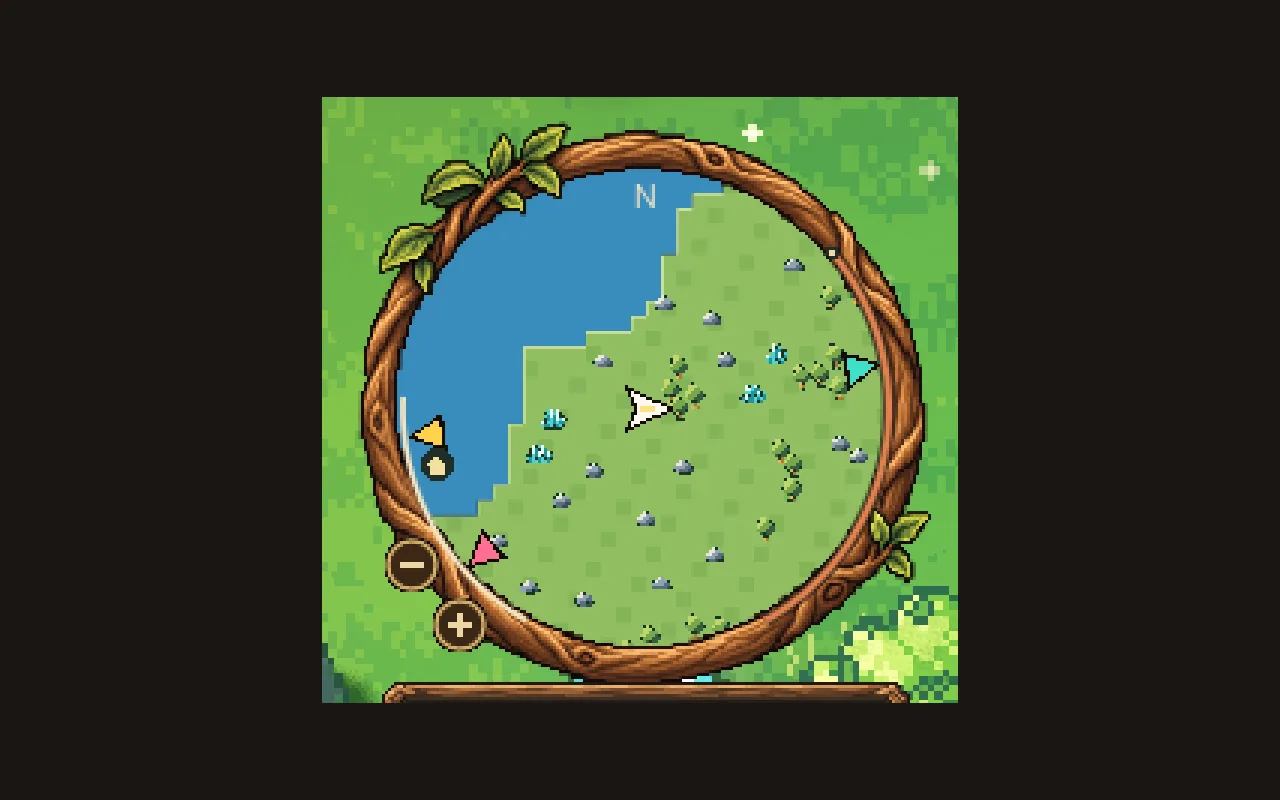
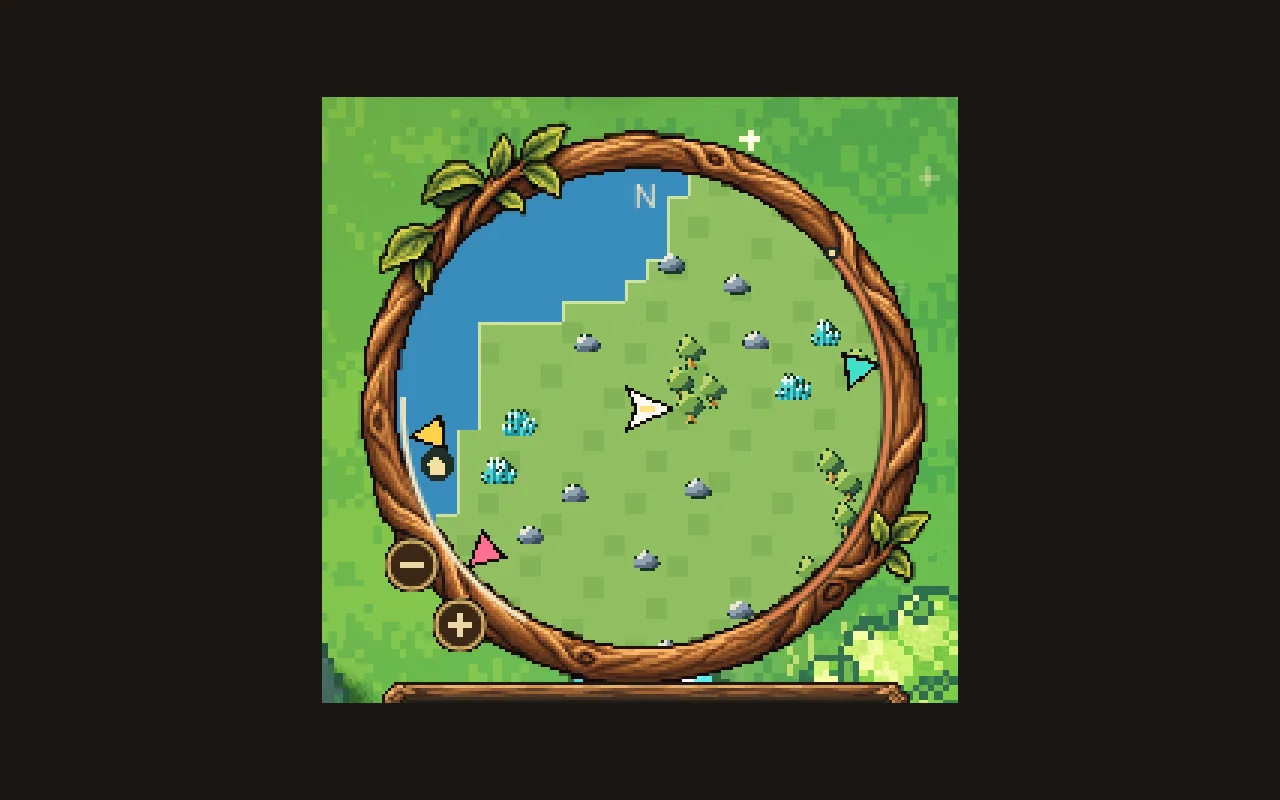
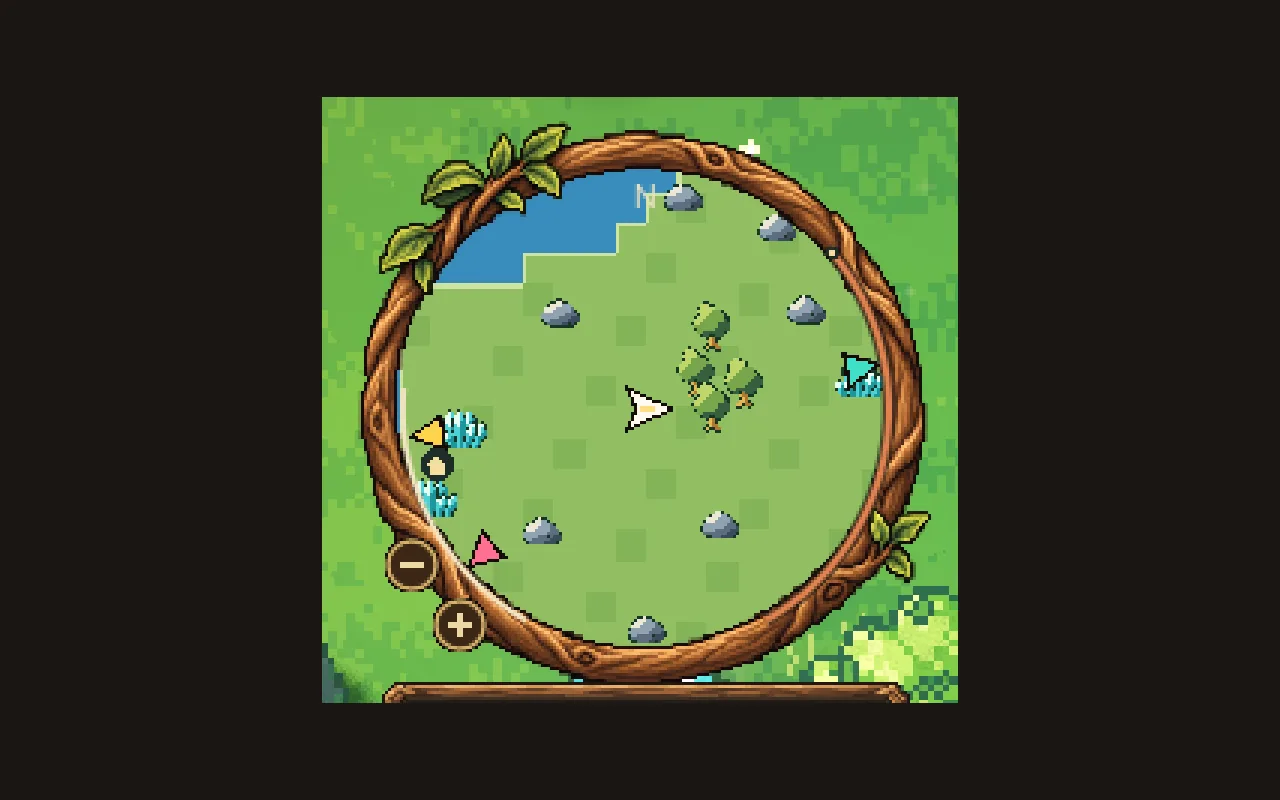
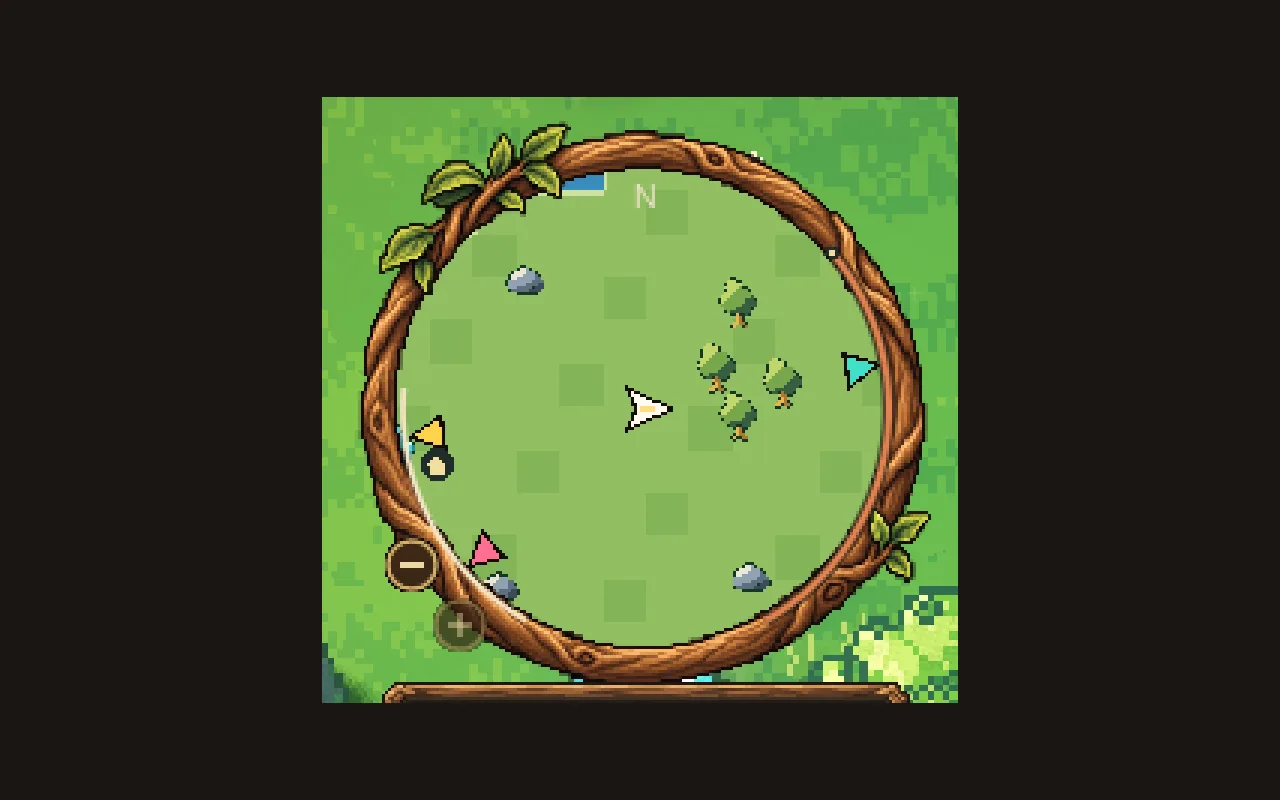
Step through the zoom levels, or use the arrow keys
The widest step: the coastline, place icons and the teal waypoint, which is close enough to sit on the map as a pin. The minus button greys out because you can't go further.
Arrows on the rim
When a friend, a waypoint or your current goal is outside the window, an arrow in its own colour sits on the rim and points at it, so you know which way to walk even when it's far away.
Waypoints are shared in co-op: anyone can pin a spot on the big map in one of four colours, and it shows on everyone's minimap. Each player can have three at a time, and a fourth replaces their oldest.
Show what's yours
A few marks are personal. The day's shrinestones you haven't visited yet show as small grey stones. If you fall and drop what you were carrying, your pack shows as a brown satchel, and as a brown arrow when it's out of view, so you can walk back and pick it up. Each friend sees only their own marks.
How we built the minimap in Godot
A common way to build a minimap in Godot is a second camera rendering the world into a small SubViewport. Ours is a Control that draws the flat land, icons and arrows itself with _draw, which is cheaper and looks like a map. The land is painted into small images, 32 by 32 tiles each, and only redrawn when something changes, so walking slides the cached pictures along.
After a long jump, like travelling by Waystone, many of those images are missing. A frame trace showed that painting them all at once caused a hitch, so now they're painted nearest the middle first, for at most 4 milliseconds a frame.
Icons are placed from world positions but drawn at a fixed size in screen pixels, which keeps them readable at every zoom. The minimap and the big map share the same icons and the same rules for what to show, so they always agree.
A checklist for minimap design
- Show where you are and which way you face, clearly, in the middle.
- Keep the land flat and quiet.
- Keep icons the same size at every zoom, and add small details only when zoomed in.
- Put arrows on the rim for things outside the window.
- Leave unexplored land blank.
- Draw the map yourself and spread the heavy painting over frames.
Further reading
- Game inventory UI design: five versions and what each one taught usMytheria's inventory went through five designs, from a flat paper book to a live character on a stage. Step through each one and see what we changed.
- Day and night cycle in games: designing every hour of the dayHow Mytheria's day and night cycle works: a 12-minute day, a dangerous moonlit night, a fog that comes once a night, and a dawn every player shares.
- MytheriaThe island this minimap shows: a pixel-art co-op adventure for one to four players.
Wishlist Mytheria
Mytheria is a pixel-art co-op adventure for one to four players, coming to Steam for Windows, macOS and Steam Deck. A wishlist is the best way to follow it and to help us.