How to make a game world bigger without making it empty
How Mytheria's island grew five times wider without feeling empty: named places, huge landmarks, roads, and something to find every few seconds.
On this page
A bigger map is easy to add to a game and can easily make it worse. When you stretch a world, every walk gets longer while the interesting parts stay the same size, so the player spends more time between things. When Mytheria, our pixel-art co-op game, grew to five times its width and height, most of the work went into filling the space between places.
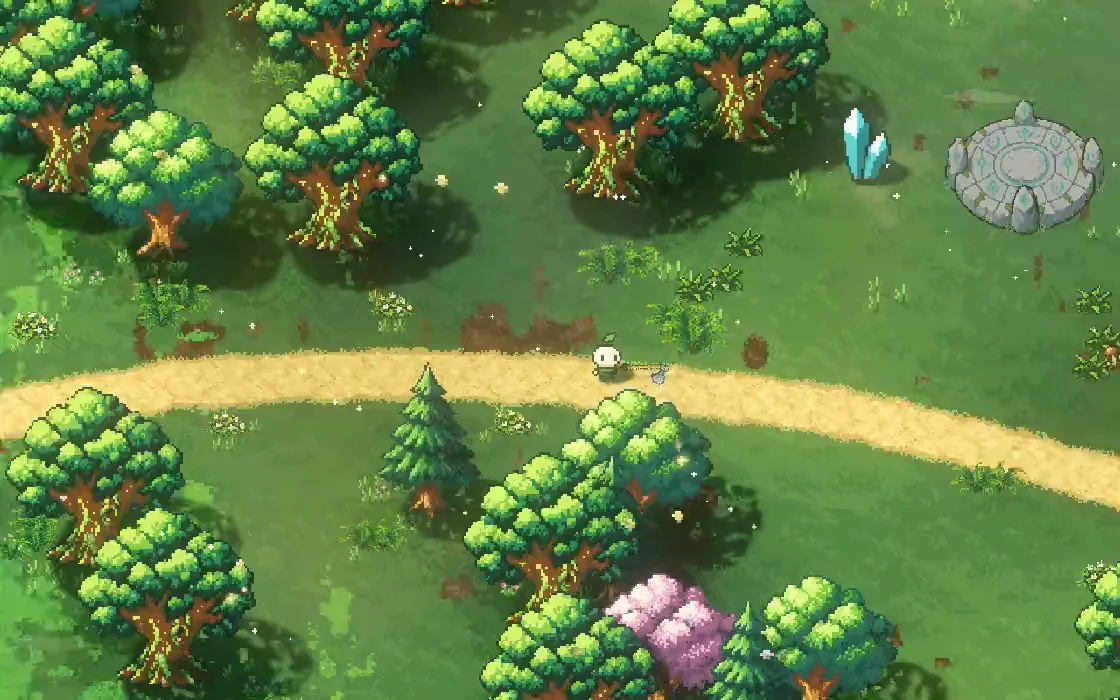
Every picture below is from the game.
How do you make a big game world not feel empty?
Grow the distances and keep everything else the same size, including the player's speed, the camera and the fights. Then fill the new space in layers: named places with their own look, huge landmarks to find your way by, roads between them, and smaller finds along the way. Finally, measure how long it takes from any point on a road to reach the next thing worth stopping for.
The short answer
How Mytheria's island grew without getting empty:
- The island is five times wider and taller, with the run speed, camera and day length unchanged.
- It has 37 named places, each with its own ground, plants and title.
- 13 huge landmarks can be seen from far away.
- 42 roads link it all, about ten minutes of running to cover them all.
- Along the way are 43 treasures, 36 monster camps, 7 danger zones and 17 Waystones.
- From any road, the nearest of those is at most eight seconds' run away.
Grow the distance, keep the rest
The island's surface went from 168 by 62 tiles to 840 by 310. Running straight across it now takes about two and a half minutes. The run speed of 175 units a second, the camera, the dash and the length of a day all stayed the same, and so did the size of camps and danger zones. If those had grown with the map, the world would only have felt slower.
Split it into places
A big area with one look feels empty, so every region is split into named places, 37 across the island, with their own ground, plants and props. Walk into one and its name and a line about it appear at the top of the screen:
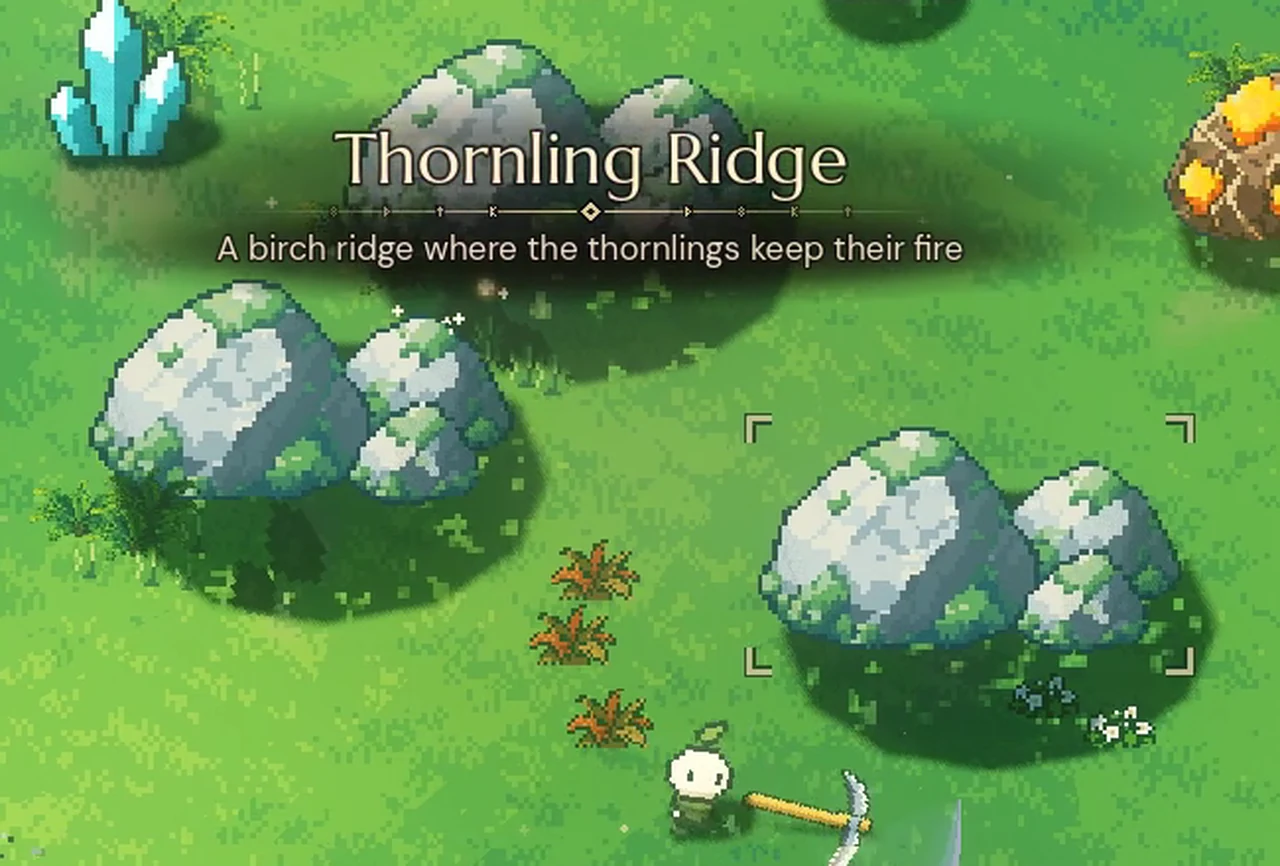
The names give the player a way to talk about the world ("meet me at Thornling Ridge"), and the change of look tells them they've gone somewhere even before the title appears.
Put up landmarks you can steer by
On a big map you need things you can see from far off. Mytheria has 13 huge set pieces, one to three per region, such as an ancient tree the road runs under and a sunken bell tower. They're many times bigger than anything else on screen, so they appear at the edge of the view long before you reach them and draw you toward them. When you first come near one, the camera turns to frame it, and around the Elder Hollow the view stays about a third wider until you've passed. The clip at the top of this post is that walk: along a Woodland road, the camera turns to the Elder Hollow, and the road runs under its roots.
Measure the gaps between things
This is the whole island on the game's own map with every region open, with what's placed on it. The roads are coloured by how far each point is from the nearest thing switched on, in seconds of running. Turn things off and watch the gaps open:
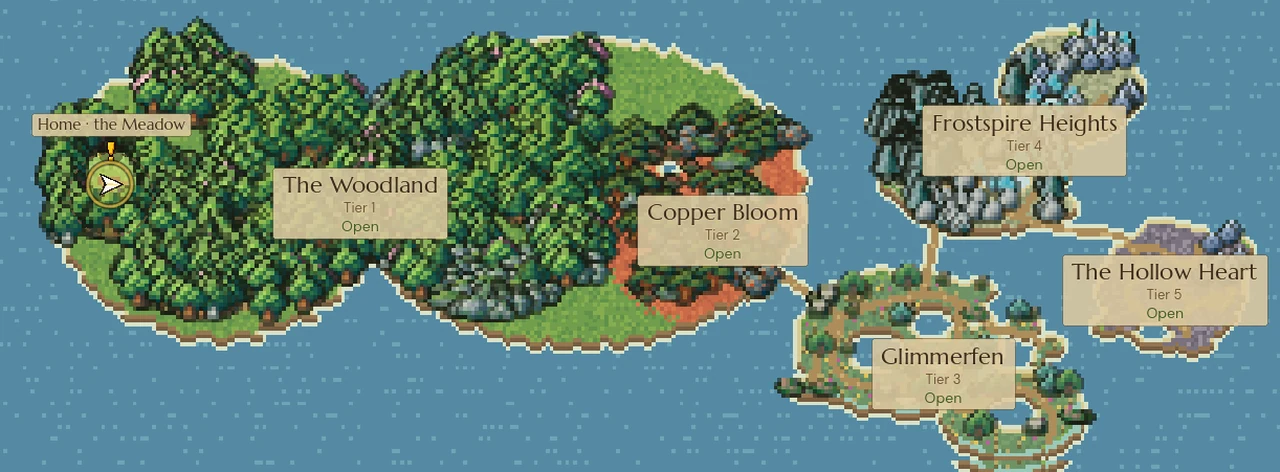
Switch things off and watch the roads turn red
With everything on, half the road is within two and a half seconds of a landmark, treasure, camp, danger zone or Waystone, and no part of it is more than eight seconds away. Turn off the Waystones and the longest gap is over ten seconds; leave only the landmarks and it's eighteen. Each layer fills gaps the others leave. How the camps and danger zones themselves work is in monster camps and danger zones in an open world.
Under all of that is the smallest layer: a fresh world holds 3,706 trees, rocks, crystals and flowers to gather, so the land between the markers is still full of small things to do. How they're placed is in how to place trees and rocks so a map looks natural. They also move a little every dawn, so the gaps never become a memorised route; see the island reshuffles every day.
Make the way back short
A world five times wider also means a walk home five times longer, and in Mytheria you need shelter when the night fog comes. So the island has 17 Waystones that you can travel between for a few runes, which matters more the bigger the world gets; how they work is in fast travel design.
A checklist for a bigger world
- Grow the distances, and keep speed, camera and fight sizes the same.
- Split every region into named places with their own look.
- Announce each place with its name as you enter.
- Add huge landmarks that show from far away.
- Link places with roads, and leave room off them.
- Measure how far any point on a road is from the next thing.
- Fill the gaps in layers, from landmarks down to small finds.
- Make the way back short once the way out is long.
Further reading
- Fast travel design: waystones that respect the mapHow Mytheria's fast travel works: 17 waystones where you'd go anyway, unlocked by visiting, priced by distance, and a channel that a single hit breaks.
- How to place trees and rocks so a map looks naturalHow Mytheria places its trees and rocks: drifts instead of random scatter, habitats with rules, clear roads and a world that gets richer away from home.
- MytheriaExplore the whole island yourself: a pixel-art co-op adventure for one to four players.
Wishlist Mytheria
Mytheria is a pixel-art co-op adventure for one to four players, coming to Steam for Windows, macOS and Steam Deck. A wishlist is the best way to follow it and to help us.